

What is intelligent video analytics?
 By Muhammad Talha · Product Manager and CTONine years building computer vision and automated surveillance systems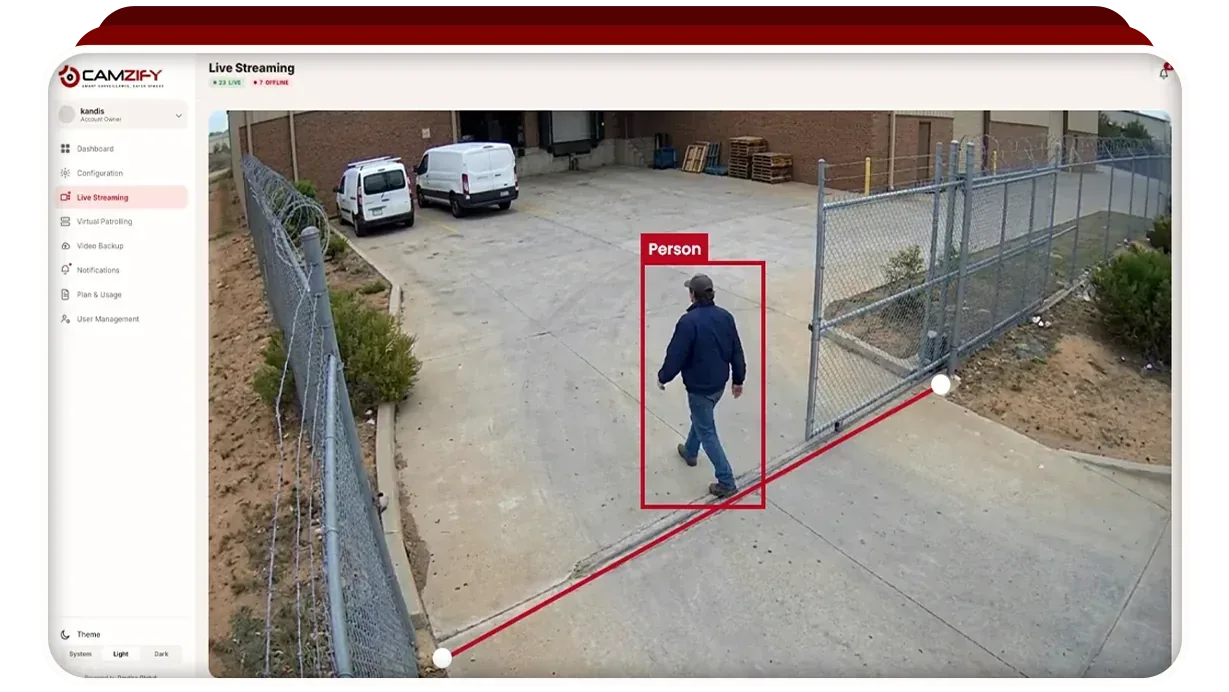
Intelligent video analytics is software that reads camera footage for what is in it, people, vehicles, objects and what they are doing, and raises the events that match a rule you have set. It is the difference between a camera that records and a camera that notices. This guide explains what the phrase covers, how it differs from the motion detection built into most recorders, what it can and cannot see, and how to judge a vendor's claims about it.
What the “intelligent” part means
Plain video surveillance produces footage. Somebody has to watch it live, or search it after something has happened, and neither scales: a person watching sixteen screens misses most of what happens on them, and a search through a week of footage takes the better part of a day. Intelligent video analytics moves the watching into software. The software looks at every frame from every camera, all the time, and its job is to reduce that to a short list of events worth a person's attention.
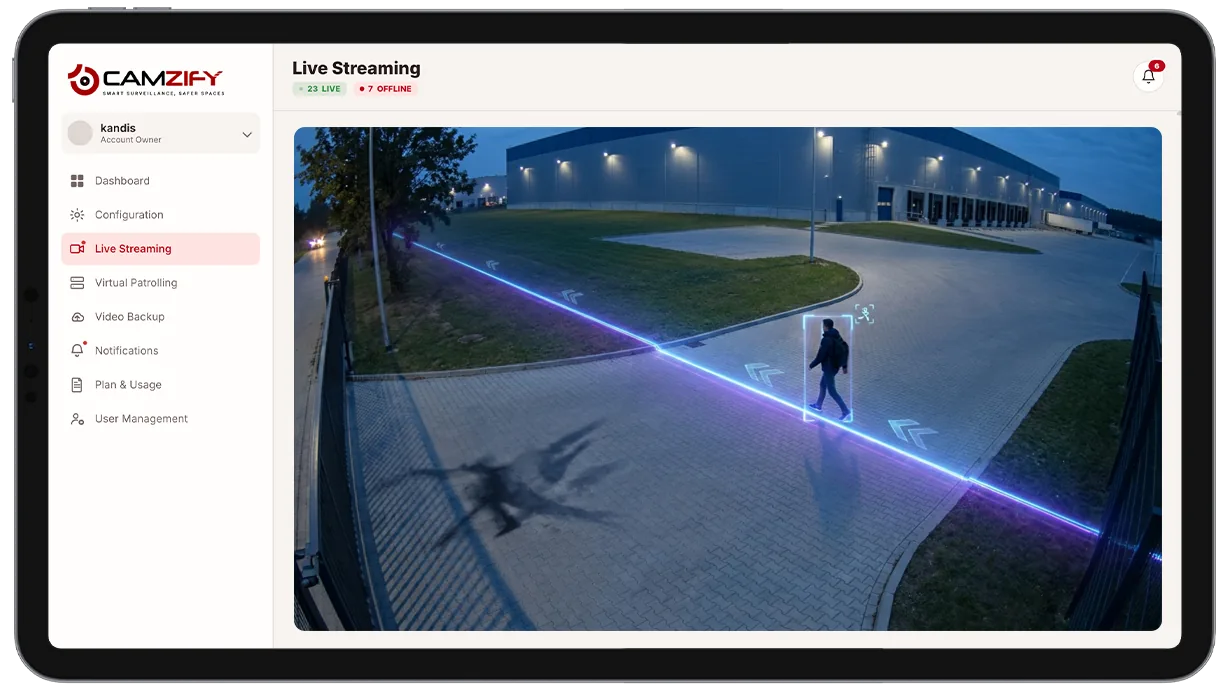
The word covers a wide range of ability. At the simple end, a rule that fires when a tracked person crosses a line. At the far end, a model that reads a scene and describes it in words, or that reconstructs the path one person took across several cameras. The AI detection features on Camzify span that range, and each one is a separate capability switched on per camera.
How it differs from motion detection
Motion detection compares one frame with the next and reacts to change. It has no idea what changed, so a headlight sweep, a cloud shadow, rain and a swaying branch all trigger it, which is why the motion alerts on most recorders are switched off within a month of being switched on.
Intelligent video analytics starts by working out what is in the frame. A detection model finds the people, vehicles and objects; a tracker follows each one from frame to frame so that it stays the same person as they walk across the view; and only then does a rule ask a question about that tracked thing: has it crossed this line, entered this zone, stayed here too long, is it wearing a hard hat. A branch is not a person, so a person rule stays quiet when the branch moves. The comparison page puts the two side by side, and the false alarms guide covers what to do when a rule is still too noisy.
What it can detect
The capabilities group into five kinds of question, each of which the software answers about a tracked object rather than about pixels.
- Where something is. A person or vehicle crossing a line, entering a zone, parked where it should not be, or driving the wrong way.
- How long it has been there. Loitering in a doorway, an object left in a corridor, a second person through a door on one badge.
- What it is wearing or carrying. Hard hats, vests and gloves against the policy for a zone; a visible weapon.
- What is happening to people. A fall, an altercation, a crowd forming where one should not.
- What is happening to the scene. Flame or smoke in frame, a camera covered, turned or defocused, occupancy climbing past a limit.
A newer class of feature reads the scene in words rather than by rule. Attribute extraction describes who was seen, forensic search finds them again by that description, and behavioral anomaly detection lets you describe in plain language what to watch for.
How a detection becomes a notification
A detection is not yet an alert. On Camzify every feature on every camera has a notification window: detection runs all the time, and only a detection inside the window becomes a message. A person in the loading bay is a detection at 14:00 and a notification at 02:00. Each notification carries the frame, the timestamp, the rule it matched and a link to the recorded clip, goes to the channels set for that camera and that severity, and can be acknowledged or escalated from the alert queue. The alerts guide covers setting this up so the queue stays readable.
Where it runs: on the camera, on a server, or in the cloud
Some cameras run analytics on the camera itself. That needs no bandwidth and no other equipment, and it is limited to what that camera's chip can do and what its maker chose to ship. A server on site runs richer models across every camera on the network, and has to be bought, housed and maintained. Cloud analytics run on the streams after they leave the site, so any camera qualifies and models improve without anyone touching hardware, at the cost of needing the upstream bandwidth to carry the streams.
Camzify is the third kind. Cameras connect by RTSP, directly or through the Connector, and every feature is available on every connected camera. The architecture page describes the layers from stream to notification, and cloud video surveillance covers the recording underneath.
Accuracy, and why no rate is quoted here
Every vendor is asked how accurate it is, and the honest answer is that it depends on the camera. A person at ten meters in daylight from a well-placed camera is easy; the same person at forty meters, at night, from a camera pointed into a floodlight, is not. A detection rate quoted without the angle, the lighting and the distance is a marketing figure, and we do not publish one; the trust page lists what else we leave out.
What replaces the number is evidence. Every detection carries the frame it was judged from, so a person can confirm or dismiss it in seconds, and every rule has a sensitivity, a minimum duration and a notification window that can be tuned against the false alerts it actually produces on that camera. The buyer's guide lists the questions to ask a vendor, and a demo on your own cameras answers most of them.
What it will not do
It will not see what the camera cannot: a corner without coverage, a lens that is dirty or dark, a person behind a vehicle. It will not know intent; it reports a person in a zone, not a burglar. It will not attend, and it should not act unread, which is why a person is always in the loop between a notification and a response. And it is not a patrol: analytics answer “did this happen” the moment it happens, while a patrol round answers “is everything as it should be” at the scheduled time, camera by camera, with a report. The two are built on the same tracking and are usually run together.