

Multi-Object tracking
Multi-object tracking maintains persistent identity for every subject in the camera view. Each tracked object gets a unique track ID that survives brief occlusions — when a person walks behind a pillar and reappears, the system recognizes it as the same subject. This is the foundation that makes line and zone intrusion detection accurate.
- A unique, persistent track ID for every subject in frame
- Continuous identity through brief occlusions and re-entries
- The confirmed-track input that line and zone intrusion rules…
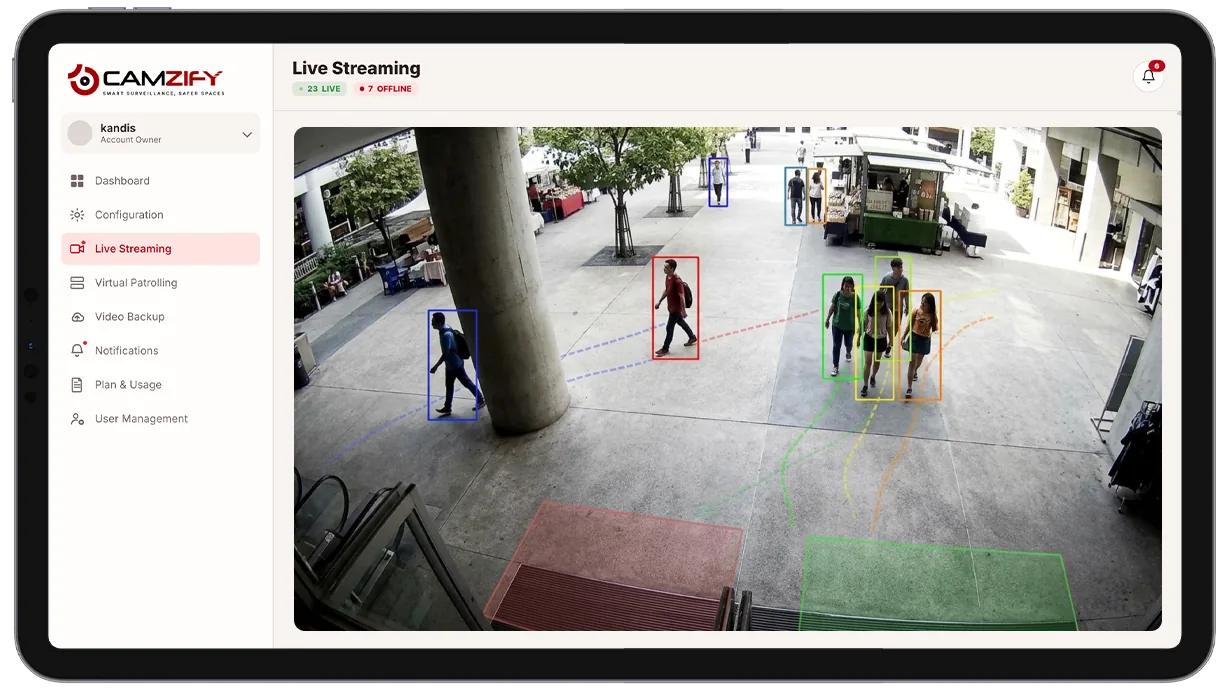
This capability tracks and enables:
- • A unique, persistent track ID for every subject in frame
- • Continuous identity through brief occlusions and re-entries
- • The confirmed-track input that line and zone intrusion rules evaluate
- • Directional and dwell-time logic used by other detection features
- • Clean, reviewable track histories for every subject
Why multi-object tracking matters
Detection features that react to a single frame, a change in pixels, a shape that looks like a person, have no memory. The same subject can trigger a fresh, disconnected event every time they briefly leave and re-enter the frame, and there's no way to answer a simple question like "how long has this person been in the loading dock?"
Without persistent identity, every other detection feature is working with a snapshot instead of a story.
- A line-crossing rule can't tell direction reliably without a trajectory to evaluate.
- A dwell-time zone rule can't know how long someone has actually been present without a continuous track.
- A journey map across cameras has nothing to link.
Multi-object tracking is the layer that turns isolated detections into a coherent record, one subject, one identity, one continuous history, that every other AI feature in the platform depends on.

How it works
Building a track
Each confirmed subject entering a camera's frame is assigned a unique track ID. The system follows that subject's position, direction, and speed frame over frame, building a continuous trajectory rather than a series of unrelated detections.
Surviving occlusion
When a subject briefly disappears, behind a pillar, a passing vehicle, another person, the tracker predicts where they're likely to reappear and reassigns the same track ID on re-entry, rather than treating them as a new subject and breaking the history.
Feeding other detections
The confirmed track output feeds directly into line intrusion detection, zone intrusion detection, and every other feature that needs to reason about a subject's movement over time rather than a single frame.
Configuration
Multi-object tracking runs automatically as the underlying layer for other detection features, with a few tunable settings:
- • Object-class filtering, track people only, or people and vehicles
- • Occlusion-recovery window, tuned to typical obstruction lengths on-site
- • Track confidence threshold before a subject counts as confirmed
- • Per-camera instance licensing
Common scenarios
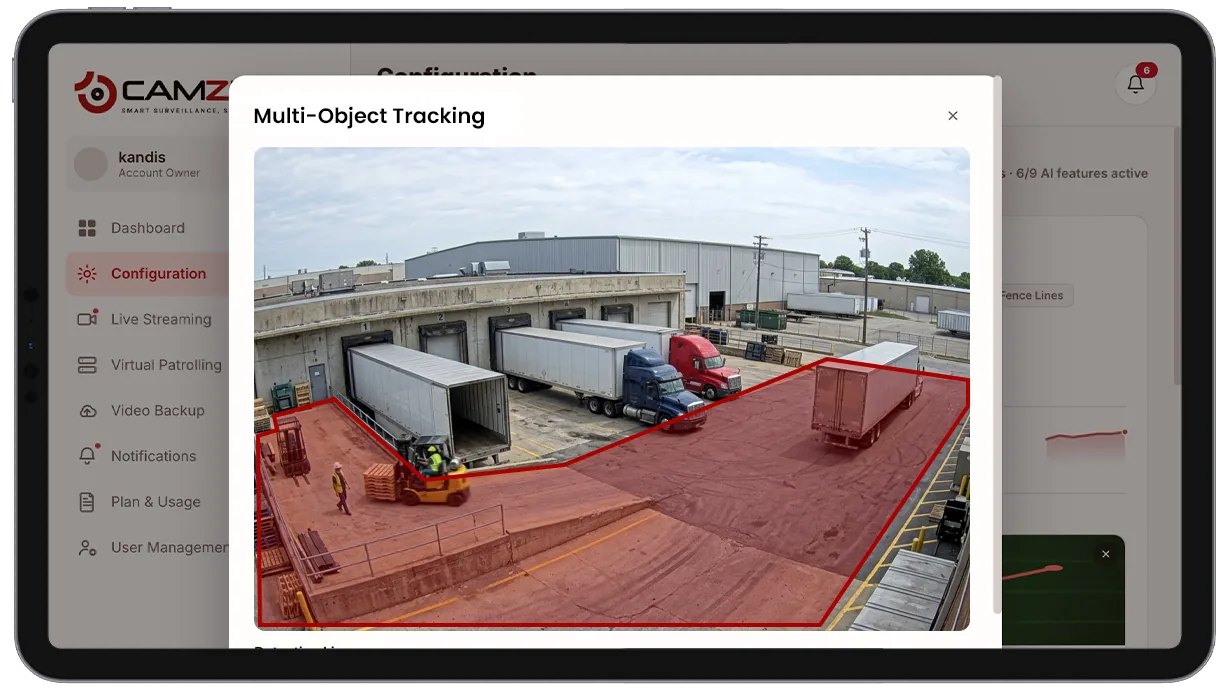
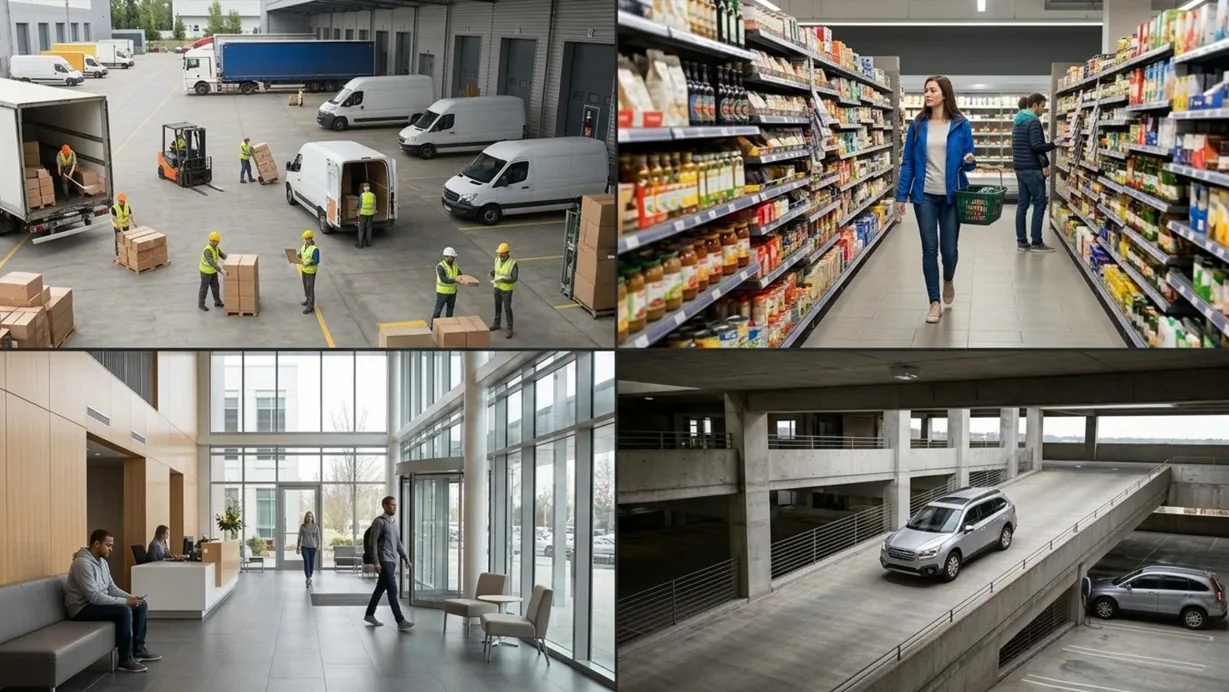
- • A busy loading dock where multiple people and vehicles need independent, simultaneous tracks
- • A retail floor where a subject passes behind shelving and needs to keep the same identity
- • A lobby where a subject's dwell time needs to be measured continuously, not in fragments
- • A parking structure where a vehicle's track feeds directional and dwell-time rules
- • A multi-camera site where a subject's track needs to be handed off for journey mapping
In a patrol round
During a virtual patrol round, alerts from this detection model contribute to the compliance assessment at each camera stop and are logged in the patrol report.
Frequently asked questions
See the detections on live cameras
A 15-minute demo of the live product: the detections your site needs, running on real camera feeds, and a quote per camera for your sites.