

Pay per instance, per month, for what you switch on
Camzify is priced per instance per month and quoted for your site, from $5 per camera. A stream instance for every camera, a detection instance for every AI feature on it, a patrol instance for every camera on rounds, and cloud storage per terabyte. The platform comes with the account, and the quote comes in lower for an annual term or more features per camera.
- From $5 per camera per month
- Motion and tampering detection included
- Quote within one business day
Six things, all of them yours to count
Camera stream instances
One per connected camera, from $5 a month. It connects the camera, streams it live and lets it be recorded and patrolled, and motion detection and camera tampering detection come with it at no charge.
AI detection instances
One per AI feature per camera: ten cameras with line intrusion are ten line intrusion instances. A virtual patrolling instance puts one camera on manual and automated rounds. Each feature type has its own monthly price, and behavioral anomaly and weapons detection sit at the top of the range.
Cloud storage
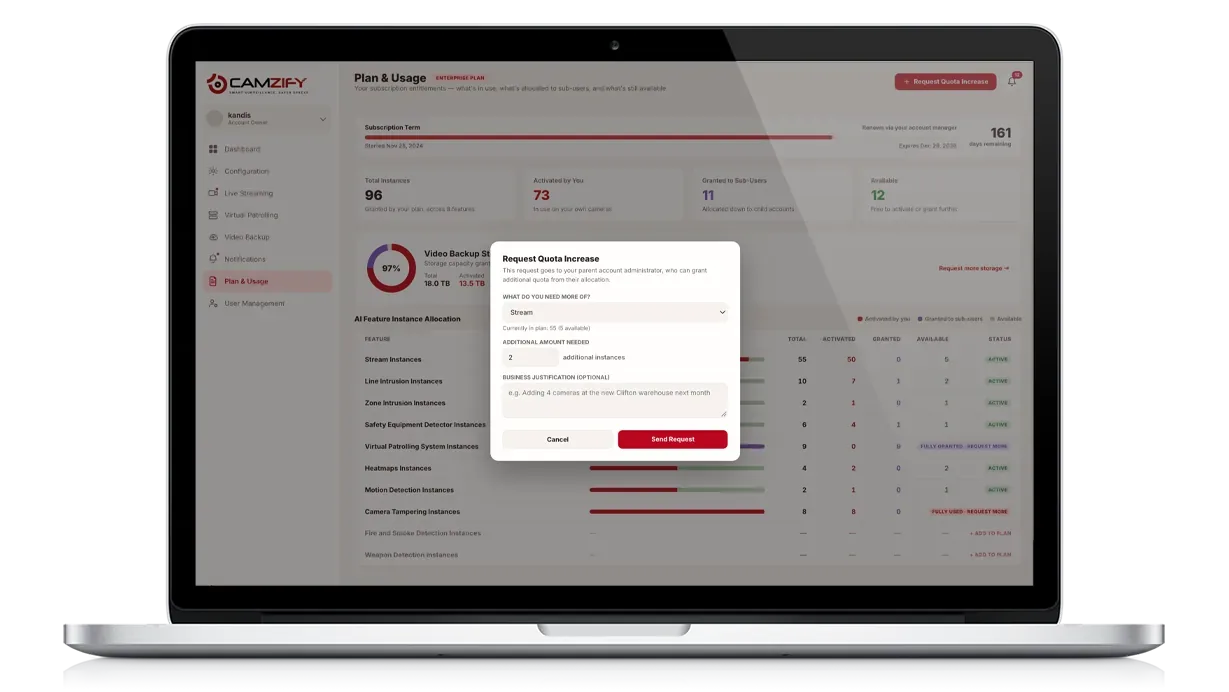
Sold per terabyte per month, as a pool for the account. You decide how it is spent: retention is set per camera or applied to a whole site, so a gate camera can keep ninety days while a corridor keeps seven.
Sub-users and quota
Stream instances, detection instances and storage can be allocated to sub-users from what the account holds. A partner quote is sized for the portfolio.
Sites
Every site runs its own sequences, schedule and roster on one account. More sites do not need more accounts or more instances.
What is not a line item
The platform modules: live streaming, cloud backup, notifications, analytics, user management and permission groups come with the account. So do motion detection and camera tampering detection on every connected camera.
Compare against guarding, not against software
The cost that virtual patrolling is measured against is not another platform. It is the hours a person spends walking routine rounds: hours per week, times the hourly rate, times sites. That figure is yours, it varies by market and contract, and we will not guess it for you. The ROI calculator computes it from your own numbers, and the guard cost guide explains why a staffed post costs several people, not one.
What a round replaces is the routine walk, not the response. The guards comparison covers where a person is still needed, and the security agencies page covers why, for a guarding company, this is revenue to sell rather than a cost to cut.
- Completed
- Flagged
- Overdue
How instance licensing works
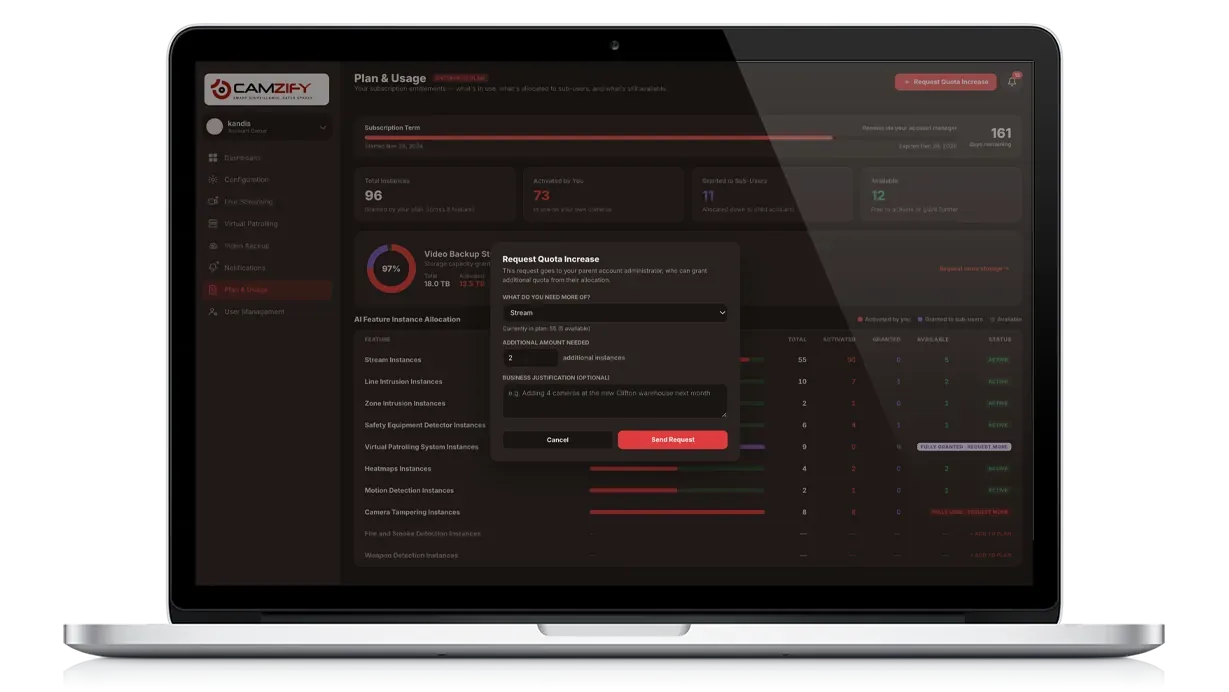
Everything on the account is an instance of one type. A stream instance is one camera connected: it streams live, it can be recorded, and it can be a stop on a patrol round. A detection instance is one AI feature running on one camera, so a camera with line intrusion and loitering detection carries one instance of each. Cloud storage is its own pool, sold per terabyte per month, that the retention on every camera draws from. How it is spent is entirely yours to set: retention per camera in days or as a storage cap, or one setting applied to a whole site, with longer retention on the cameras that matter and shorter on the ones that do not. The plan page in the console shows, per type, how many instances are on the plan, how many you have activated, how many are granted to sub-users, and how many remain. For a multi-site or partner account, the parent allocates instances to sub-users from that pool and can reclaim them. The license and instance management page shows the screen.
Worked configuration
A site with 100 cameras that wants line intrusion on ten of them, loitering detection on thirty, weapons detection on five, and 30 TB of storage is licensed for exactly that, and billed monthly for it:
- 100
- camera stream instancesone per connected camera, each streamed live
- 10
- line intrusion instanceson the ten perimeter cameras
- 30
- loitering detection instanceson the thirty cameras that watch entrances and aisles
- 5
- weapons detection instanceson the five lobby and entrance cameras
- 30 TB
- cloud storageper terabyte per month, spent by the retention set on each camera
The other 70 cameras carry no detection and cost only their stream instance. Add a detection to a camera later and it takes one more instance from that month on. The 30 TB is spent however the account decides: ninety days on the gates, seven on the corridors, a storage cap on a busy dock. Put your own counts into the form below and the quote prices a configuration like this for your site.
Your counts, then the quote
Enter what you would connect and switch on. Send it and the quote comes back within one business day for exactly this configuration, set for your site, with any annual-term or volume discount already applied.
Build your configuration
Counts, not commitments. Change any number and the summary follows.
A stream instance each. Motion detection and camera tampering detection are included.
A virtual patrolling instance each, for manual and automated rounds.
Intrusion, loitering, PPE, parking and the rest. One instance is one feature on one camera.
One per camera that carries either feature.
Spent as you set retention per camera or per site.
The quote will cover
- 20camera stream instances
- 10virtual patrolling instances
- 10detection instances
- 4TB of cloud storage
Updates as you change the counts. Motion and camera tampering detection come with every stream instance.
Get the quote for it
Back within one business day, set for your site, with any annual-term or volume discount applied.
Pricing, answered
Ready to patrol your site 24/7?
Book a 15-minute demo and see a live patrol run on your own cameras.