

Multi-site virtual patrolling
Multi-site virtual patrolling is the ability to run scheduled AI patrol rounds across multiple distributed locations from a single console. Each site has its own patrol sequences, checklists, assigned guards, and compliance scores — all visible on one dashboard.
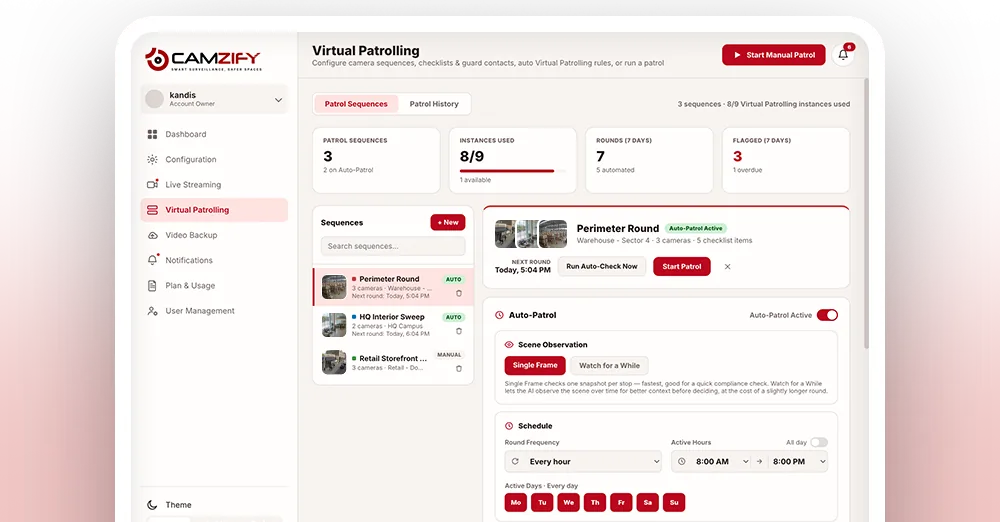
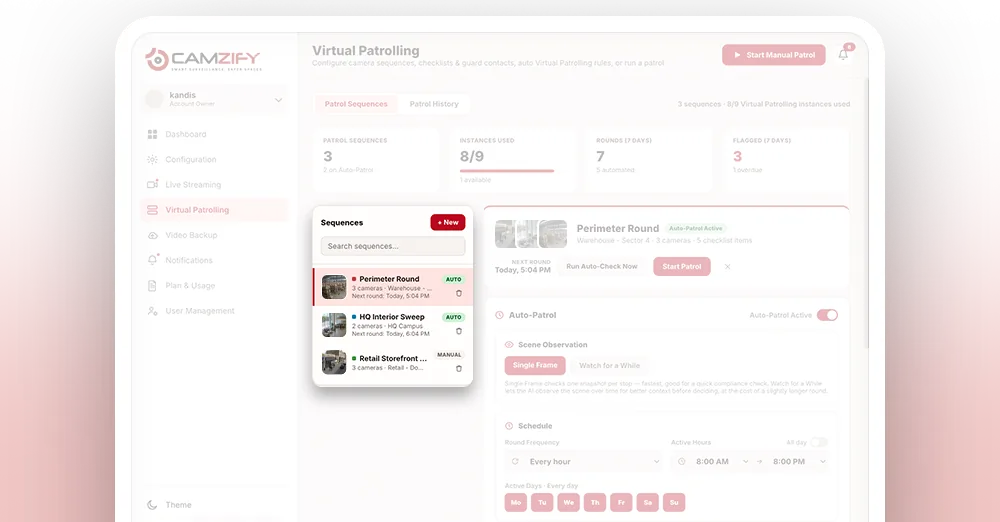
Per-site sequences
Each location gets its own patrol routes, customized to its layout and risk profile.
Centralized oversight
Operations managers see compliance scores and patrol status for every site in one view.
Site-level access control
Assign operators and guards per site. Permission groups control who sees what.
Why multi-site operations matter
Running a separate system at every location means separate logins, separate configurations, and no easy way to tell whether one site's patrol compliance is better or worse than another's without contacting each site individually.
A patrol sequence built for one site rarely transfers cleanly to another with a different layout and risk profile. A checklist generic enough to apply everywhere ends up too vague to be useful anywhere, while one built for a single site doesn't scale as more locations come online.
Centralizing on one console solves both problems at once: each site keeps sequences, checklists, and guards suited to its own layout, while an operations manager can compare compliance across every location from a single dashboard, and new sites come online by allocating capacity, not by standing up a new deployment.
What varies per site
Centralized oversight doesn't mean every site is configured the same way. Each location keeps its own settings underneath the shared dashboard.
- • Patrol sequences and camera checklists are built independently for each site's layout
- • Guard rosters and escalation contacts are assigned per site, not shared across locations
- • Compliance thresholds and alert settings can be tuned per site based on its risk profile
- • Role-based permission groups control which operators and guards can access a given site
How multi-site licensing works
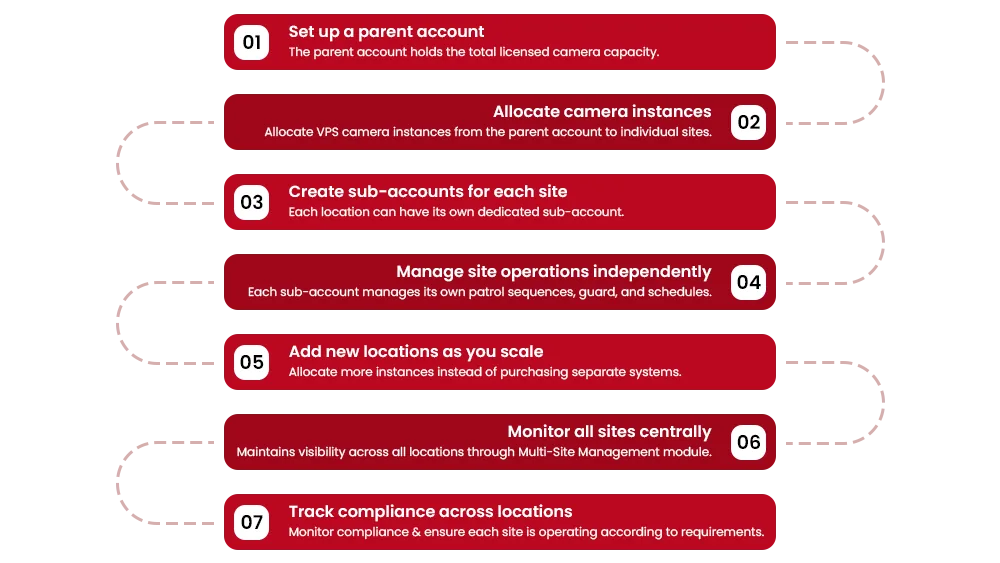
Camzify uses instance-based licensing. A parent account holds the total licensed capacity and allocates VPS camera instances to each site or sub-account. This means you scale patrolling to new locations by allocating instances, not by buying separate systems.
Each sub-account manages its own patrol sequences, guard contacts, and schedules, while the parent account retains visibility into compliance across all sites through the multi-site management module.
- 01Connect the site's cameras
- 02Build its sequences
- 03Assign guards and checklists
- 04Schedule the rounds
Rolling out a new site
- 01The new site is added as a sub-account under the parent instance
- 02VPS camera instances are allocated to the site from the parent's licensed capacity
- 03Patrol sequences, checklists, and guard contacts are configured for the site independently
- 04Role-based permissions determine which operators and guards can access the new site
- 05The site appears on the parent dashboard with its own compliance score, alongside every other location
Frequently asked questions
Ready to patrol your site 24/7?
Book a 15-minute demo and see a live patrol run on your own cameras.