

Automated patrol scheduling
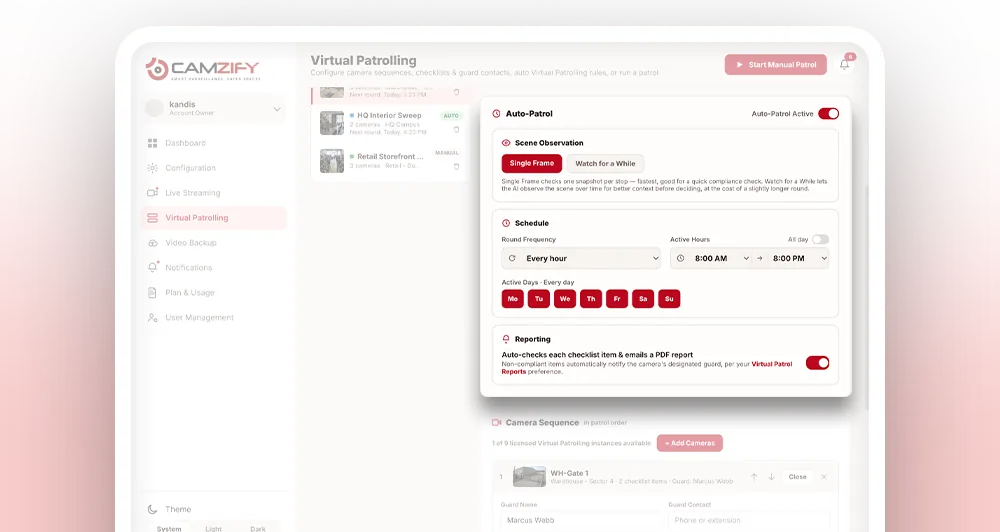
Automated patrol scheduling is the ability to configure virtual patrol rounds to run at a defined frequency, during specific active hours, on selected days of the week, completely unattended. The system handles every round, from the first camera to the final report.
Frequency
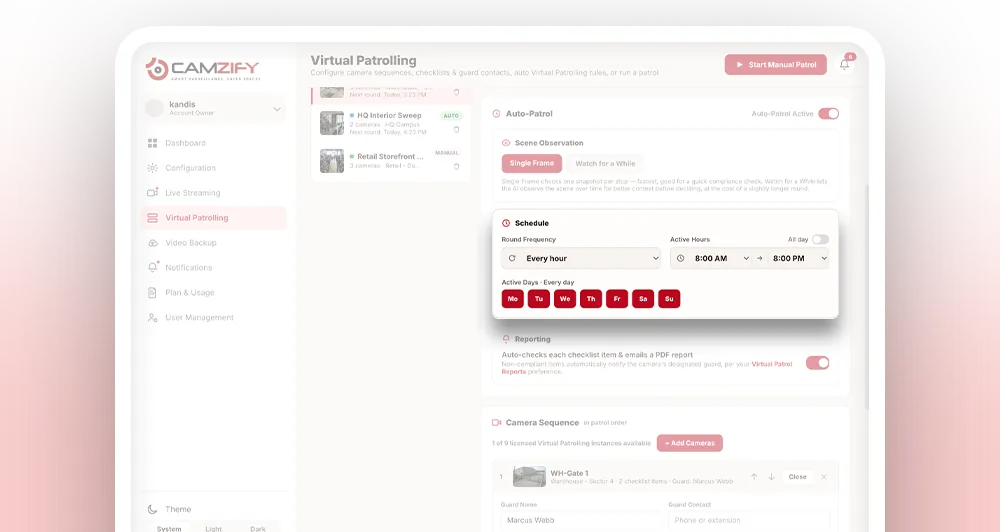
Set how often rounds run: every 30 minutes, every hour, every 2 hours. The system follows the schedule precisely.
Active hours
Define the window when patrols are active. Night-only, business hours or 24/7, matched to your operational needs.
Active days
Select which days of the week the schedule applies. Weekdays only, weekends only, or every day.
Why automated scheduling matters
Physical guard rounds depend on someone remembering to run them. A scheduled patrol slips when a site is short-staffed, when other calls take priority, or simply when a written schedule doesn't get checked. The gap in coverage isn't discovered until something goes wrong and nobody can say when the area was last looked at.
Running virtual patrols manually has the same weakness in a different form. Someone still has to log in and start the round at the right time, every time, across every site, which works fine until they don't.
Automated scheduling removes the dependency on memory entirely. Once frequency, active hours, and active days are set, every round fires exactly on time, unattended, whether it's 3am on a Tuesday or a day nobody happened to be tracking.
What happens during an auto-patrol
- 01Schedule triggers at the configured time
- 02System steps through each camera in the patrol sequence
- 03Each checklist item is auto-evaluated
- 04Non-compliant items notify the assigned guard automatically — no operator has to approve the message
- 05Safety and security risks spotted at a stop raise a critical notification, whether or not a checklist item covered them
- 06PDF report is emailed to designated recipients
- 07Round is logged with compliance percentage
Scene observation: judging on more than one frame
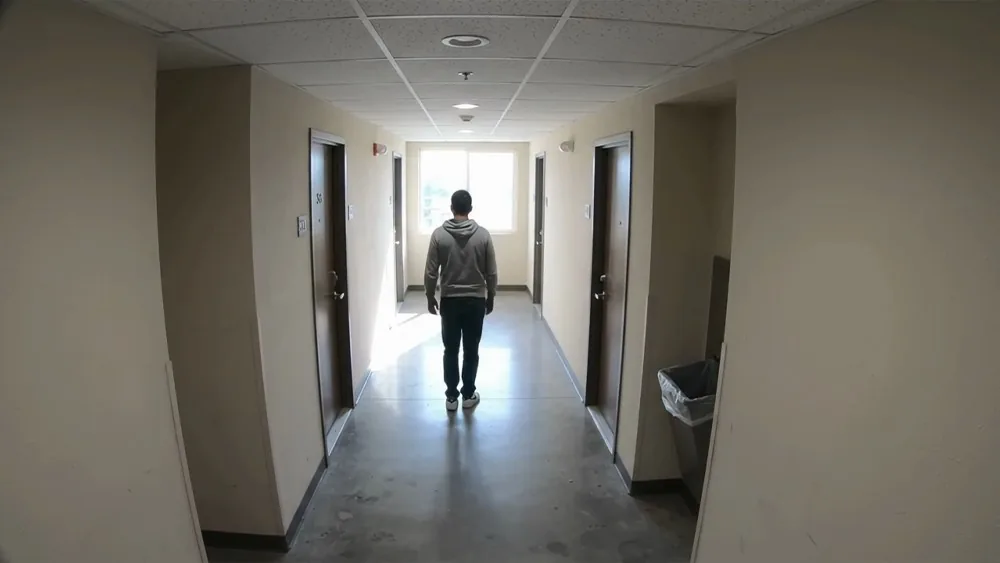
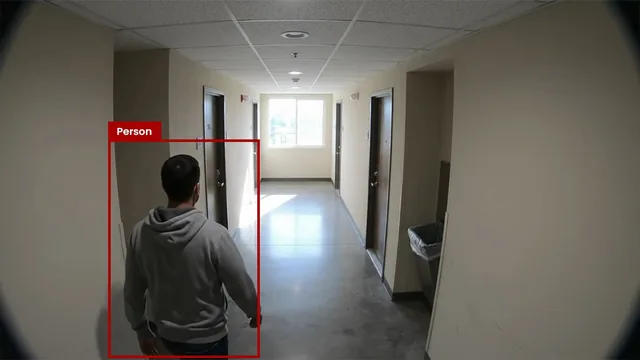
An automated round can judge a camera from a short window of live video rather than a single still frame. Scene observation watches the feed for one, two or three seconds before deciding. A single frame is enough to tell whether a shutter is down, but not whether a person in view is walking through or loitering — the kind of check that needs a moment of context to call correctly.
Single frame is the faster of the two and the right choice for anything static: a gate, a barrier, a roller door. Watching costs a little more time per stop and earns it back on anything involving people, where the question is almost never “is someone there” but “is someone still there”.
One snapshot per stop
 00:00
00:00Someone is in the corridor. Passing through, or standing there? One frame cannot tell you, so it either wakes a guard for nothing or lets a real one go.
A few seconds of live video per stop
 00:00
00:00Observing the scene before deciding…
Risks nobody thought to put on the list
A checklist can only ask what you thought to ask. An automated round also assesses each stop for safety and security risks in its own right and raises a critical notification when it finds one, whether or not any checklist item covered it.
- The blocked fire exit does not need to have been anticipated when the sequence was written.
- The unattended bag does not need an item of its own.
- The smoke does not need to have been on the list.
- The person somewhere they should not be is flagged without anyone having asked.
The point is when the alert arrives. A condition like a propped-open door or an obstructed exit is a risk for a while before it is an incident, and that window is when it is cheap to fix. A round that only answers the questions on the list walks past everything else; this one flags it while it is still just a condition.
Both assessments are written into the report at every stop, not only when something is found. Alongside them each camera records a plain-language description of the scene, the number of people present, and the objects detected in view — so a risk entry can be read against what the camera was actually looking at.
More on what this covers and where it fits: AI risk detection on patrol. These arrive as critical notifications, in the same queue as AI detections from continuous monitoring, with the snapshot attached and an acknowledgment expected.
Timezone, holidays & pause/resume
- • Schedules run in the site's local timezone, not the account default, so multi-region deployments stay accurate
- • Mark specific dates as exceptions so the schedule skips holidays or closures without being rebuilt
- • Pause a schedule during maintenance and resume it later with the same frequency, hours, and days intact
- • The next scheduled run time for each sequence is visible at a glance from the schedule list
- 01Runs in the site timezone
- 02Mark holiday dates
- 03Pause for maintenance
- 04Resume with settings intact
- 01Schedule fires
- 02Round runs unattended
- 03Guard notified on failure
- 04Report emailed and logged
Recipients and escalation for scheduled rounds
- • A distribution list per site controls who receives the PDF report the moment a round finishes
- • Any Not Compliant item still triggers its normal guard notification, scheduled or manual
- • A skipped or overdue round is flagged in compliance tracking the same way a missed manual round would be
Frequently asked questions
Ready to patrol your site 24/7?
Book a 15-minute demo and see a live patrol run on your own cameras.