

AI video analytics vs motion detection
AI video analytics is software that identifies objects in a camera feed, follows each one across frames as a track, and fires an alert when a tracked object of a chosen class, a person or a vehicle, does what a rule describes. Motion detection is software that compares one frame with the next and fires when enough pixels change inside a region, whatever caused the change.
Both are sold as detection, and the difference decides how many alerts a site receives and how many are worth opening. For the definitions behind the comparison, read what intelligent video analytics is.
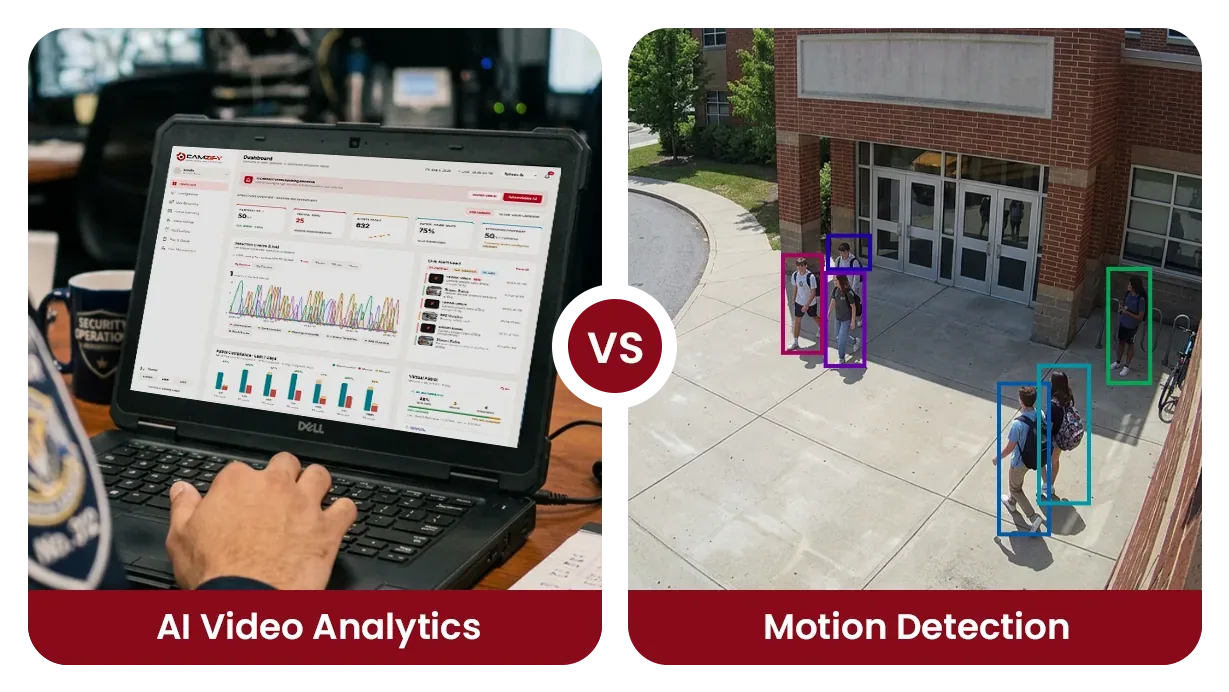
Side by side
| Aspect | AI Video Analytics | Motion Detection |
|---|---|---|
| How it works | Object detection + tracking on confirmed subjects | Pixel change detection across frame regions |
| False alarm rate | Low: triggers on confirmed objects only | High: shadows, lighting, weather all trigger |
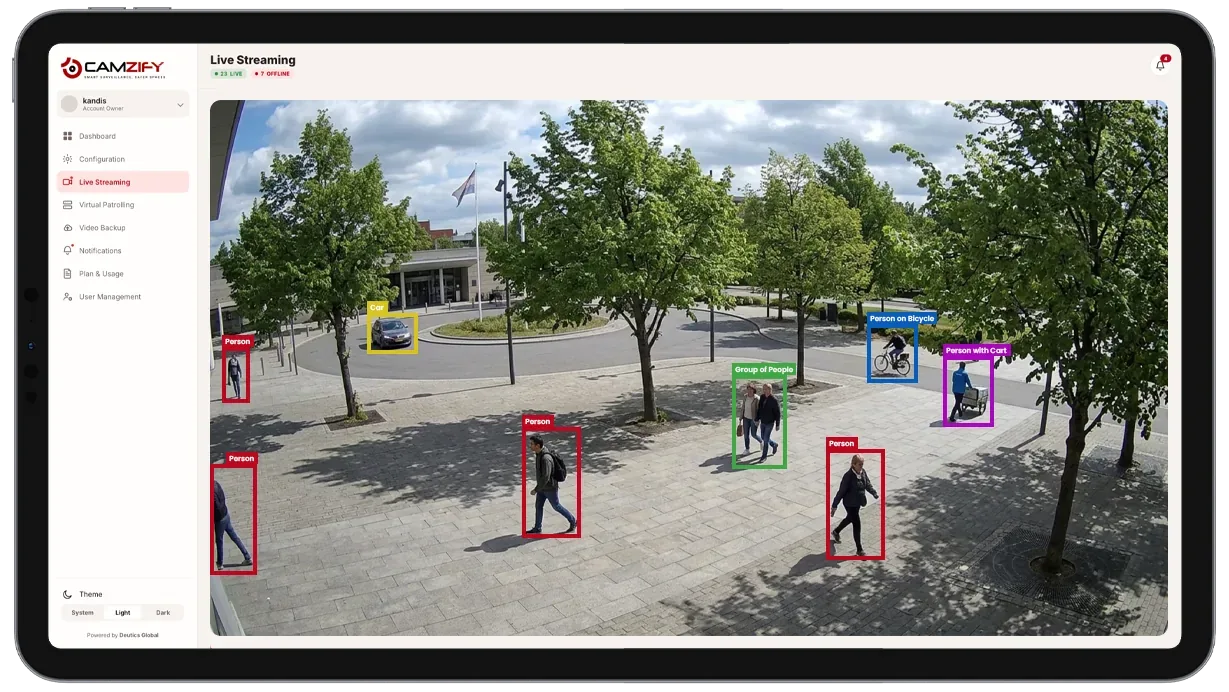
| Object classification | Yes: person, vehicle, animal | No: all pixel changes treated equally |
| Tracking | Maintains persistent identity across frames | No tracking capability |
| Zone/Line rules | Direction, schedule, zone-specific rules | Region-based sensitivity only |
| Attribute data | Clothing, object type, behavior description | None |
How does motion detection work?
Motion detection subtracts each new frame from the one before it and counts the pixels that differ by more than a threshold. When the count inside a region passes a sensitivity setting, the camera or recorder raises an event. It has no idea what moved: a person, a shadow, a branch, a change in exposure and a moth on the lens all produce differing pixels.
The only controls are the region and the sensitivity, and they pull against each other. Set the sensitivity low enough to ignore rain and it also ignores a person at the far end of the frame; set it high enough to catch that person and it catches everything else too. That is why motion detection works well indoors under steady lighting and badly on any camera that faces weather, traffic or a sunrise.
How does AI video analytics work?
AI video analytics runs a detection model on each frame to find objects and label them by class, then a tracker links those detections across frames into one object with a persistent identity. Rules are evaluated on the track, not on the frame: a line is crossed in a direction, a zone is entered, a dwell time is exceeded, an object is left behind. A detection that appears in one frame and vanishes never becomes a track, so it never fires anything.
Because the object has a class and a history, the rule can be as specific as the risk. A rule can watch for a person crossing a fence line inward after hours while ignoring the vehicles that use the same lot, or for a person who has stayed in a stairwell longer than a set time while ignoring everyone who walked through. Attributes read from the track, clothing color, object type, a plain-language description, become the index that lets recorded footage be searched later.
On Camzify, all 23 detections run this way, on confirmed object tracks from the cameras a site already owns, in the cloud, with no hardware to install. Motion detection and camera tampering detection are included with every connected camera; the other detections are licensed per feature on the cameras that need them, each with a notification window and a severity set per camera. The AI features index lists them.
Where motion detection is the better choice
Motion detection is the better choice when any change in the scene is the event you want to know about, or when nobody has to respond to it in real time. In those cases the class filter that AI detection adds is paying for a distinction you do not need.
- The scene should never change. A sealed store room, a server cabinet or a closed loading bay after hours has no legitimate movement, so any pixel change is an event and a class filter adds nothing.
- You need a liveness signal rather than an alarm. A camera that should always show some activity, a lobby in office hours or a production line, can be watched for the absence of motion, which is a fault, not an intrusion.
- The camera or recorder already does it and nobody has to act on it. Motion-triggered recording that only decides which minutes to keep costs nothing extra and needs no one to tune it.
- There is no connection to send video anywhere. Motion detection runs on the camera itself or on a recorder in the building, so a site with no usable upload bandwidth can still use it.
Where AI video analytics is the better choice
AI video analytics is the better choice when the scene has movement that is normal and movement that is not, and a person is going to be woken up by the difference. The false alarms guide covers how to set the rules once the choice is made.
- The scene has routine movement and you care about one kind of it. A parking lot has vehicles all night and rain across the lens; a line rule that fires only on a person crossing inward ignores both.
- A person has to act on every alert. Once alerts go to a guard by SMS or WhatsApp, each false one costs a phone check and erodes the response to the real ones, so the alert has to mean something.
- Direction, dwell time or a specific class matters. Motion detection cannot tell a vehicle leaving from a vehicle entering, or a person passing through from a person who has stayed for ten minutes; a tracked object can be judged on both.
- You need to find something afterwards. A track carries attributes, such as clothing color or object type, that let recorded footage be searched by description rather than scrubbed by hand.
Can both run on the same camera?
Yes, and on most cameras that carry a real risk they should. Motion detection is the cheap, always-on signal that something changed; a line or zone rule on a tracked object is the alarm that a person needs to act on. Keeping both means a stuck or frozen camera is still noticed by the absence of motion while the guard only hears about confirmed people and vehicles.
The cost structure follows the same split. A camera stream on Camzify is priced from $5 per camera per month with motion and tampering detection included, and each AI detection is a separate instance on only the cameras that need it. A site does not pay for line intrusion on the camera watching a sealed store room, and does not run bare motion on the camera facing the fence.
The bottom line
Neither approach is universally better. Motion detection is right where any change is an event and the output is a recording decision or a liveness check; AI video analytics is right where the scene moves on its own and a person has to be told only about the movement that matters. The honest test is what happens to each alert: if a human reads it, it should come from a confirmed object of a class you chose.
Detection is one half of what a camera can verify. The other is whether a condition holds at a set time, which is the job of a virtual patrolling round: a checklist per camera on a schedule, with a frame behind every answer, on the same cameras and the same account. Use the ROI calculator to model the cost comparison for your specific scenario, or review pricing to understand the per-instance licensing model.
Frequently asked questions
See the detections on live cameras
A 15-minute demo of the live product: the detections your site needs, running on real camera feeds, and a quote per camera for your sites.