

Remote video monitoring
Remote video monitoring, or remote CCTV monitoring, is the watching of a site through its cameras from somewhere else, and acting on what is seen. Most of it is alarm-driven: nothing happens until a sensor trips. Camzify adds the round. Scheduled patrols step through the cameras, answer a checklist at each one from the frame, message the guard on a failure and file a report, while the AI detections watch between rounds in the hours you set.
- Rounds on schedule, operator or not
- Detections in the window you set
- A report per round, per client
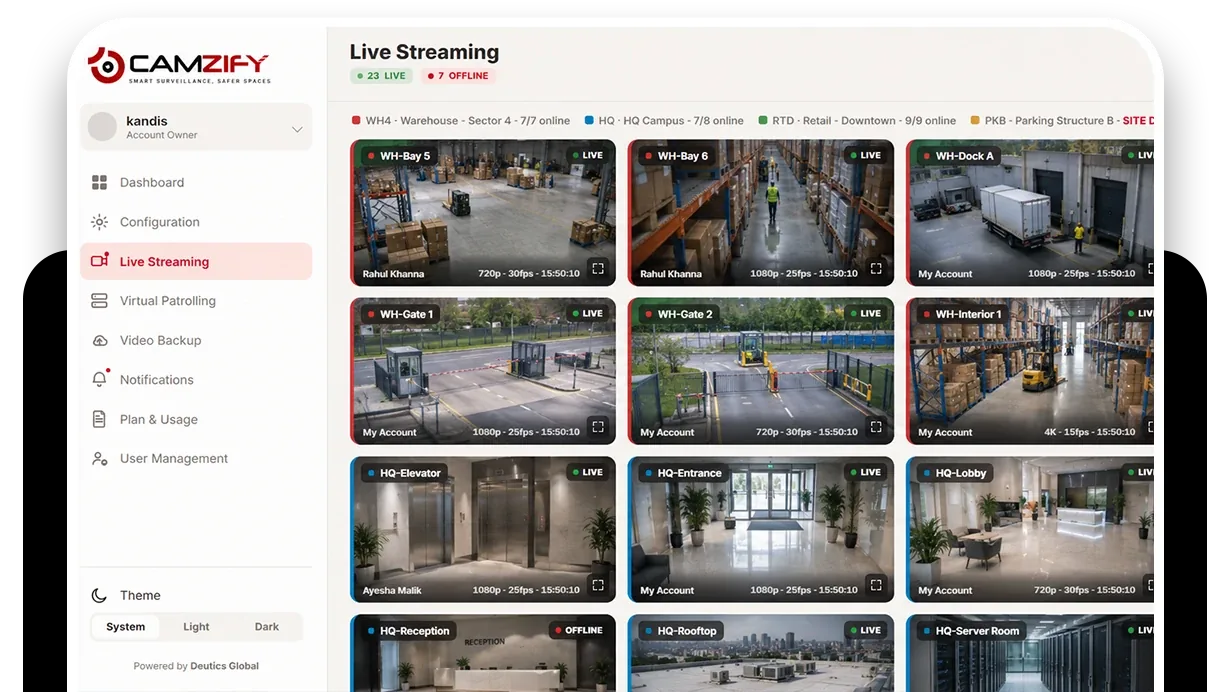
A wall of cameras and nothing to make them speak
A monitoring room has more cameras than eyes. Operators watch the sites that are noisy, the alarms that come in and whatever a client has phoned about, and the quiet site with the door left open at 21:40 stays quiet until the morning. The footage exists; nobody had a reason to look at that camera at that minute.
Alarm-driven monitoring cannot fix this, because an open door trips no sensor. What the room needs is something that goes and looks at every camera on a schedule, asks the right question at each one and only interrupts an operator when the answer is wrong.
- Frequency
- Every 2 hours
- Active hours
- 19:00 – 07:00
The round looks so the operator does not have to
An automated round steps through each site's cameras at the scheduled times and answers the checklist from the frame.
- The items are door closed, shutter down, yard empty, fire exit clear, camera view unobstructed.
- A failed item sends the message written for it to the person designated for that camera.
- A risk the AI sees that the checklist did not ask about is raised as critical.
- The operator sees the failures, not the sixty stops that passed.
The detections cover the time between rounds, and everything they raise lands in one place.
- Zone and line intrusion notify on a tracked person or vehicle inside each camera's notification window.
- Tampering detection catches a camera going blind.
- Everything lands in one alert queue by severity and site.
- A verified alarm opens the camera and the clip on the operator's desk in the same place.
Zone intrusion detection
A tracked person or vehicle in an area that should be empty, in the hours it should be.
DetectionLine intrusion detection
A directional tripwire on a fence, a gate or a dock edge.
DetectionCamera tampering detection
A covered, turned or defocused camera raised as it happens, not found on the next round.
DetectionFire and smoke detection
Flame and smoke signatures on any camera, at any hour, as an early-warning layer.
- Yard gate closed and lockedCompliant
- No person or vehicle in yardCompliant
- Rear fire exit clearCompliant
- Roller shutter fully downNot compliant
A failed item is resolved as Fixed or Pending before the round can close.
What a monitored round checks
A monitored round is written for the site, not for the room. Each client's sequence covers the cameras that matter at the hours that matter, and each stop asks the questions that client would ask if they were standing there. The result is a set of failures for the operator to act on and a set of passes nobody has to read.
At the end of every round the report is filed for that client: every stop, every item, every frame, who was told and what happened. The compliance view shows across a month which rounds ran and how many items passed, per site, which is what the client's renewal conversation is about.
A check found Not Compliant captures a snapshot and messages the guard designated for that camera; on a manual round the operator chooses to send it, on an automated round it goes on its own. The item stays Pending until it is marked Fixed, which captures the after frame, and the report shows both.
The footage around every frame in that report stays under the camera's own retention window on cloud video surveillance, on the same account, so the still and the video it came from are never in two systems.
What it will not do
Its limits are the drive, the camera and the link, and the judgment stays with a person.
- It will not attend; it tells the person designated for the camera, and the drive is theirs.
- It will not see what the camera cannot, which is why camera view is a checklist item at every stop.
- It will not decide what a detection means; it puts the frame in front of a person.
- It will not run without a link to the cameras: an outage is a missed round in the log, never a silent one.
We do not publish detection rates, response times or uptime. The trust page sets out why, and the virtual guard page covers the service model this use case sits inside.
Industries where this applies
Frequently asked questions
Ready to patrol your site 24/7?
Book a 15-minute demo and see a live patrol run on your own cameras.