

PPE violation detection
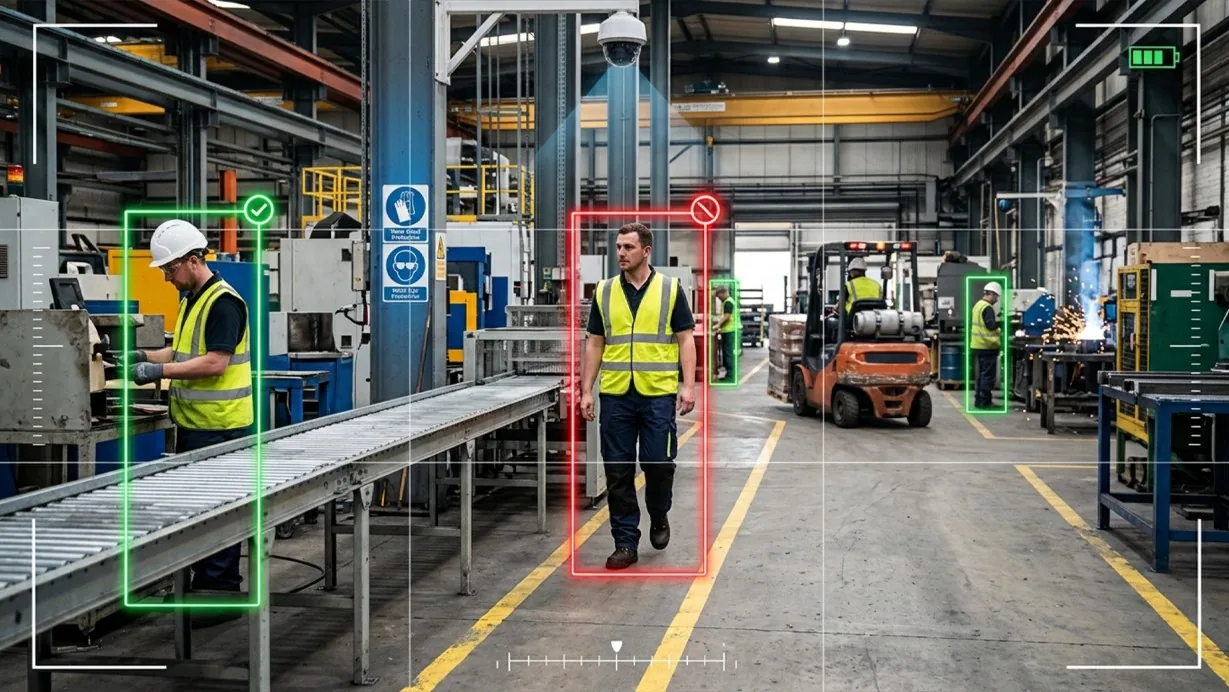
PPE violation detection checks every confirmed person in frame against the required personal protective equipment for that zone, flagging missing helmets, vests, or gloves the moment they're spotted.
- Missing hard hats in zones where head protection is required
- Missing high-visibility vests on active work floors
- Missing gloves in zones handling hazardous materials or…
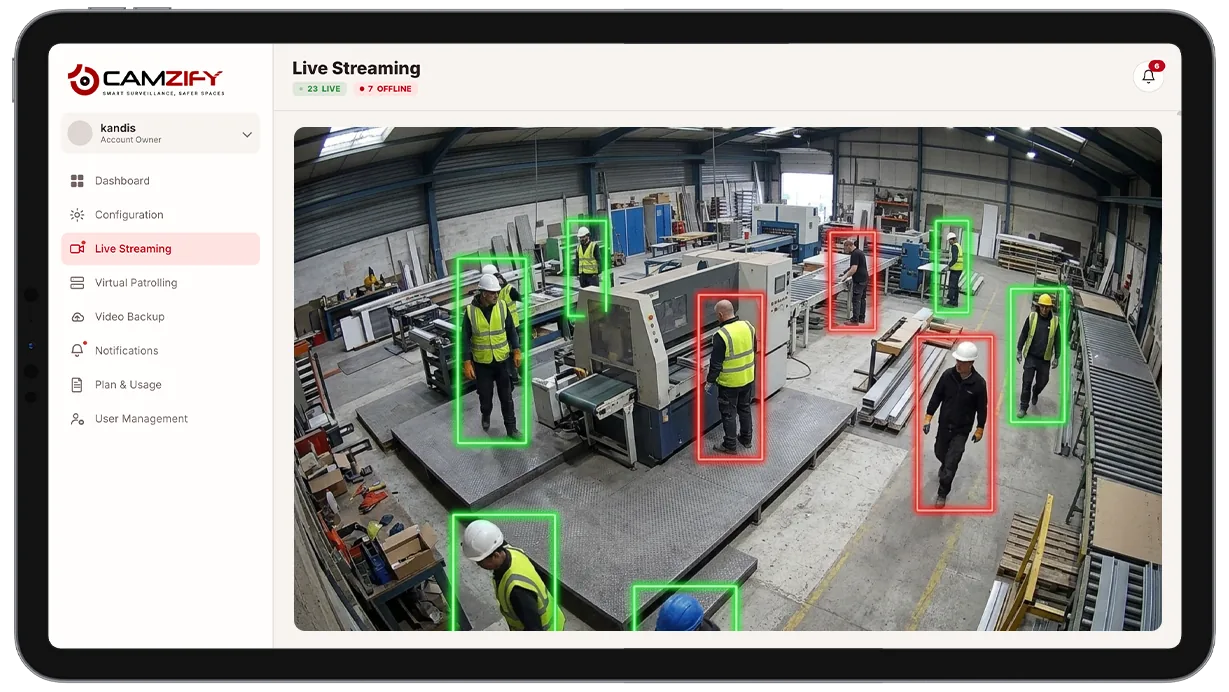
This capability detects and alerts on:
- • Missing hard hats in zones where head protection is required
- • Missing high-visibility vests on active work floors
- • Missing gloves in zones handling hazardous materials or equipment
- • Missing safety glasses or hearing protection where the zone policy requires them
- • Partial compliance, such as a vest present but a hard hat missing
- • A timestamped compliance record per zone for safety audits
Why PPE violation detection matters
Most sites enforce PPE policy through a supervisor walking the floor, a badge-in checklist, or a spot check at shift start. All three share the same gap: they only capture compliance at the moment someone is looking. A worker who removes a hard hat five minutes after a walkthrough, or who never puts one on between checks, goes unrecorded until an incident forces the question.
Spot checks also change behavior in ways that make the data unreliable. Workers who know a supervisor is due tend to be compliant when it counts and lapse the rest of the shift, the classic problem with any periodic, human-driven check on a continuous risk. On a large site with multiple entry points and rotating crews, it is not realistic for a safety officer to be everywhere at once anyway.
Continuous AI monitoring closes that gap by checking every confirmed person against zone policy for as long as the camera is running, not just when someone happens to walk past. That turns PPE compliance from a periodic snapshot into a continuous record, and gives the safety officer a queue of confirmed violations to act on instead of a floor to patrol.
How it works
Checking against zone policy
Every confirmed person tracked by multi-object tracking is checked against the PPE requirements configured for that camera's zone, so the same site can enforce different rules in different areas without separate hardware.
Identifying missing items
AI attribute extraction identifies which required items are present or missing on each person. A missing-item match fires an alert with the person's location, the missing PPE type, and a timestamped clip for the safety officer to review.
Alert delivery
Alerts route through the platform's notification system and can be filtered by zone for daily compliance review, so a safety officer can work through violations by area rather than sorting through a single mixed feed.
Configuration
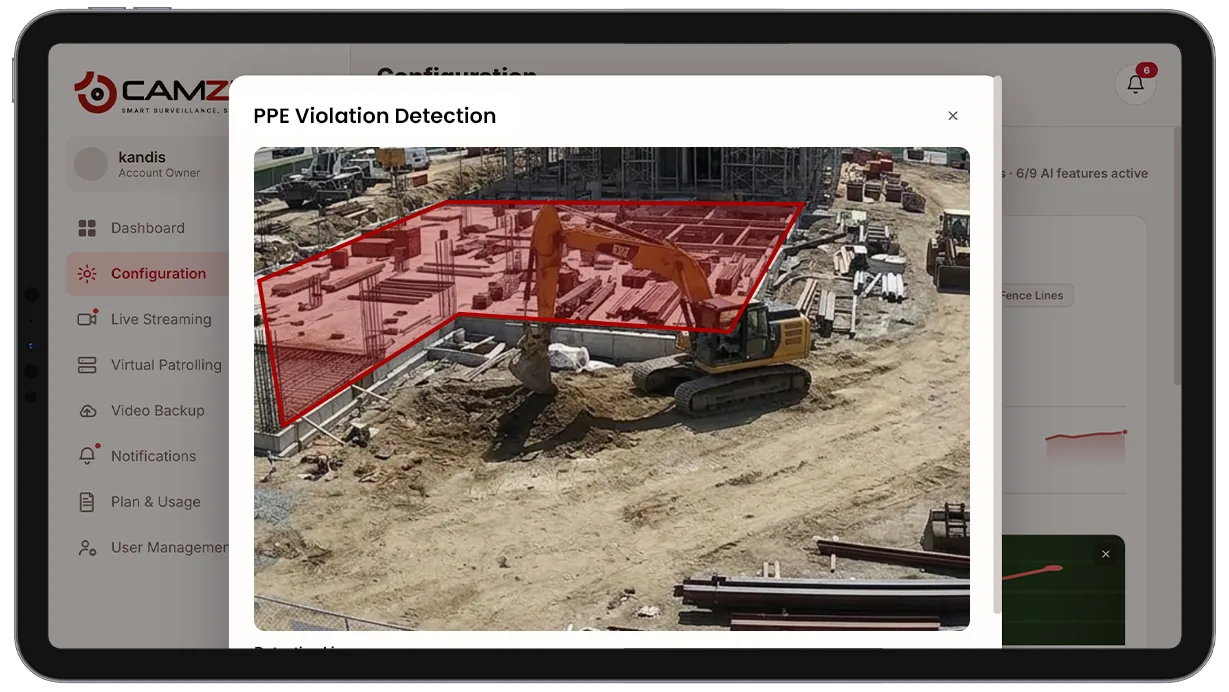
PPE requirements are set per zone or camera in the configuration panel. Each zone supports:
- • Required PPE types, hard hat, vest, gloves, glasses, hearing protection
- • Partial vs. full compliance handling, e.g. one missing item vs. several
- • Notification window per camera, e.g. notify in shift hours only
- • Per-camera instance licensing
- • Zone-based alert filtering for daily compliance review

Common scenarios
- • A construction site entrance where every worker crossing into the active zone is checked for hard hat and vest
- • A warehouse forklift lane where a missing high-visibility vest triggers an immediate alert
- • A chemical handling area where missing gloves are flagged regardless of time of day
- • A manufacturing floor where hearing protection is required near heavy machinery
- • A loading dock where partial compliance, vest present, hard hat missing, is logged separately from full non-compliance
- • A multi-zone facility where office areas carry no PPE requirement while the adjacent production floor requires full gear
In a patrol round
During a virtual patrol round, PPE compliance at each monitored zone contributes to the compliance assessment at that camera stop and is logged alongside the checklist results in the patrol report.
The footage around each alert is kept under the camera's own retention window on cloud video surveillance, so the clip and the recording it came from are on one account.
Industries using this
Related detections
Frequently asked questions
See the detections on live cameras
A 15-minute demo of the live product: the detections your site needs, running on real camera feeds, and a quote per camera for your sites.