

AI video analytics cost
 By Muhammad Talha · Product Manager and CTONine years building computer vision and automated surveillance systems · Updated
 AI video analytics cost is what a business pays to run automated detection on its cameras: software that watches each stream, recognizes a defined event such as a person crossing a line, and sends an alert to a named person. When the analytics run in the cloud on cameras the site already owns, it is a recurring software subscription rather than a hardware purchase, and it is priced per camera per month.
This guide does not contain a price list, because a figure quoted without your camera count, your detections per camera and your retention would be wrong for your site. It explains the pricing models a buyer meets, the six things that move the number, the difference between cloud and on-premise cost, and how to assemble an estimate you can defend before you ask for a quote. The related guides on cloud VMS cost and virtual patrolling cost cover the recording layer and the patrol round on the same terms.
How is AI video analytics priced?
AI video analytics is priced in one of three ways: as a subscription per camera per month, as a perpetual license per channel that runs on a server you buy, or as a bundle where the analytics come with the vendor’s own cameras and recorders. The subscription model has the lowest entry cost and no hardware to depreciate. The perpetual model front-loads the spend and adds a server, a maintenance contract and an upgrade cycle, and the bundled model ties the analytics to a camera replacement.
Within the subscription model there are two further shapes, and the difference matters more than the headline rate. Some vendors charge one flat rate per camera that includes every detection, whether or not the camera uses it. Others charge a base rate per camera for the stream and recording, then a separate rate per detection enabled on that camera. The second shape is the per-instance model, and it rewards a buyer who licenses only what each camera needs. Cloud storage is a separate line in either shape, sold per terabyte per month or as a retention period that maps onto storage behind the scenes.
What drives the cost of AI video analytics?
Six things move the number: how many cameras are connected, how many detections each camera runs, how much footage is kept and for how long, the length of the term, the number of sites, and whether the cameras you own are kept or replaced. Everything else in a quote is a consequence of those six.
- Camera count. Every connected camera carries a stream cost whether or not it runs any detection, because the stream has to be received, shown live and made recordable. This is the floor of the bill and the figure to fix first.
- Detections per camera. Each AI feature enabled on a camera is a separate cost on the per-instance model. Ten cameras with intrusion on two of them is ten stream instances and two detection instances, not ten of each.
- Storage and retention. Continuous recording fills storage at a rate set by resolution, frame rate and codec, multiplied by the days each camera is kept. Retention set per camera, longer on the cameras that matter and shorter on the rest, is the single largest lever on this line.
- Term. A monthly term costs more per month than an annual one; a quote is lower for a longer commitment, and the difference is worth asking about explicitly.
- Number of sites. Each site adds its own cameras, and on some products its own license or its own recorder. On a cloud service every site sits on one account, so the cost of a second site is the cost of its cameras and nothing more.
- Whether cameras are kept. Analytics that run on any ONVIF or RTSP camera cost the subscription and nothing else. Analytics bundled with proprietary cameras cost the subscription plus a replacement of every camera on the site, which is usually the largest number in the whole comparison.
Does cloud or on-premise analytics cost more?
Neither is cheaper in every case, and a vendor that says otherwise is selling rather than advising. Cloud analytics remove the server, the GPU, the on-site IT time and the upgrade cycle and replace them with a subscription per camera. On-premise analytics require that hardware up front and its upkeep every year, and in return the per-camera running cost can be lower once the hardware is paid for, provided the site has the people to run it.
The comparison turns on three questions: how many sites there are, because on-premise cost is repeated per site while cloud cost is not; whether there is an IT team on site to patch, back up and replace the server; and whether the site has the upstream bandwidth to carry its cameras to the cloud. Write both columns down for a three-year period, including the hardware refresh on one side and the storage growth on the other, and the answer is usually clear. The full comparison is on cloud VMS vs on-premise.
How should you build your own estimate?
Build the estimate from the site outward: count the cameras, decide what each one needs to detect, set retention per camera, then choose a term. That order produces a list a vendor can price line by line, and it stops the estimate being anchored to a headline rate that was never going to apply to you.
- List every camera by name and location, and mark the ones that must be recorded continuously against the ones that only need recording on a schedule.
- Against each camera, write the one or two detections it actually needs. Perimeter cameras need line and zone intrusion; loading docks need illegal parking and PPE; interior cameras that should be empty after hours need zone intrusion with a notification window. Most cameras need none.
- Set retention per camera in days, longest on entrances and cash points, shortest on cameras kept only for live viewing, and ask the vendor to convert that into a storage pool.
- Decide the term you can commit to, and ask for the quote on that term rather than on a monthly one.
- Add the costs outside the subscription: upstream bandwidth per site, an on-site PC if cameras on a private network need a relay, and the staff time to configure alerts and read reports in the first month.
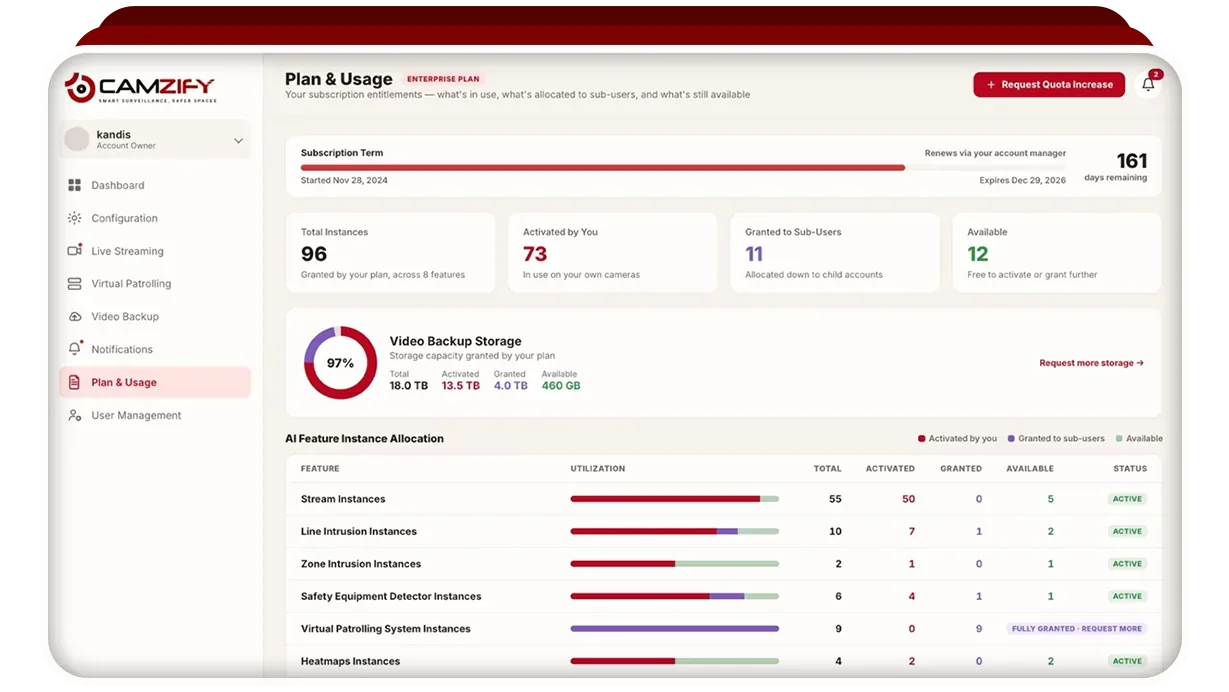
Camzify is one example of the per-instance model applied throughout. Every connected camera takes a stream instance, priced from $5 per camera per month with motion detection and camera tampering detection included; each of the 23 AI detections enabled on a camera takes a detection instance of that feature; cloud storage is a pool sold per terabyte per month, spent as retention set per camera; and the account holds every site with sub-users scoped to their own cameras. Every rate beyond the $5 floor is quoted per site through the pricing page, where you enter camera and feature counts and receive a quote within one business day.
What costs are easy to miss?
The costs most often missed are the ones that sit outside the subscription line: bandwidth, retention growth, the time spent tuning alerts, and the terms on which you can leave. None of them appears on a vendor’s headline rate, and all of them appear on the invoice or in the first month of running the system.
- Bandwidth. Cloud analytics stream every enabled camera upstream continuously, so a site on a thin or metered connection may need a better line first. See cloud VMS bandwidth requirements.
- Retention creep. Retention set once and never revisited grows the storage line every time a camera is added. Review it per camera when the site changes.
- Alert tuning. A detection left at its default will fire on events nobody cares about until somebody adjusts the zone, the schedule and the severity. Budget the time.
- Exit terms. Ask what happens to footage and reports when the subscription ends, whether they export in a standard format, and whether the cameras keep working with another product. A product that runs on ONVIF and RTSP cameras leaves the cameras yours.
How do you evaluate the return?
The return on AI video analytics is measured against the cost it replaces, not against the price of other software. That means guard hours spent on routine rounds, investigation time spent scrubbing footage after an incident, and the effort of producing compliance reports by hand. Each of those has a figure your own records already hold.
Start with the routine patrol round, because it is the most measurable. Count the hours a guard spends walking a fixed route each week, multiply by the loaded hourly rate you pay, and set that against the subscription for the cameras that cover the same points. The ROI calculator runs that comparison on your own figures for a virtual patrolling deployment, and it shows no vendor cost, only yours. Resist a return built on figures the vendor supplies; a claimed detection rate or another customer’s saving tells you nothing about your site.