Skip to content
Camzify
Multi-Camera Live View

Live camera streaming

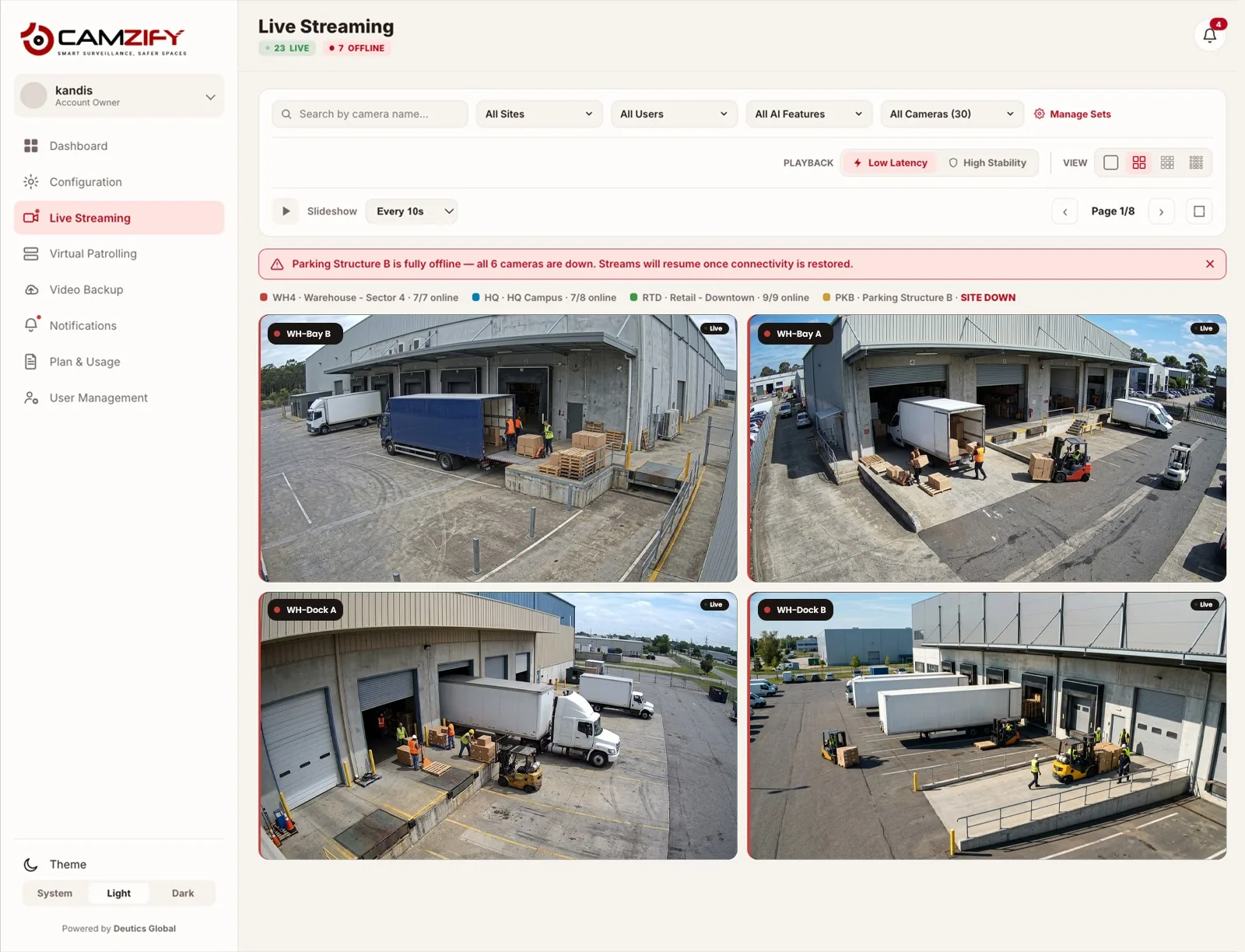
Camzify live streaming provides a multi-camera grid view grouped by site, with slideshow mode cycling between cameras at 5-second to 1-minute intervals. Filter by site, user, or AI feature. No-signal states display clearly rather than freezing on a stale frame. Cameras connect over RTSP, RTMP or HTTPS, which covers HLS and WebRTC streams.
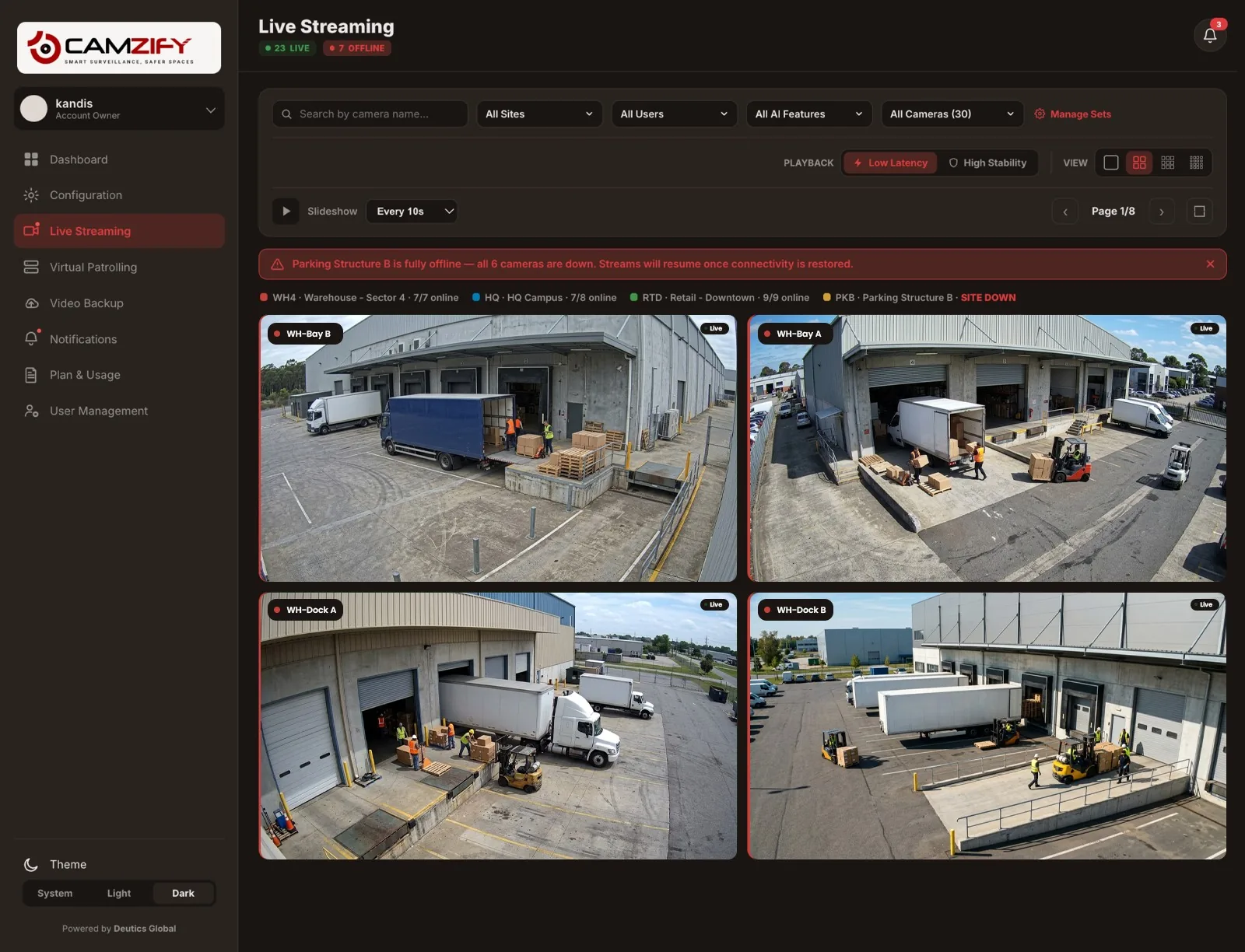
Live streaming · Camzify console
A laptop showing the Camzify Live Streaming grid with retail camera feeds, a site-down banner for Parking Structure B, and the 23 live / 7 offline camera count
Live Streaming · 30 Cameras
Low LatencySlideshow: 5s
23Live
7Offline
WH4 · 7/7 onlineHQ · 7/8 onlineRTD · 9/9 onlinePKB · SITE DOWN
Parking Structure B is fully offline — all 6 cameras are down. Streams will resume once connectivity is restored.
Live
WH-Bay 5
Rahul Khanna · 720p · 30fps
Live
WH-Dock A
My Account · 1080p · 25fps
Live
WH-Gate 1
My Account · 1080p · 25fps
Live
WH-Interior 1
My Account · 4K · 15fps
Live
HQ-Cafeteria
Ayesha Malik · 720p · 30fps
No Signal
PKB-Level1
James Torres · 1080p · 25fps
Filter By AI Feature · Cameras Assigned
Line Intrusion9
Zone Intrusion12
Camera Tampering30
Heatmap Anomalies7
PPE Violations4
In practice

What the live wall does

Grouped by site

Cameras stay organized by location, with a per-site online count always visible in the grid strip.

Two playback modes

Low Latency for active monitoring, High Stability for a steadier feed on a busier network.

Clear no-signal states

A dropped camera or a fully offline site shows as no-signal immediately, never a frozen last frame.

Filter by feature or user

Narrow the grid to cameras running a specific AI feature, or to what a given sub-user can see.

Everything In One Place

Part of every patrol

This module integrates with virtual patrolling to provide a complete operations picture. Patrol results, detection alerts, and platform status all feed into the same console — so checking whether a camera is actually online doesn't require jumping to a separate tool.

Slideshow mode is built for a wall display or a monitoring desk left running in the background: set an interval and the grid cycles through pages on its own, no clicking required.

Ingest Paths
RTSPMost IP cameras and NVRs
RTMPEncoders and streaming appliances
HTTPSWeb-delivered HLS and WebRTC streams
FAQ

Frequently asked questions

Choose a grid size, group the cameras watched together into a saved camera set, mark one set as default so it loads first, and filter by site once the fleet grows. The step-by-step version is at /guides/how-to-monitor-live-camera-feeds.

A camera set is a saved group of cameras for monitoring, you pick the cameras, save the set, and one set can be your default view when live streaming opens. A patrol sequence is an ordered list of camera stops with a checklist at each one, used for manual or automated patrol rounds. Same cameras, different purpose: a set is for watching, a sequence is for verifying.

The grid paginates rather than cramming every camera onto one screen, a 30-camera account might show 8-9 per page across several pages, so each stream stays legible. Slideshow mode cycles through pages automatically if you'd rather not click through manually.

Low Latency favors the freshest possible frame, which suits active monitoring where a second or two matters. High Stability buffers slightly more to smooth over network jitter, which suits a wall display or a site with a less reliable connection, same stream, different tradeoff.

Every camera at that site shows a no-signal state and the site is flagged in the site strip and with a banner at the top of the grid, so it's obvious at a glance that the gap is a connectivity issue at one location rather than several unrelated camera failures.

Yes. Filtering by AI feature (e.g. Weapons Detection) shows only the cameras that feature is actively running on, useful when you want to check coverage for one detection type rather than browse by location.

No. The "All Users" filter only shows cameras a given sub-user has been granted access to through their permission group, the live grid respects the same access boundaries as the rest of the platform.

Ready to patrol your site 24/7?

Book a 15-minute demo and see a live patrol run on your own cameras.

This site is being updated

We are rebuilding pages as you read this, so an image, a link or a section may look unfinished for a while. The product itself is unaffected. If something important is broken, tell us at the contact page and we will fix it.