

Camera tampering detection
Camera tampering detection monitors five distinct tampering modes: sudden defocus, physical coverage of the lens, rapid scene change indicating the camera was moved, abnormal brightness shifts, and frozen frames suggesting a feed loop or hardware failure. Any of these conditions triggers an immediate alert.
- Sudden defocus that leaves the scene unusable for review
- Physical coverage of the lens — a hand, cloth, or spray
- Rapid scene change indicating the camera was moved or rotated
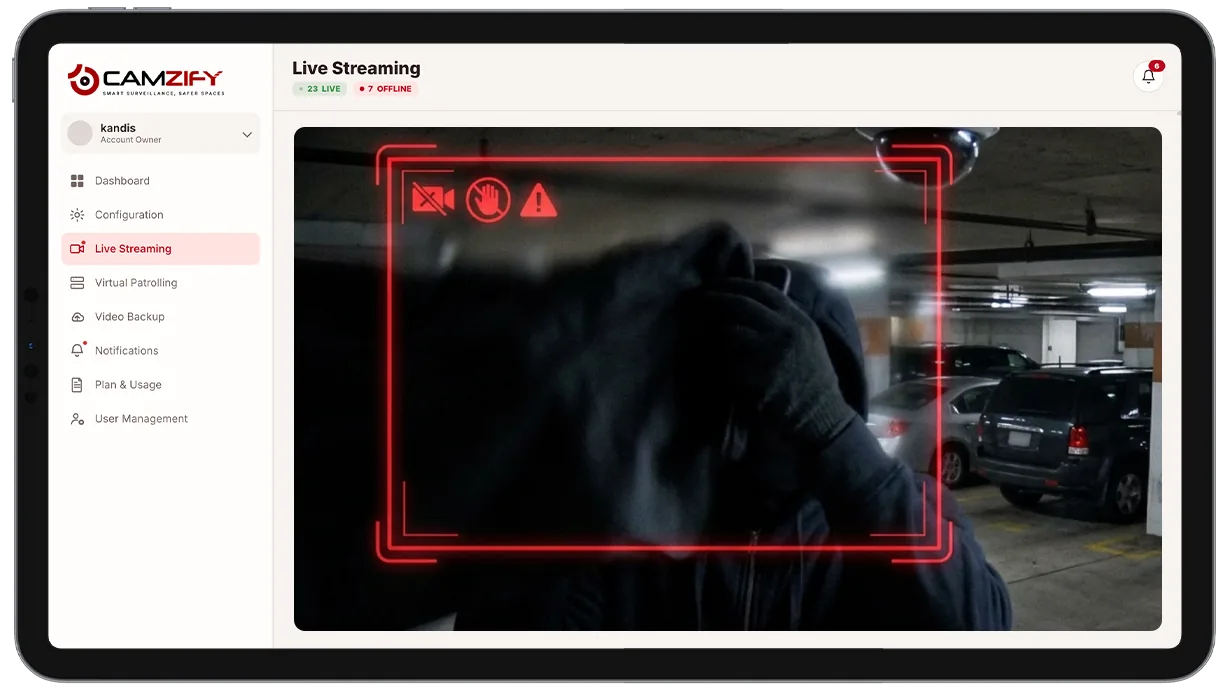
This capability detects and alerts on:
- • Sudden defocus that leaves the scene unusable for review
- • Physical coverage of the lens, a hand, cloth, or spray
- • Rapid scene change indicating the camera was moved or rotated
- • Abnormal brightness shifts consistent with a light or laser aimed at the lens
- • Frozen frames suggesting a looped feed or hardware failure
Why camera tampering detection matters
A camera that's been blocked, defocused, or redirected doesn't just stop working, it keeps reporting as online while silently covering nothing. Every other detection feature running on that feed goes blind at the same moment, and unless someone happens to notice the footage looks wrong, the gap can go unnoticed for hours.
This is exactly the moment tampering is most likely: someone disabling a camera on purpose picks the one covering the area they're about to enter. A dashboard that only shows "camera online" isn't enough, it needs to know the difference between a working feed and a feed that's been deliberately or accidentally compromised.
Camera tampering detection closes that gap by continuously checking the feed itself against five known tamper signatures, so a compromised camera gets flagged the moment it happens, not the next time someone happens to look at that view.

How it works
The five tamper modes
Each frame is continuously checked against five independent signatures: defocus, physical coverage, scene change, brightness shift, and frozen frames. Each mode has its own detection logic, since a blocked lens looks nothing like a rotated camera or a frozen feed.
Confirming a tamper event
A condition needs to persist beyond a short confirmation window before it's treated as tampering, which filters out momentary effects like a passing shadow, a brief glare, or normal auto-exposure adjustment. Once confirmed, the tamper state is treated as an active condition until the feed returns to normal.
Alert delivery
An alert fires with the tamper mode, a snapshot from just before the event, and a timestamp. Because a tampered camera can't reliably run other detections while compromised, tampering alerts are routed through the platform's notification system with high default priority.
Configuration
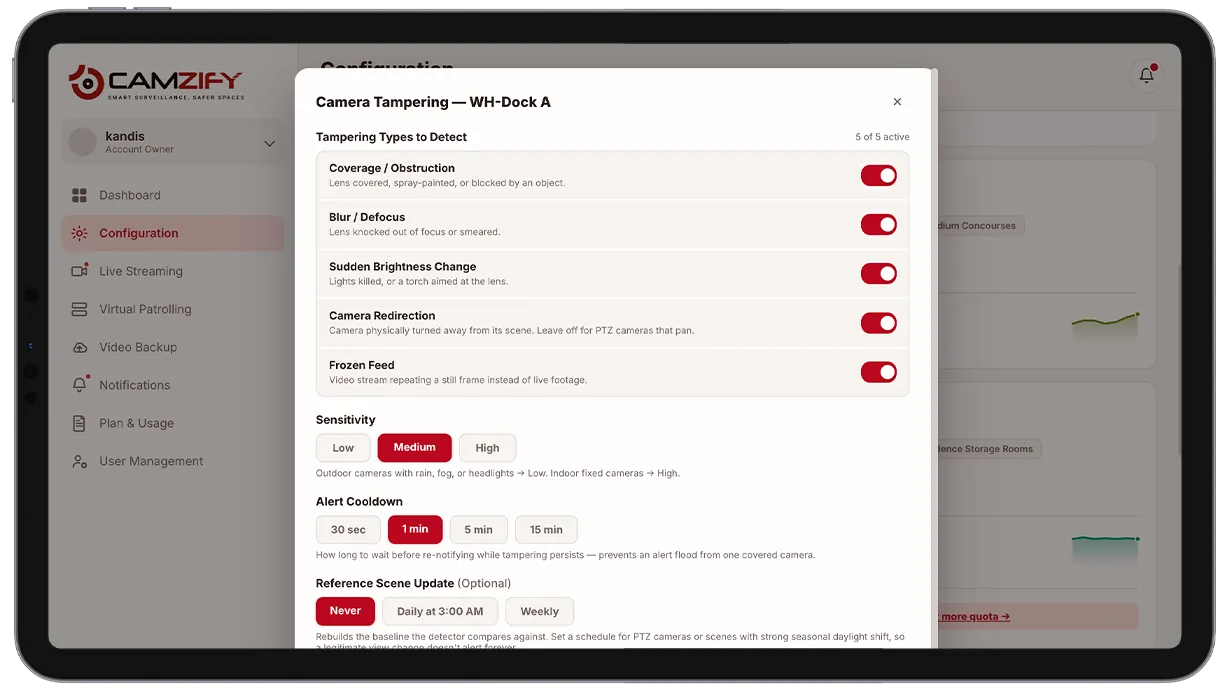
Camera tampering detection is enabled per camera with sensible defaults, and each mode can be tuned independently:
- • Per-mode enable/disable, turn off scene-change detection on a pan-tilt-zoom camera, for example
- • Confirmation window before a condition is treated as confirmed tampering
- • Sensitivity per mode
- • Escalation and priority routing for tamper alerts specifically
- • Per-camera instance licensing
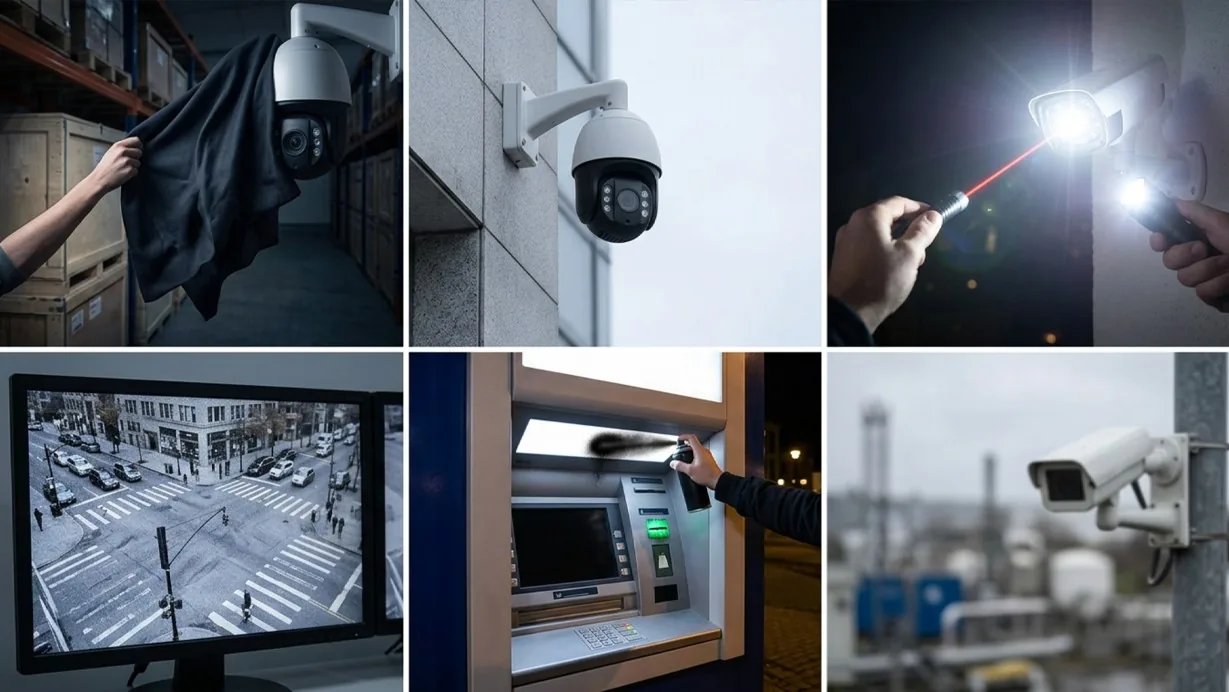
Common scenarios
- • A camera covering a high-value storage area is physically covered before an attempted theft
- • A pan-tilt camera is manually rotated away from its assigned coverage area
- • A bright light or laser is aimed at a lens to wash out the image
- • A camera's feed silently freezes due to a hardware or encoding fault
- • An ATM or cash-handling camera is spray-painted or taped over
- • A remote-site camera loses focus after an accidental knock or weather damage
In a patrol round
During a virtual patrol round, alerts from this detection model contribute to the compliance assessment at each camera stop and are logged in the patrol report.
Frequently asked questions
See the detections on live cameras
A 15-minute demo of the live product: the detections your site needs, running on real camera feeds, and a quote per camera for your sites.