

Unauthorized access detection
Unauthorized access detection is the ability to identify and alert when a person or vehicle enters a restricted, controlled or off-limits area. It differs from motion detection because it works on defined zones with rules about who should be present and when, and it differs from access control because it watches what happens after the door opens. Camzify runs it on the cameras already covering those doors, rooms and corridors.
- A notification window per camera
- Tailgating counted at controlled doors
- Restricted rooms checked on the round
The badge reader stops at the door
An access control system records that a badge opened a door at 22:14. It does not know that two people walked through, that the door was wedged open for the next hour, or that the badge belonged to someone who left the company in March. The camera above the door recorded all of that, and nobody was watching it.
The gaps are not exotic: tailgating, propped doors, shared badges, and the contractor who was let in for one job and kept the access. Conventional CCTV catches every one of them on video, after the fact, if someone knows which hour to scrub through.
- 01Badge opens door
- 02Camera watches the room
- 03Rule breaks
- 04Guard gets snapshot
Rules on the space, not on the door
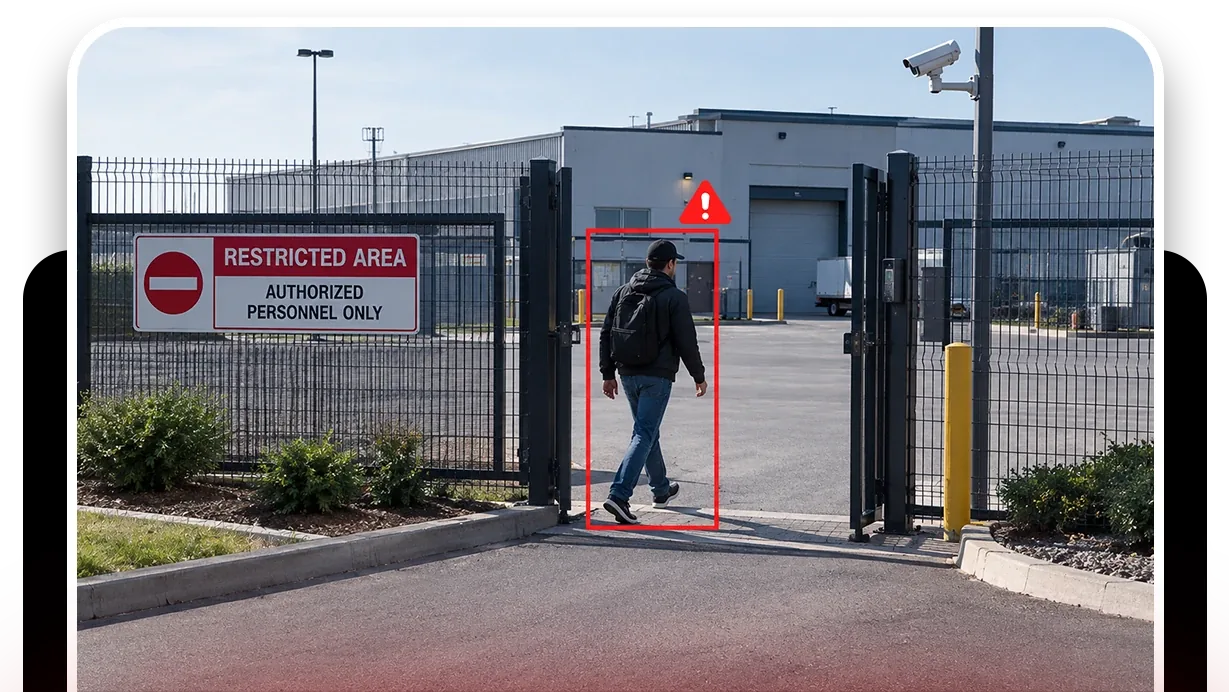
Zone intrusion detection draws the restricted area on the camera view: the server room floor, the cash office, the roof.
- The camera carries the notification window during which nobody, or nobody unaccompanied, should be there.
- A tracked person inside the zone during the window raises an alert with the snapshot.
- Tailgating detection watches the controlled entrance itself and fires when more than one person passes on a single badge event.
On top of the detections, a patrol round checks the restricted rooms on a schedule.
- The items are door closed, room empty, nothing left propped.
- It records the answer with a snapshot whether or not a detection fired, which is the evidence that the control was working, not just that it existed.
- Where the concern inside the door is a person rather than a place, violence and weapons detection runs on the same cameras.
Zone intrusion detection
The restricted area on the camera view, notified during the hours you set.
DetectionTailgating detection
Counts tracked people through a controlled door and fires on more than one per badge.
DetectionAI attribute extraction
Clothing, carried objects and direction of travel for the guard. Not identity.
DetectionMulti-object tracking
Follows each person across frames and cameras so zone and count rules fire on a track.
- Server room door closedCompliant
- Room emptyCompliant
- Roof access door closedNot compliant
- Executive corridor clear after 8pmCompliant
A failed item is resolved as Fixed or Pending before the round can close.
What a restricted-areas round checks
The round for this use case is the cameras covering the rooms and corridors that access control is supposed to protect, and the checklist is the state each should be in: door closed, room empty, nothing propped, nobody on the floor after hours. A passing round is the evidence that the restriction held at each time it was checked.
Where the round is automated, the AI can watch a scene for a few seconds before judging, which is the difference between a person walking through a corridor and a person waiting in it.
A check found Not Compliant captures a snapshot and messages the guard designated for that camera; on a manual round the operator chooses to send it, on an automated round it goes on its own. The item stays Pending until it is marked Fixed, which captures the after frame, and the report shows both.
The footage around every frame in that report stays under the camera's own retention window on cloud video surveillance, on the same account, so the still and the video it came from are never in two systems.
What it will not do
It is a camera rule on the room, not a replacement for the system on the door.
- It will not check a badge or open a door; it is not an access control system and does not replace one.
- It will not identify people.
- It will not see into a room without a camera in it.
- It will not decide what to do about the person in the server room at midnight; it puts the snapshot in front of the guard designated for that camera.
We do not publish detection rates or notification delivery times. The trust page sets out what we do and do not claim.
Industries where this applies
Frequently asked questions
Ready to patrol your site 24/7?
Book a 15-minute demo and see a live patrol run on your own cameras.