

Incident investigation
Incident investigation is the reconstruction of what happened during a security event from recorded footage, detection logs and patrol records: the timeline, the subjects, the evidence. The slow part has always been finding the moment in hours of continuous video. Camzify writes the timeline as it goes, timestamped detections with snapshots and a frame per checklist item on every round, and lets you search footage for a person by description.
- Detections logged with time and snapshot
- A frame per item on every round
- Suspect search by description, not face
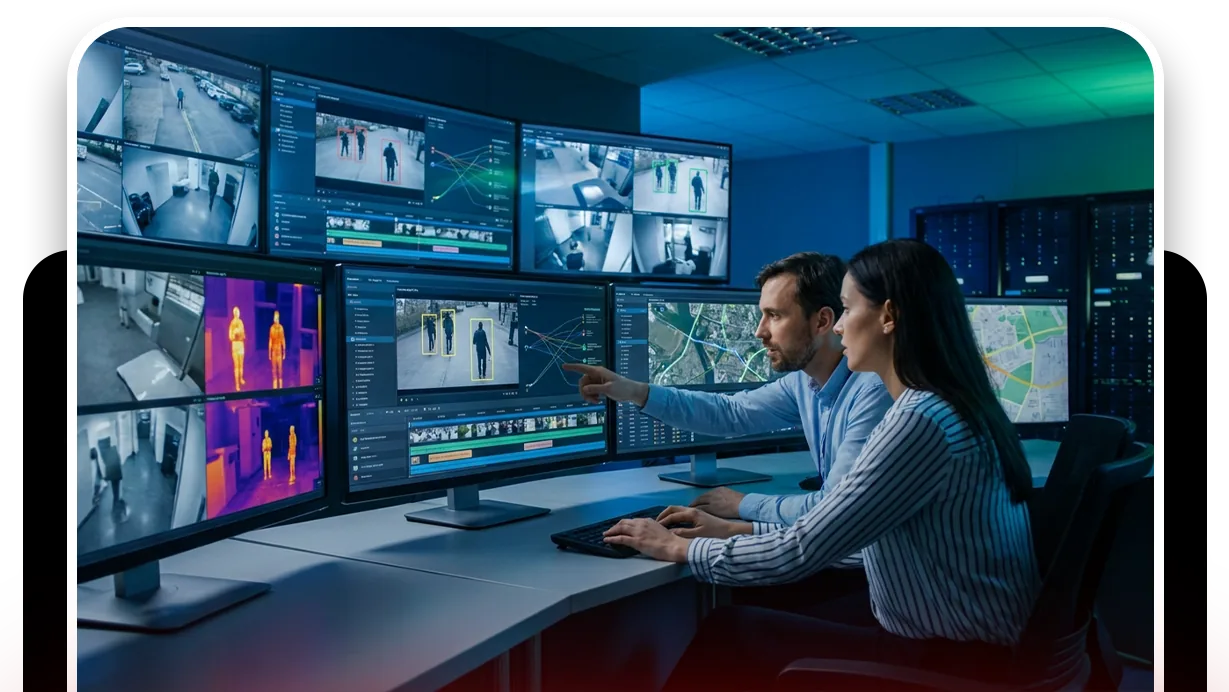
Hours of footage, one moment that matters
When something is found missing or broken, the investigation starts with a question nobody can answer: when? Continuous recording from several cameras gives a day of video per camera and no markers, and the investigator scrubs through it at speed, hoping to notice the moment. It takes hours, it is easy to miss, and it starts only after the loss is noticed.
The structure that would make it fast, timestamps on events, frames at known times, a way to search for a person, is exactly what a camera system does not produce on its own.

Guard message sent. Re-checked and closed with the second frame attached.
The timeline is written before anyone asks for it
The timeline is assembled from the detection log, the patrol reports and the description attached to each person seen.
- Every detection is logged with its camera, its time and a snapshot, so the log for a camera is already a list of the moments that mattered.
- Every patrol round adds a frame per checklist item at a known time, and two rounds either side of an incident bound it to a window before any footage is opened.
- Attribute extraction attaches a description to each person seen: clothing color, what they carried, which way they went.
That description is what AI suspect search works on.
- Describe the person in plain language and it returns every matching appearance across the indexed cameras and time window, ranked by confidence, with no reference photo.
- The cross-camera journey map then links those appearances into a path.
- Within its retention window, cloud backup holds the footage to play at each point.
For events that need a response while they happen, see violence and weapons detection.
AI suspect search
A plain-language description returns matching appearances across cameras and time. Not facial recognition.
DetectionAI attribute extraction
Clothing, carried objects and direction attached to each person seen, which is what search runs on.
DetectionCross-camera journey map
One subject’s appearances across cameras linked into a path with times.
DetectionMulti-object tracking
Follows each subject across frames so every event and attribute belongs to a track.
- Dock door downNot compliant
- No vehicle at the bayCompliant
- Staging area clearNot compliant
- Yard gate closedCompliant
A failed item is resolved as Fixed or Pending before the round can close.
What the round contributes afterwards
A round is not designed for investigation, and it is the best investigative record a site has, because it is a set of frames at known times from every camera on the sequence, with a verdict on each. When the morning brings a question, the reports from the night already answer when the door was last seen down and when it was first seen up.
Where the round is automated, that record exists every night whether or not anyone was on shift, which is the night it is needed.
A check found Not Compliant captures a snapshot and messages the guard designated for that camera; on a manual round the operator chooses to send it, on an automated round it goes on its own. The item stays Pending until it is marked Fixed, which captures the after frame, and the report shows both.
The footage around every frame in that report stays under the camera's own retention window on cloud video surveillance, on the same account, so the still and the video it came from are never in two systems.
What it will not do
The record it builds has four limits.
- It will not identify anyone: suspect search matches on attributes, not faces, and returns appearances, not names.
- It will not recover footage past the retention window on that camera.
- It will not find a moment on a camera that was not covering it.
- It does not decide what a record is worth in a proceeding; that is a question for your counsel.
We do not publish search accuracy figures, because they depend on your cameras and lighting. The trust page sets out the policy.
Industries where this applies
Frequently asked questions
Ready to patrol your site 24/7?
Book a 15-minute demo and see a live patrol run on your own cameras.