

How to choose video analytics software
 By Muhammad Talha · Product Manager and CTONine years building computer vision and automated surveillance systems · Updated
 Choosing video analytics software means selecting the system that will watch your cameras, decide what counts as an event, and tell the right person, on the cameras you already own and on terms you can leave. The choice turns on nine questions: camera compatibility, where the analytics run, how false alarms are handled, who controls retention, how the license is counted, whether every site runs on one account, where alerts go, what happens when you leave, and how evidence is exported.
This guide takes those questions one at a time and says what a good answer looks like for each, so that a demonstration can be judged against a list rather than an impression. It describes properties to look for, not products. The one exception is a single example under camera compatibility, marked as such.
What should you decide before you talk to a vendor?
Decide what the system must do at which cameras before you see any product, because the answer decides which of the questions below carry weight. A perimeter problem needs line and zone intrusion on a handful of cameras and little else; a compliance problem needs a scheduled check with a record; an investigation problem needs search across recorded video.
Write the requirement per camera, not per site; the list that results is the one the vendor should price and demonstrate against.
- Which cameras must raise an alert, on what event, at what hours, and to whom.
- Which points must be confirmed on a schedule, such as a door closed after hours or a corridor clear, and what record of the check is needed.
- Which cameras must be recorded, for how many days, and who may play them back.
- How many sites there are now, how many there will be, and whether any client or department must be kept separate from the others.
Will it work with the cameras you already own?
A good answer is that the software connects to any ONVIF or RTSP camera, accepts RTMP and HTTPS streams as well, and reaches cameras on a private network through a relay that needs no port forwarding. A poor answer is a list of supported camera brands, or a requirement to buy the vendor’s own cameras, because either one turns a software purchase into a camera refresh.
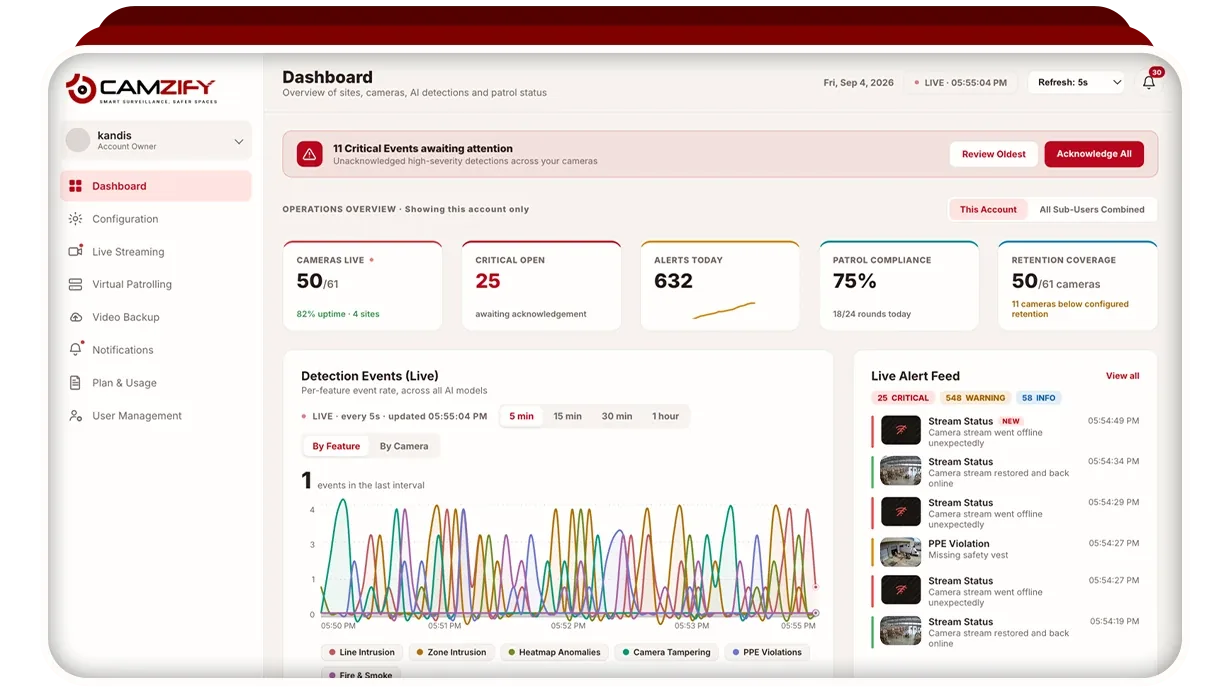
Ask the question with your camera list in hand and ask for a connection test on three of them, including the oldest. Camzify is one example of the open model: it connects ONVIF, RTSP, RTMP and HTTPS cameras, and cameras on a private network reach it through the Camzify Connector, an application on a local PC that relays the streams without exposing the cameras to the internet. The protocols themselves are explained in ONVIF and RTSP explained.
Where do the analytics run?
A good answer says plainly whether detection runs in the cloud, on a server at your site, or on the camera itself, and what each choice asks of your network and your staff. Cloud analytics need upstream bandwidth for every camera streamed and no server; on-premise analytics need a server per site and someone to maintain it; on-camera analytics are limited to what the camera’s own processor can do.
A vendor that will not say where the processing happens is hiding a dependency you will meet later. The trade-offs are set out on the cloud vs on-premise comparison. Note that a scheduled capability such as virtual patrolling needs the cameras online to the service that runs the round, so a site without usable connectivity cannot run one.
How does it handle false alarms?
A good answer explains the mechanism rather than quoting a rate: detection fires on a confirmed object track, not on pixel change, and each camera has its own zones, its own notification window and its own severity, so an alert that is wrong can be tuned at the camera that raised it. A poor answer is a percentage measured on someone else’s cameras, or a claim of zero false alarms, which no honest vendor makes.
Ask to see the same detection on your own cameras at night, in rain, and with headlights sweeping the scene, and ask what an operator does to stop a recurring wrong alert without switching the detection off. How to reduce false alarms covers the tuning a buyer should expect to do in the first month.
Who controls retention?
A good answer is that retention is set per camera, in days or as a storage cap, enforced by automatic deletion, and can be longer on the cameras that matter than on the rest. A poor answer is one retention period for the whole account, or a period fixed by the plan tier rather than by you, because a retention policy the system cannot enforce is not a policy.
Ask how retention is set, whether a whole site can take one setting, and what the account shows about storage consumed against storage held. Video retention requirements explains how to choose the number per camera.
How is the license counted?
A good answer counts the license per camera for the stream, per detection enabled on that camera, and per unit of storage, so that a camera which needs nothing but recording costs the stream and nothing more. A poor answer is one price per camera that includes every detection whether or not it is used, or a site license that charges a second building as if it were the first.
Ask for the quote on your camera list with the detections written against each camera, on the term you intend to sign. What drives the figure is explained in AI video analytics cost, and the ROI calculator sets it against what the routine rounds cost you today.
Does every site run on one account?
A good answer is that every site sits on one account and one login, that a user can be scoped to their own sites and cameras and nothing else, and that a sub-user can be given a share of the license and can ask for more. A poor answer is one login per site, or a separate account per client, because that is how a company ends up with a recorder and a password in every building and no view across them.
This question matters most to security agencies and monitoring companies, for whom each client must be a separate sub-user with a report of its own.
Where do alerts go?
A good answer is that each alert reaches a named person over the channel they actually read, email, SMS, WhatsApp or push, with the frame attached, and that the system records who acknowledged it and when. A poor answer is a dashboard someone is expected to watch, or a single email address for everything, because an alert nobody owns is an alert nobody acts on.
Ask how routing is set per alert category and per site, how severity is set per camera, what happens when an alert is not acknowledged, and whether the acknowledgment trail can be produced afterwards. How to manage security alerts describes the queue a buyer should expect to run.
What happens when you leave?
A good answer is that the cameras keep working with any other software because they were never tied to this one, that footage and reports can be exported in standard formats before the account closes, and that the term, the notice period and what happens to data at the end are written in the contract. A poor answer is a vendor that has not thought about it, or one whose cameras only speak to its own service.
Ask before you sign, because the answer is the difference between a subscription and a lock-in.
Can you export evidence?
A good answer is that a clip can be exported from any camera for any time inside the retention window, that a scheduled check produces a report with the frame behind every result, and that the report opens as a PDF an insurer, a client or a court can take as it is. A poor answer is a screenshot of a dashboard, or a report that lists results without the picture they were judged from.
Ask to export a clip and a report during the demonstration, on your cameras. The time on the frame should be correct, the camera should be named, and the result should be traceable to the person or the round that produced it.
How should you run the evaluation?
Run the evaluation on your own cameras, against the per-camera list you wrote at the start, and score each of the nine questions on what you saw rather than what you were told. A vendor that will not connect to your cameras before you sign has answered the first question already. Two vendors that both match on compatibility, false alarms and retention are then compared on license, alerting and exit terms, which is where the difference in cost of ownership usually sits.