

AI attribute extraction
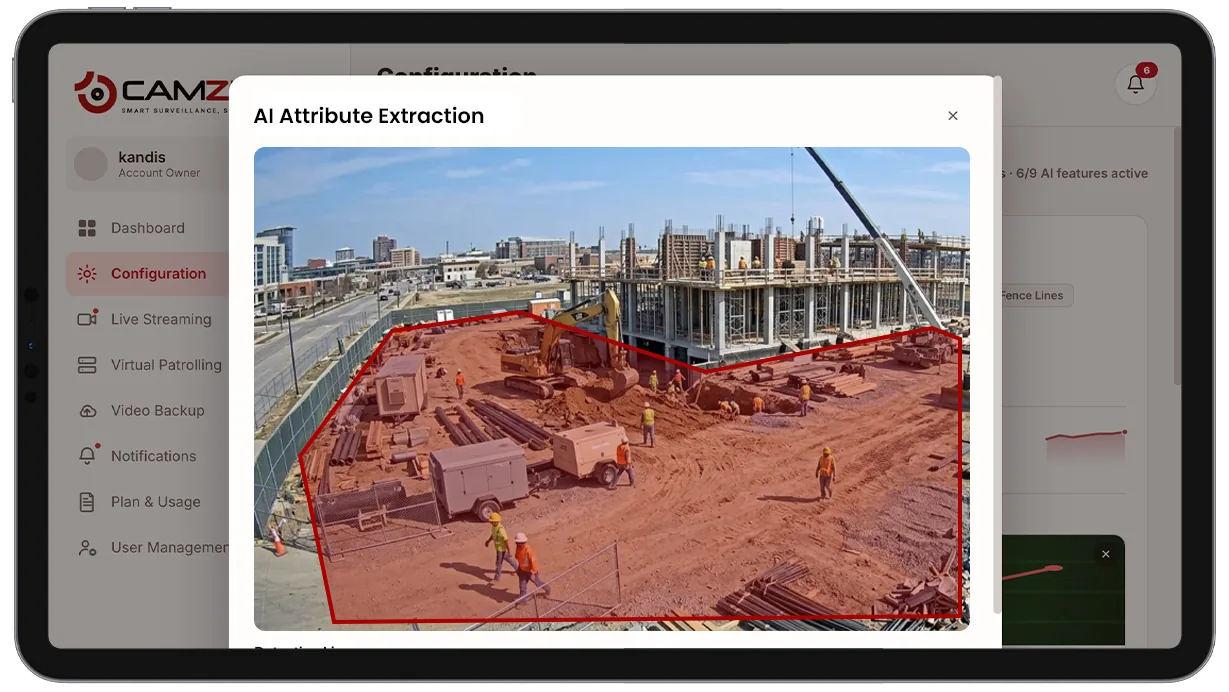
AI attribute extraction uses a vision-language model to read the scene when an alert fires and attach structured attributes to each detection — clothing color, object type, behavior description — with no operator input. This transforms a basic alert into an information-rich event that operators can act on immediately.
- Structured clothing color and type attributes for every…
- Object classification for vehicles, bags, and other carried…
- Plain-language behavior descriptions attached to each alert
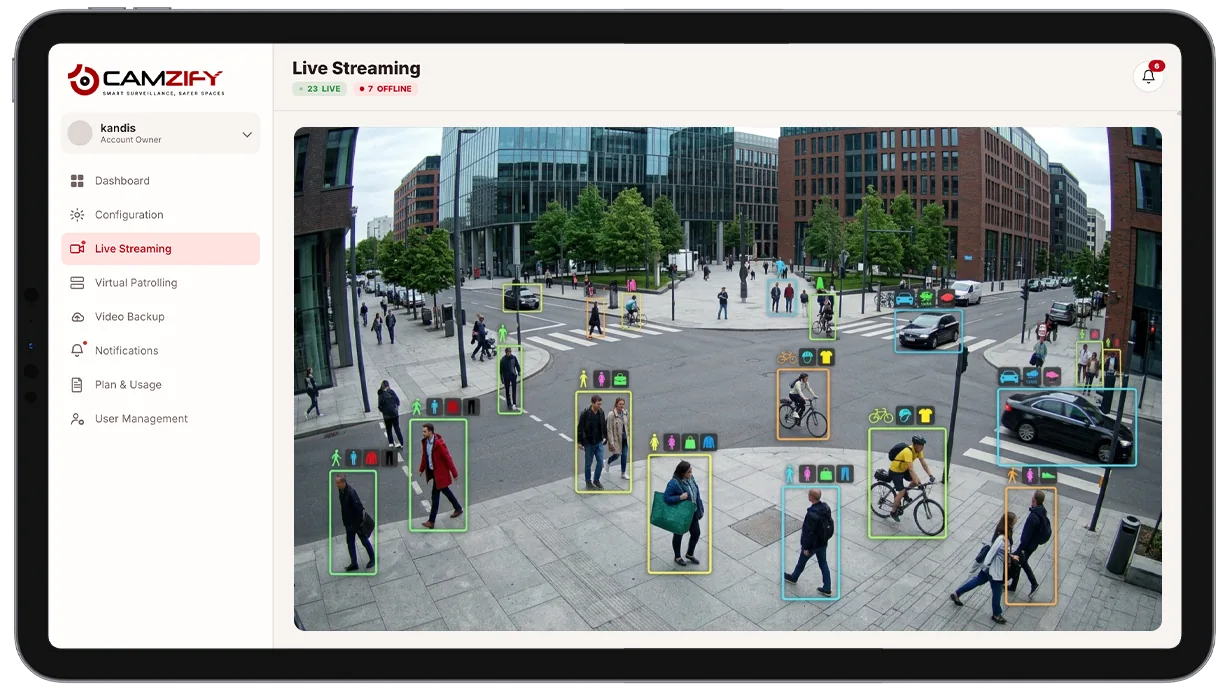
This capability generates and enables:
- • Structured clothing color and type attributes for every detected subject
- • Object classification for vehicles, bags, and other carried items
- • Plain-language behavior descriptions attached to each alert
- • The searchable index that powers AI suspect search
- • Richer alert context without any operator input
Why AI attribute extraction matters
A bare alert, "person detected, camera 7, 02:34", tells a reviewer almost nothing. They still have to pull up the clip, watch it, and describe what they saw before they can act, search for related footage, or hand the incident off to someone else.
That manual description step is slow and inconsistent, two reviewers describing the same clip might use different words for the same clothing color or miss a detail the other caught. Multiplied across dozens of alerts a day, it adds real delay between something happening and someone being able to act on it.
AI attribute extraction does that description work automatically, the instant an alert fires, in a consistent structured format that both a human reviewer and other AI features, like suspect search, can use immediately.

How it works
Reading the scene
When any detection feature fires an alert, a vision-language model reads the relevant frame or clip and identifies the visual details a human reviewer would naturally describe, what the subject is wearing, what they're carrying, and what they appear to be doing.
Structured attributes
Those details are converted into structured fields, clothing color, object type, behavior description, rather than free-form text, so they can be filtered, searched, and compared consistently across thousands of alerts.
Where attributes get used
Attributes are attached to the alert in the notification queue for immediate context, and indexed over time to power AI suspect search and cross-camera journey map.
Configuration
AI attribute extraction runs automatically alongside other detection features, with a few settings:
- • Which detection features trigger attribute extraction
- • Attribute categories captured, clothing, objects, behavior
- • Retention period for indexed attributes used by search
- • Per-camera instance licensing
Common scenarios
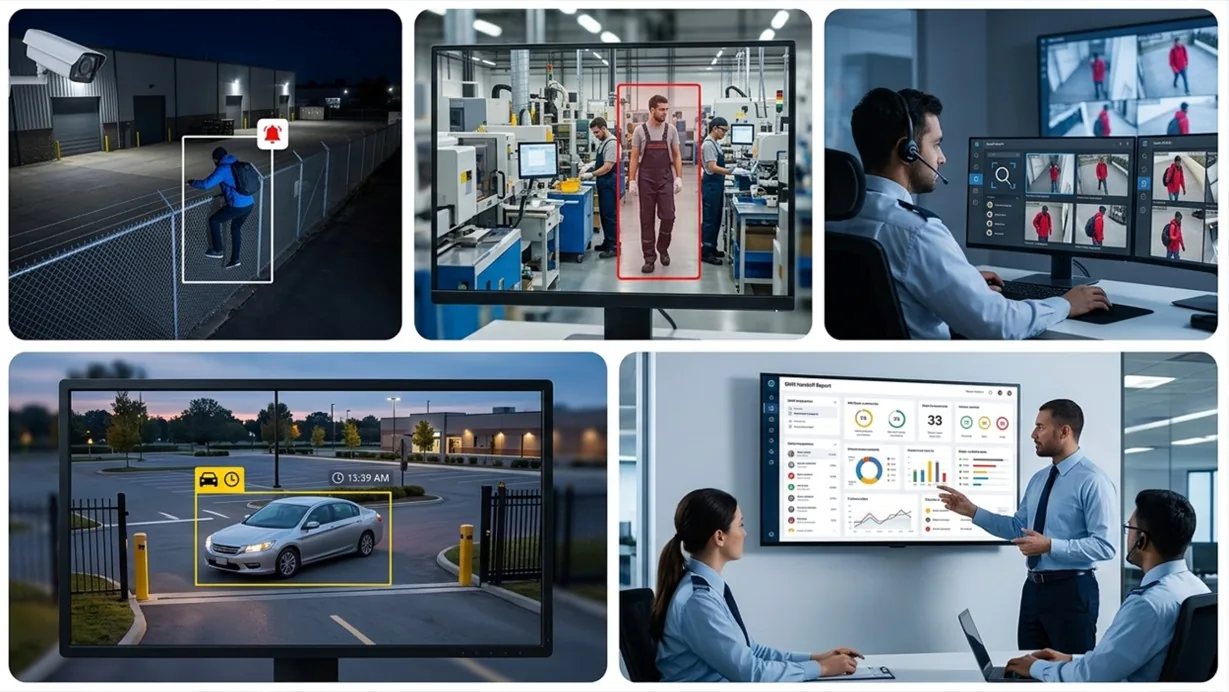
- • A line intrusion alert arrives already describing the subject's clothing and carried items
- • A PPE violation alert identifies specifically which required item is missing
- • An investigator searches for "person in a red jacket carrying a backpack" using suspect search
- • A vehicle-related alert includes the vehicle's color and general type
- • A shift handoff report includes attribute summaries instead of requiring reviewers to rewatch clips
In a patrol round
During a virtual patrol round, alerts from this detection model contribute to the compliance assessment at each camera stop and are logged in the patrol report.
Frequently asked questions
See the detections on live cameras
A 15-minute demo of the live product: the detections your site needs, running on real camera feeds, and a quote per camera for your sites.