

AI security for restaurants
A restaurant's closing is only as reliable as whoever locks up that night: back doors, walk-in cooler doors and storage areas all go unwatched once the staff leave. Camzify's virtual patrolling runs scheduled rounds on the cameras already on site, checks back doors, cooler and freezer doors and storage areas, messages the right person when a check fails, and keeps a timestamped record of every round.
- Back doors and delivery entrances left unmonitored between…
- Closing procedures relying on whoever locks up that night to…
- Walk-in cooler and freezer doors left ajar overnight
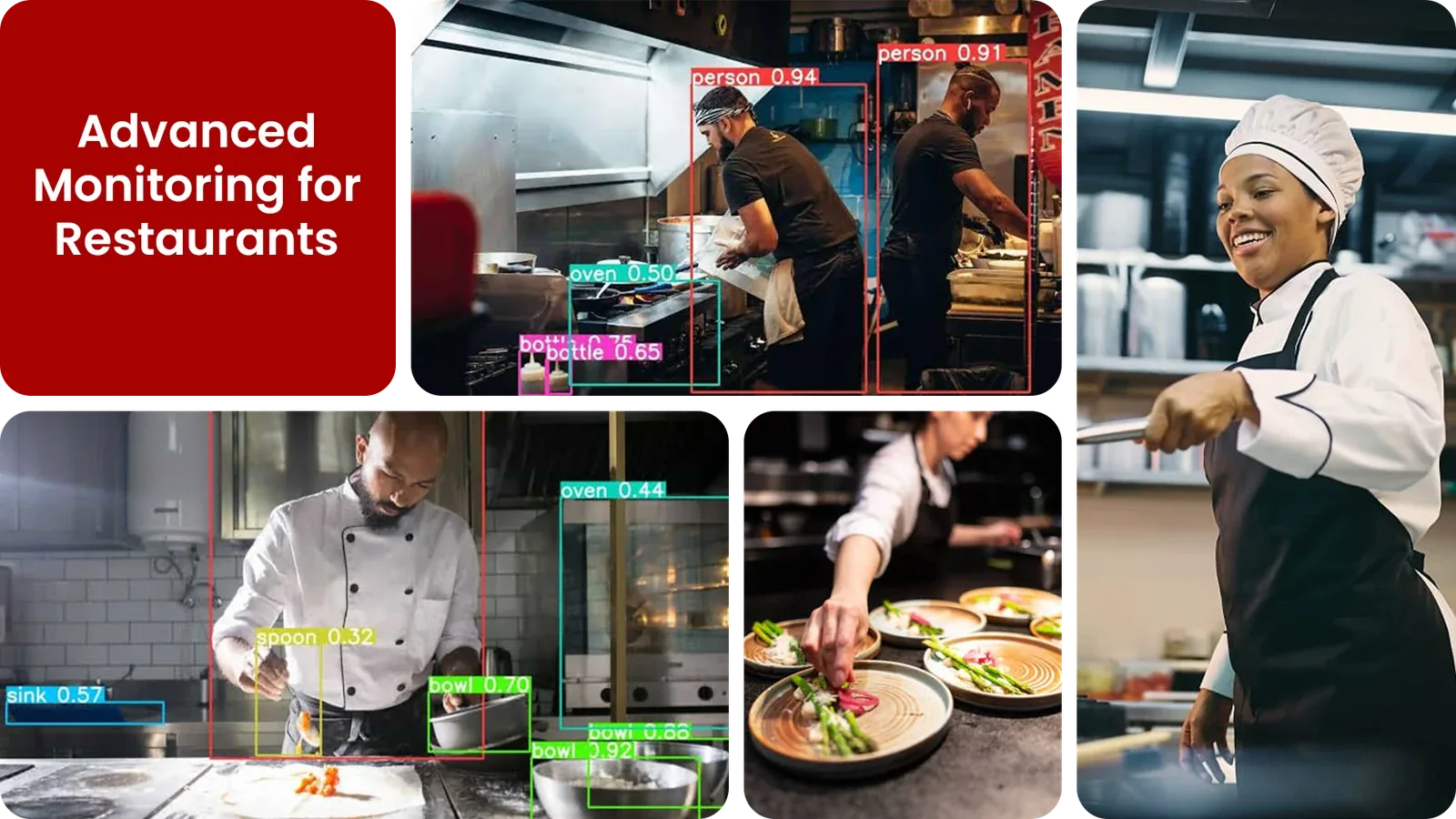
Common restaurant security gaps Camzify closes:
- • Back doors and delivery entrances left unmonitored between deliveries
- • Closing procedures relying on whoever locks up that night to remember every step
- • Walk-in cooler and freezer doors left ajar overnight
- • Kitchen and storage areas with no coverage after staff leave
- • Camera outages going unnoticed until the next shift
- • No record proving closing checks were actually completed
Why restaurants need continuous AI monitoring
Restaurants run on a tight closing routine, locking the back door, clearing the dining room, verifying the walk-in coolers, securing storage, and that routine is only as reliable as whoever is doing it on a given night. A rushed close after a long shift means steps get skipped, and nobody finds out until there's a problem the next morning.
Standard CCTV records the close happening but doesn't verify anything, footage only gets reviewed after spoiled inventory, a break-in, or a loss is already discovered. By then, the walk-in door had been open all night, or the back entrance was unlocked for hours.
Continuous AI monitoring turns the closing routine into an automated checklist.
- The same points get checked on the same schedule every night, regardless of who closed.
- Every check has a logged result.
- The manager on duty gets an immediate alert if something was missed.
Three questions restaurants security teams ask
"Was the back door locked when the last person left?"
Camzify answers this with Zone Intrusion Detection and automated patrol verification.
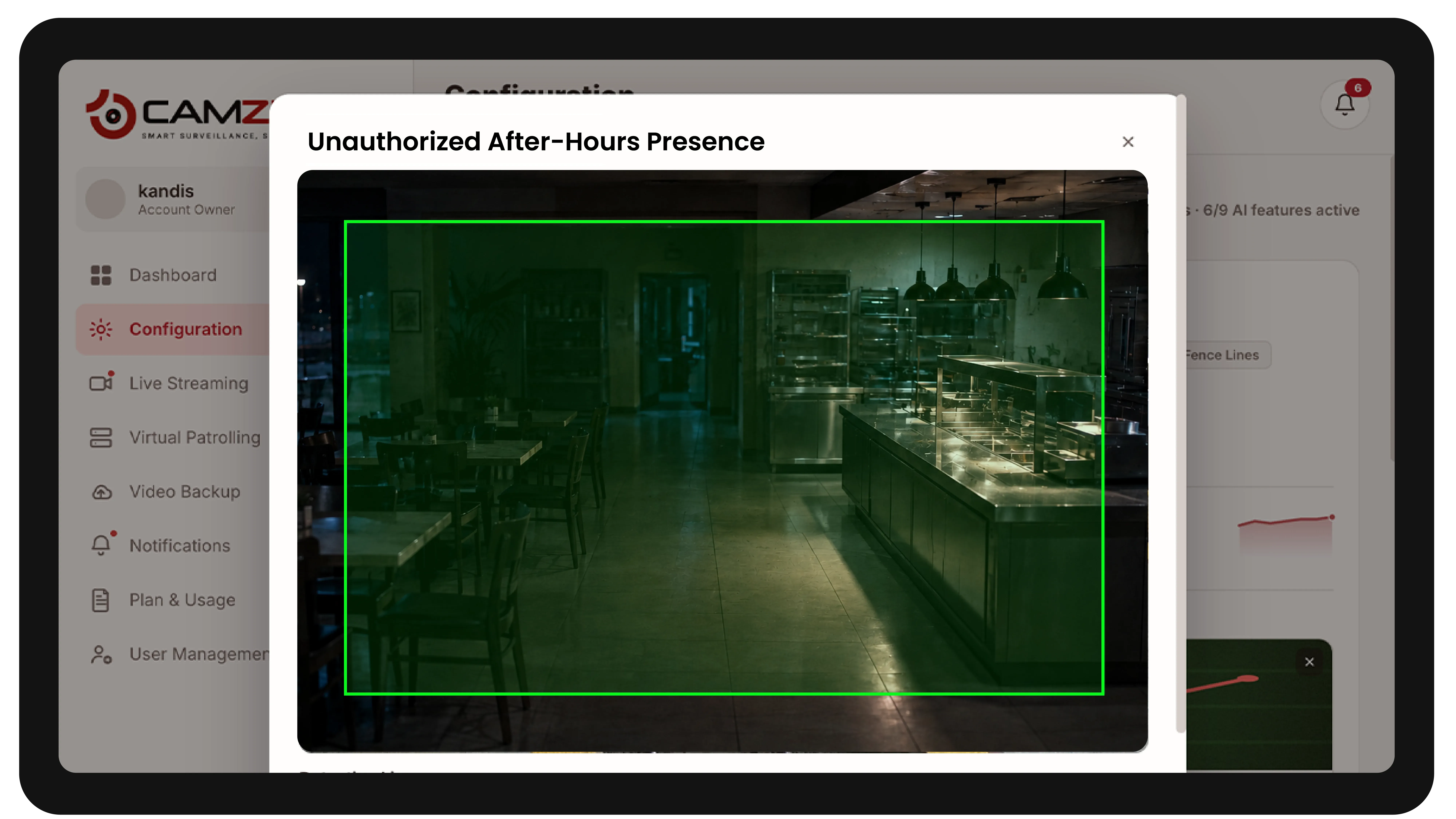
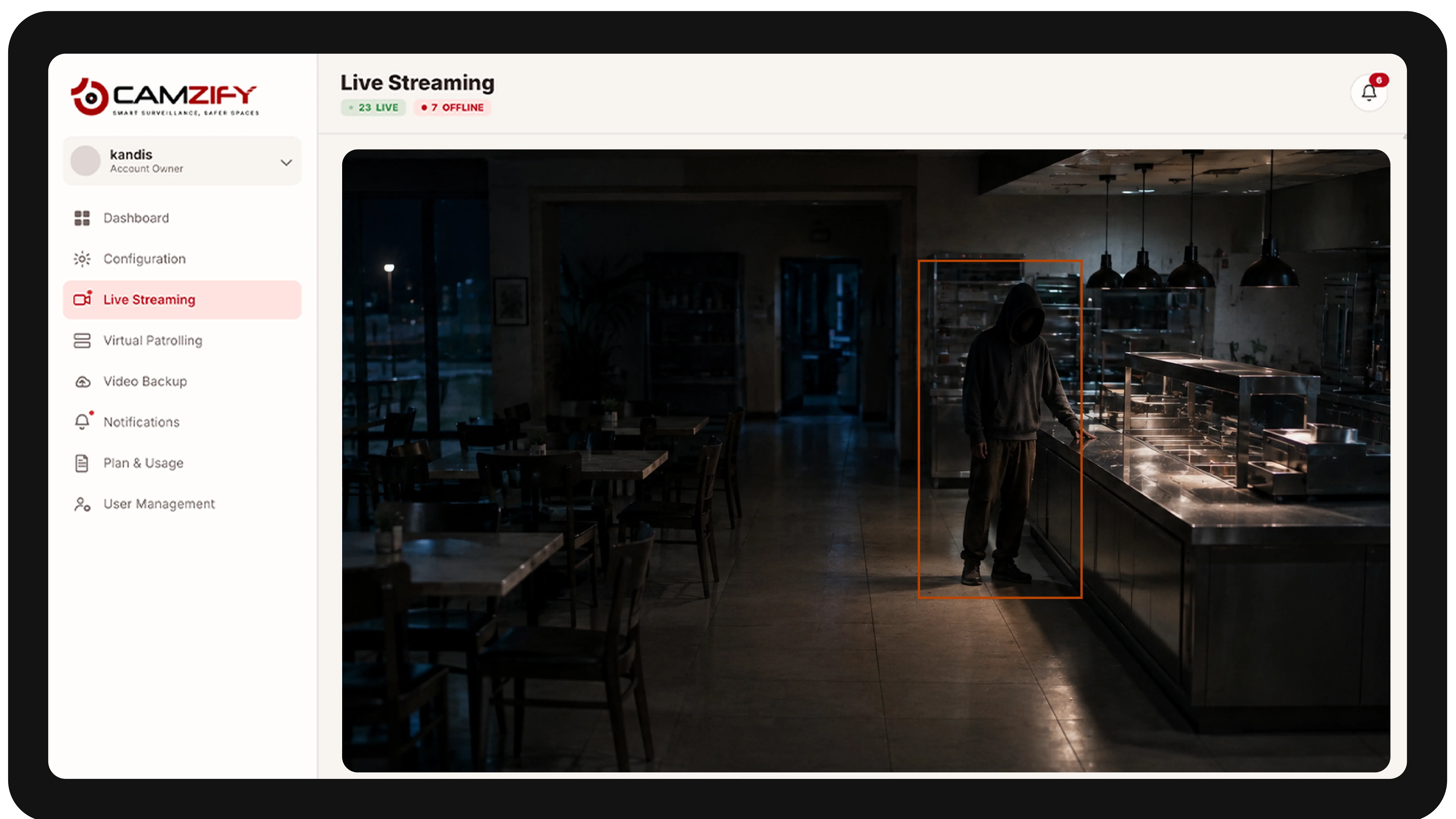
"Is anyone inside after closing time?"
Camzify answers this with Motion Detection and automated patrol verification.
"Were the walk-in cooler doors closed overnight?"
Camzify answers this with Camera Tampering Detection and automated patrol verification.
How Camzify works for restaurants
Building the patrol route
A patrol sequence is set up once, ordering every camera stop, back door, dining area, kitchen, walk-in coolers, storage, into a closing-time route that runs automatically after hours.
Checking each stop
At each stop, the AI checks the defined conditions using zone intrusion and motion detection.
- It checks whether the back door is secured.
- It checks whether the dining area is clear.
- It checks whether anyone is still in the building after closing.
Routing the alert
A failed check creates an actionable alert with a snapshot and timestamp, routed to the manager on duty, and logged in that night's patrol report as part of the closing record.
What to configure for a restaurant site
Most restaurant deployments start with:
- • Back-door and delivery entrance zones with a notification window
- • Walk-in cooler and freezer door checks as part of the closing sequence
- • Dining area and kitchen zones active only after closing time
- • Closing-time patrol sequence triggered on a fixed nightly schedule
- • Escalation routing to the manager on duty for failed closing checks
Common scenarios
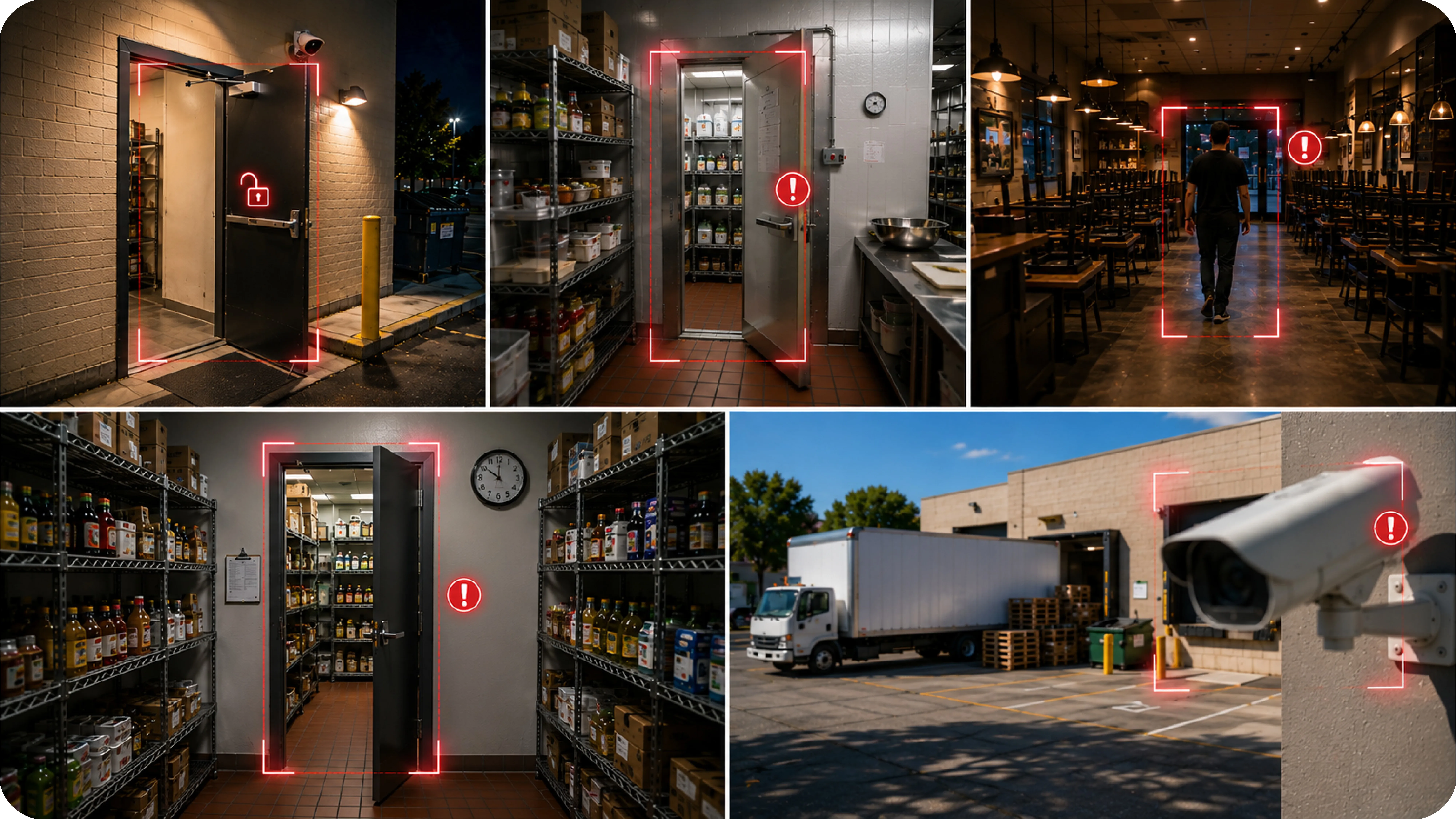
- • The back door left unlocked after the last delivery of the night
- • A walk-in cooler or freezer door left ajar at close
- • Someone still in the dining area or kitchen after closing time
- • A storage area accessed outside normal business hours
- • A camera near the loading area losing focus or going offline
Deployment notes
Restaurants typically have 4-8 cameras covering the kitchen, dining area, back entrance, and storage areas. Camzify connects via RTSP or the Camzify Connector and runs after-hours patrols to verify closing procedures.
What a first deployment looks like
- Step 01
Begin at the back door and the till line
Delivery entrances, stockrooms, walk-ins and the cash area are onboarded first. These are the points open at odd hours and least visible from the floor.
- Step 02
Verify open and close
Two short sequences check that the site was secured at close and intact at open — doors locked, storage closed, no presence after hours — with a report for each.
- Step 03
Repeat the template per location
Multi-site operators apply one sequence across every restaurant, so the same checks run at every location without rebuilding the configuration each time.
See how the numbers work for your restaurants facility with the ROI calculator, or review pricing to understand the per-instance licensing model. Recording and retention for the same cameras are covered on cloud video surveillance.
AI Features used here
Related use cases
Related industries
Frequently asked questions
Ready to patrol your site 24/7?
Book a 15-minute demo and see a live patrol run on your own cameras.