

Line intrusion detection
Line intrusion detection is a virtual tripwire placed across any area in the camera view, with directional control. It fires when a confirmed object track crosses the line — not when a shadow moves or a light flickers. This is the foundation of perimeter security in Camzify.
- People crossing a perimeter fence line
- Vehicles entering a restricted loading zone
- Directional crossings at one-way gates or turnstiles
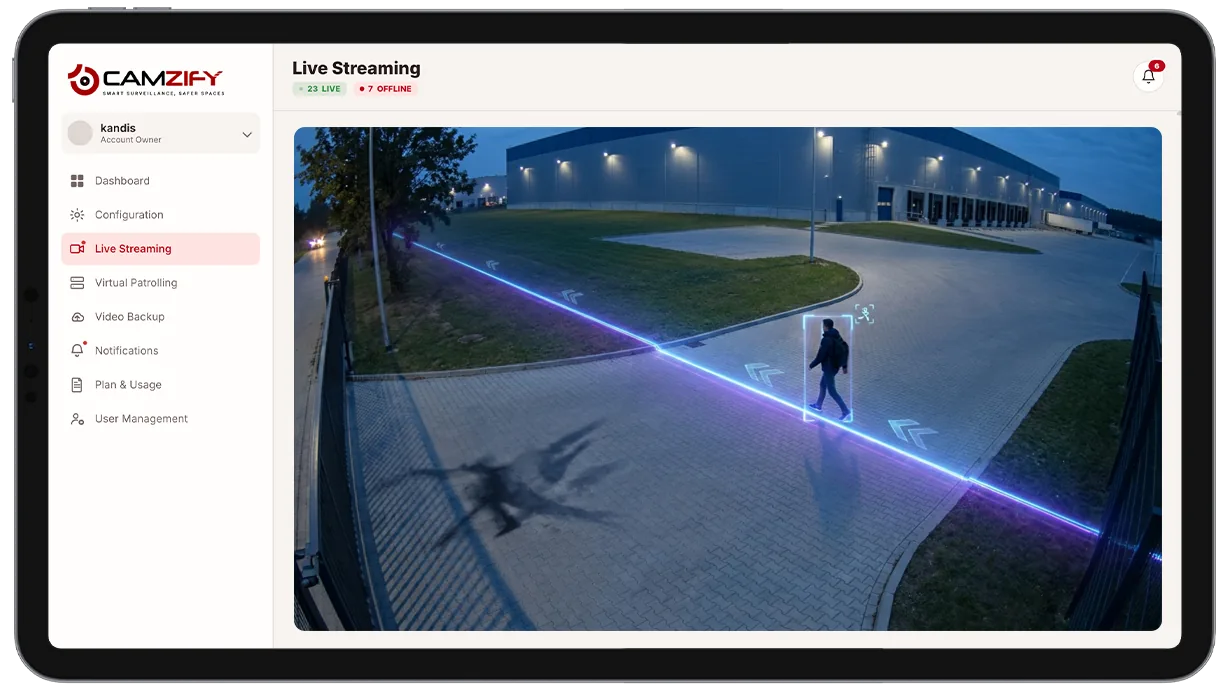
This capability detects and alerts on:
- • People crossing a perimeter fence line
- • Vehicles entering a restricted loading zone
- • Directional crossings at one-way gates or turnstiles
- • After-hours movement across secured boundaries
- • Repeated crossings at the same line within a short window
Why line intrusion detection matters
A perimeter fence or boundary line only works as a deterrent if someone, or something, is watching it continuously. A guard on a walking patrol covers a boundary for a few minutes every hour at best; the rest of the time, the line is unmonitored.
Fixed motion sensors and basic pixel-change alarms fill some of that gap, but they trigger on anything that moves in frame, a delivery truck passing on the street outside a fence, a tree branch in the wind, a cat crossing the yard. Security teams either drown in false alerts or tune sensitivity down until real crossings get missed too.
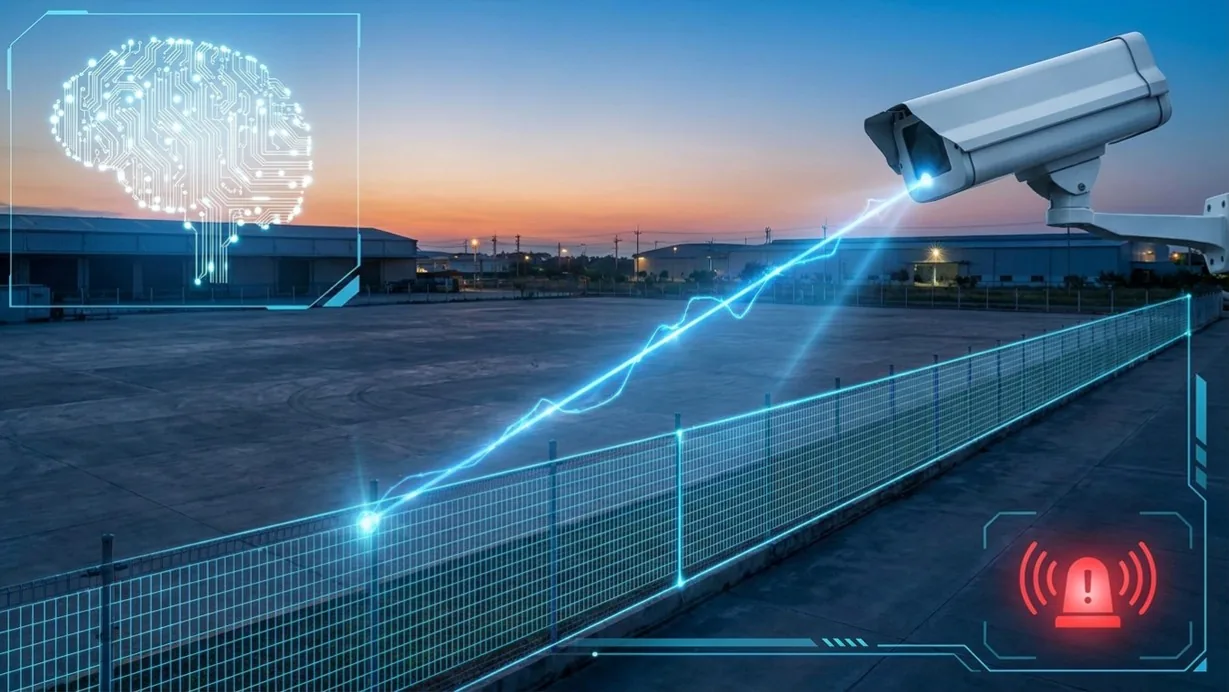
Line intrusion detection solves both problems at once: it watches the boundary every second of every day, and it only fires when a confirmed person or vehicle track actually crosses the line in the direction that matters.
How it works
Detecting the crossing
The model uses multi-object tracking to maintain a persistent identity for every subject in the frame, frame over frame. A single confirmed track — not a single frame of pixel change — is what the line rule evaluates.
Directional logic
When a tracked object's trajectory intersects the defined line, the system checks the direction of travel against the configured rule. A line set to alert only on inbound crossings ignores a subject walking away from the boundary, cutting the alert volume roughly in half at most perimeter points.
Alert delivery
Each alert includes the object type, confidence score, and timestamp.
- When AI attribute extraction is enabled, the alert also carries structured attributes like clothing color and behavior description.
- Alerts route through the platform's notification system and appear in the notification queue.
- Each queued alert shows its severity, its acknowledgment status, and the option to mark it as a false positive.
Configuration
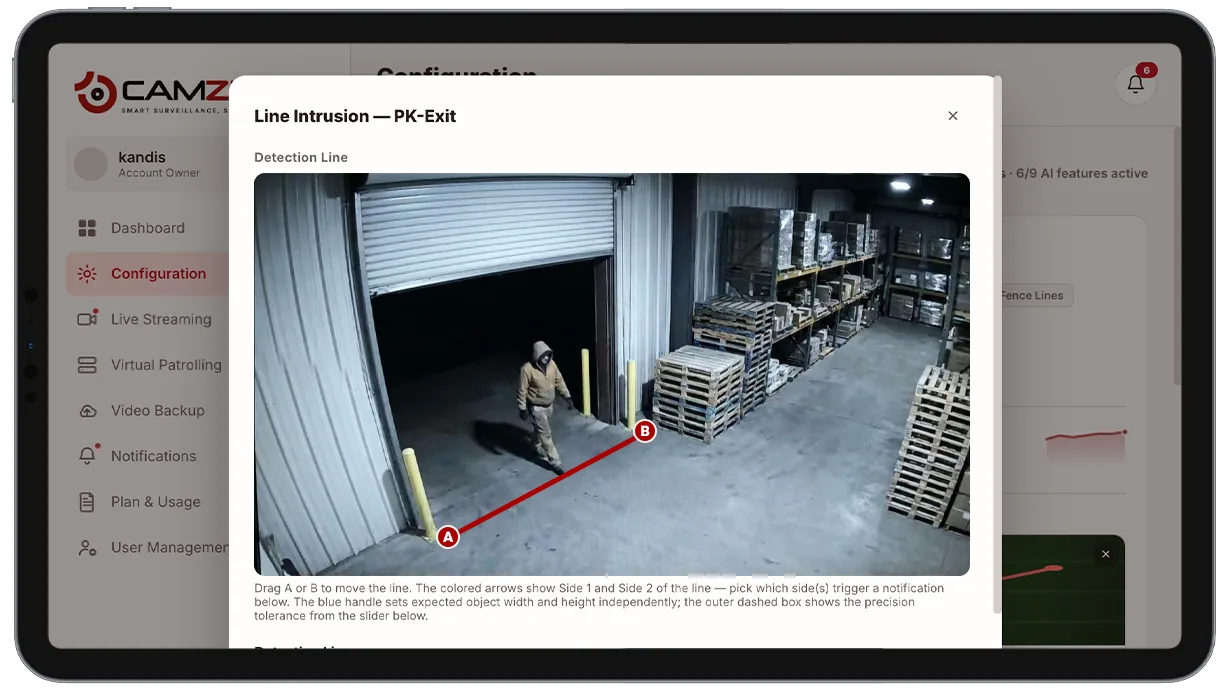
Lines are drawn directly on the camera view in the configuration panel. A line across an entrance also counts people entering and leaving separately, the basis of counting foot traffic on existing cameras. Each line supports:
- • Directional control. A→B, B→A, or bidirectional
- • Sensitivity adjustment per line
- • Notification window per camera, e.g. notify after hours only
- • Object-class filtering, e.g. people and vehicles only
- • Multiple lines per camera, each with independent rules
Common scenarios
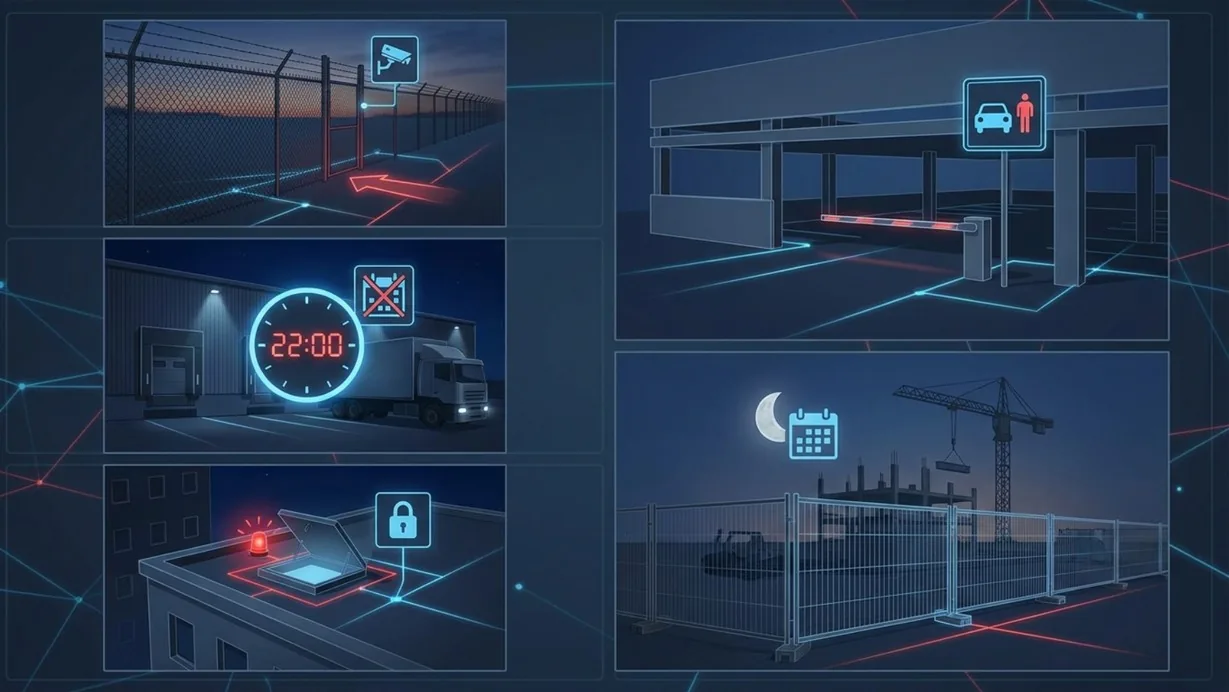
- • A perimeter fence line monitored after business hours, alerting only on inbound crossings
- • A loading dock lane where vehicle crossings outside scheduled delivery windows trigger an alert
- • A rooftop access hatch where any crossing at all is treated as non-compliant
- • A parking structure boundary that separates public and staff-only areas
- • A construction site fence line active only overnight and on weekends
In a patrol round
During a virtual patrol round, line intrusion alerts contribute to the compliance assessment at each camera stop. If an alert fired between rounds, it is logged alongside the checklist results in the patrol report.
The footage around each alert is kept under the camera's own retention window on cloud video surveillance, so the clip and the recording it came from are on one account.
Industries using this
Related detections
Frequently asked questions
See the detections on live cameras
A 15-minute demo of the live product: the detections your site needs, running on real camera feeds, and a quote per camera for your sites.