

Vehicle damage report
Vehicle damage report captures the exterior condition of vehicles from camera frames as they enter or leave a site, timestamped and logged automatically for later comparison.
- Visible dents and scratches on vehicles at entry or exit points
- A timestamped condition record attached to each vehicle event
- Side-by-side comparison between entry and exit records for…
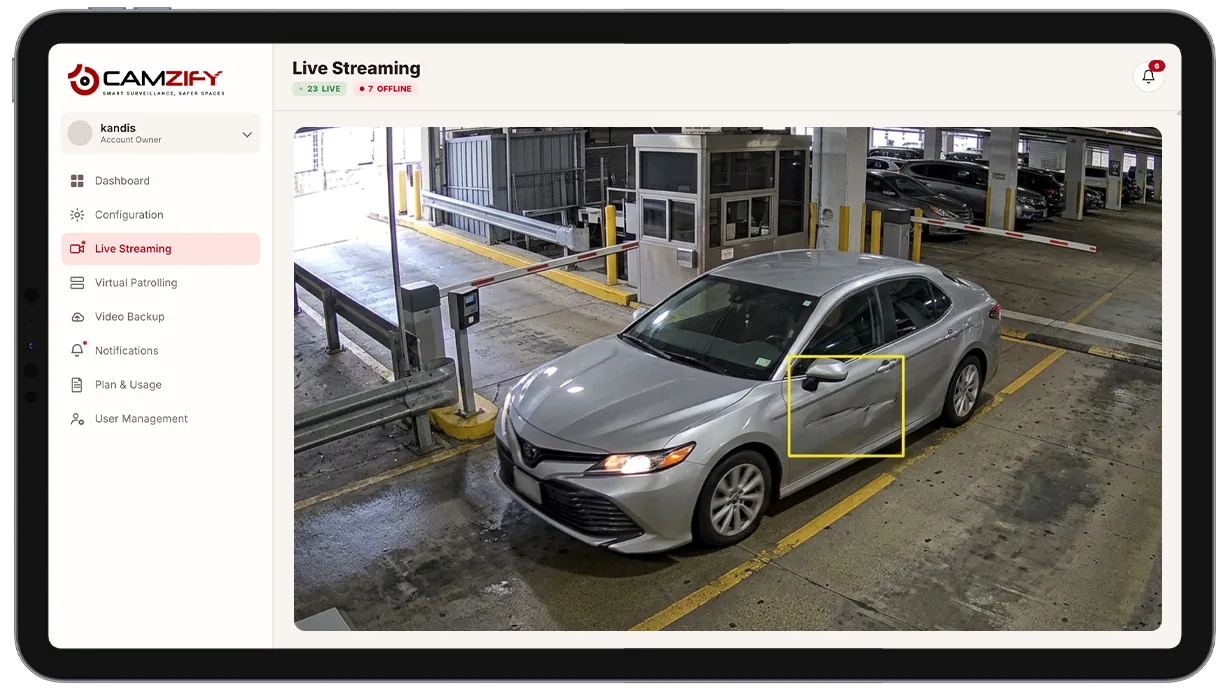
This capability detects and alerts on:
- • Visible dents and scratches on vehicles at entry or exit points
- • A timestamped condition record attached to each vehicle event
- • Side-by-side comparison between entry and exit records for the same vehicle
- • A defensible record for disputed damage claims
- • Condition records retrievable per vehicle for insurance or liability review
- • Coverage across multiple checkpoints for fleet or rental operations
Why vehicle damage report matters
Vehicle condition disputes almost always come down to a "he said, she said" problem.
- A rental customer says the scratch was already there.
- A fleet driver says the dent happened somewhere else.
- A valet guest says the car was fine when they handed it over.
Without a record from the moment of hand-off, there's no way to settle it other than taking someone's word for it.
A manual walk-around inspection can catch this, but it depends on a person doing it consistently, every single time, at every entry and exit, and writing down what they saw in a way that holds up later. On a busy site with dozens of vehicles moving through checkpoints a day, that consistency breaks down fast.
An automated condition record removes the dependency on someone remembering to check and write it down. Every vehicle that passes a configured checkpoint gets a timestamped clip, whether it's the first vehicle of the day or the fiftieth.

How it works
Capturing condition at checkpoints
Cameras positioned at entry and exit points run AI attribute extraction against each vehicle passing through, capturing exterior condition alongside vehicle type and color.
Building a comparable record
Each pass produces a timestamped record with a clip. Two records for the same vehicle, one at entry, one at exit, can be compared to identify condition changes that occurred while it was on-site.
Where reports get used
Records are retrievable through the platform's analytics and reporting module, ready to pull up when a damage claim or dispute needs supporting evidence.
Configuration
Entry and exit cameras are configured as vehicle checkpoints. Each checkpoint supports:
- • Checkpoint role, entry, exit, or both
- • Vehicle-class filtering, e.g. passenger vehicles only
- • Notification window per camera, e.g. notify only in operating hours
- • Record retention window for stored condition clips
- • Per-camera instance licensing
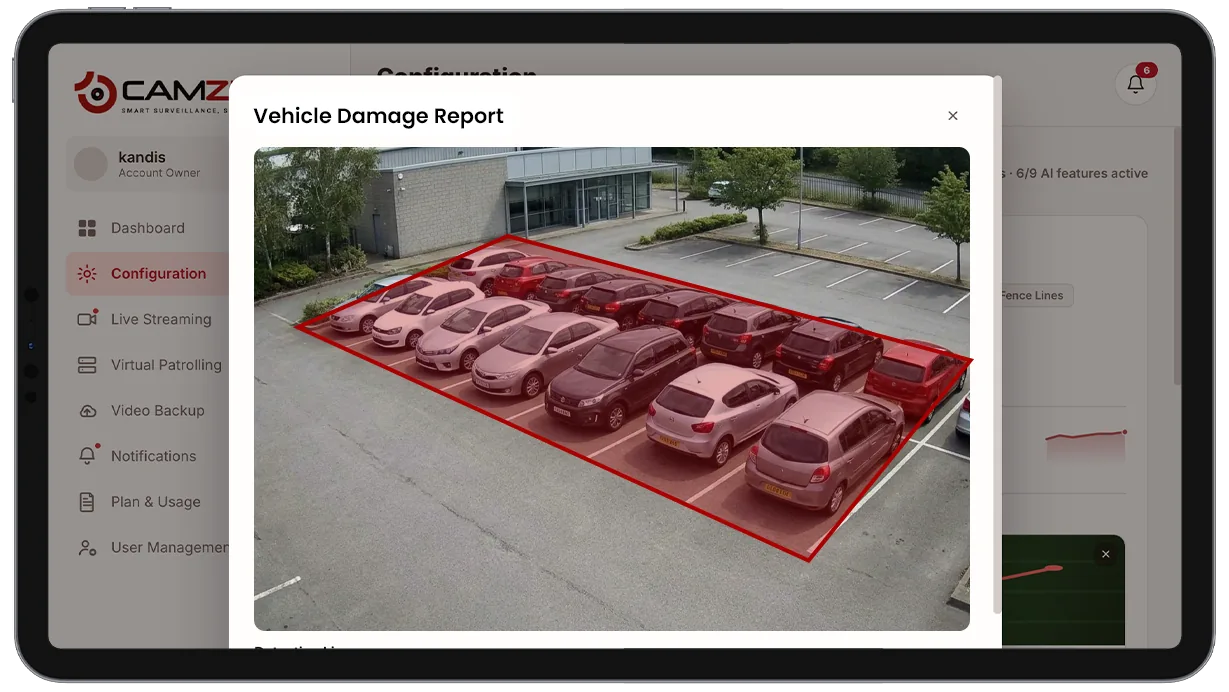

Common scenarios
- • A rental vehicle checked at both pickup and return to establish condition change
- • A valet operation documenting vehicle condition on arrival and at retrieval
- • A fleet vehicle entering and leaving a depot multiple times a day, each pass logged
- • A logistics yard capturing trailer or truck condition at gate entry
- • A dispute over pre-existing damage resolved using timestamped entry footage
- • A multi-site operator comparing condition records for the same vehicle across locations
In a patrol round
Vehicle damage records are captured continuously at checkpoints rather than as part of a scheduled checklist, but summary activity at a monitored entry or exit point can be reviewed alongside virtual patrol reports for that site.
The footage around each alert is kept under the camera's own retention window on cloud video surveillance, so the clip and the recording it came from are on one account.
Industries using this
Related detections
Frequently asked questions
See the detections on live cameras
A 15-minute demo of the live product: the detections your site needs, running on real camera feeds, and a quote per camera for your sites.