

RTSP camera setup
An RTSP camera connects to Camzify in one of two ways, depending on whether its stream is reachable from the internet. Both end up in the same place; the difference is only how the stream gets there.
Connect the stream directly
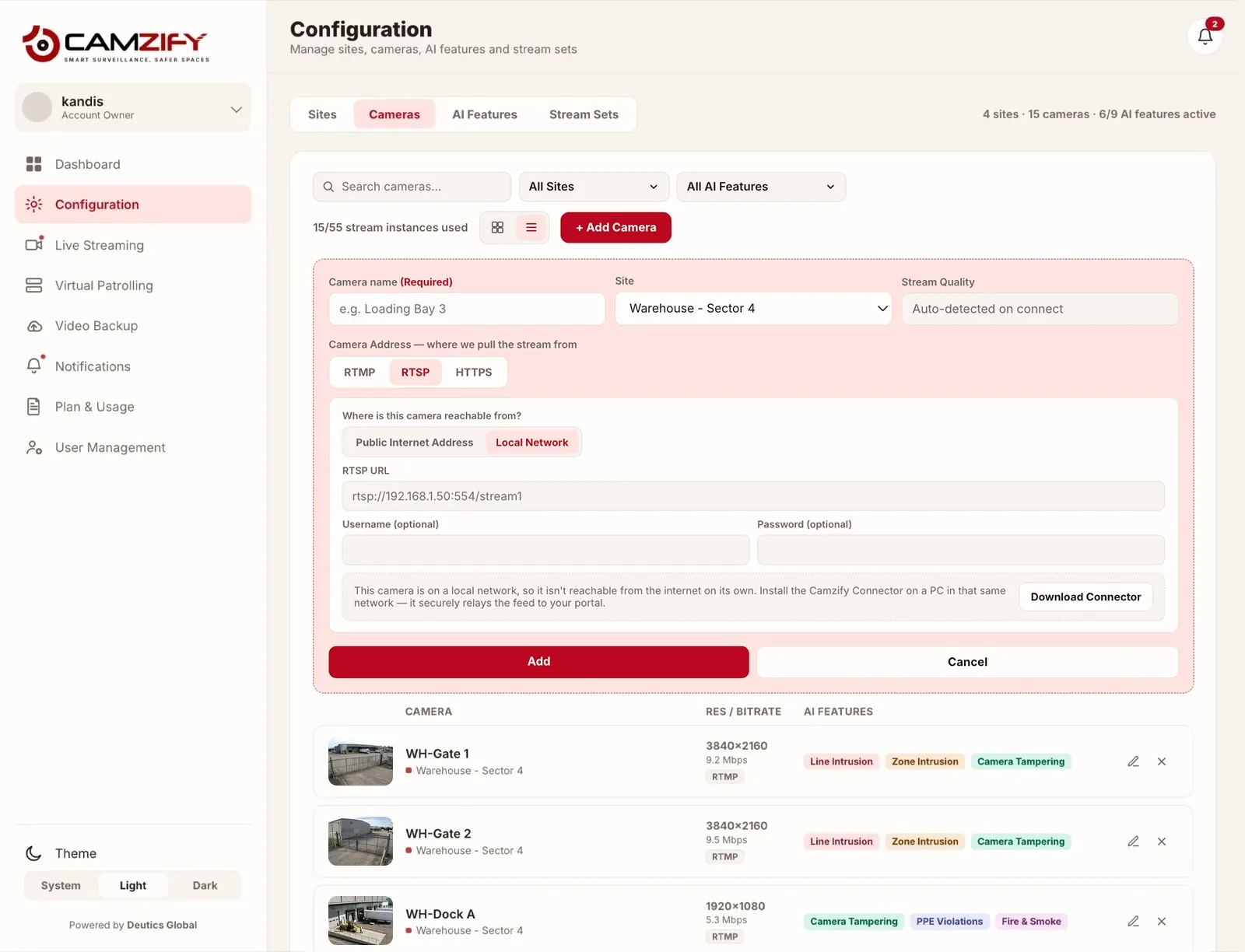
If the RTSP stream is already published to the internet — a static IP, an existing forwarded route, or an NVR that exposes it — paste the URL into Camzify and you are done. Nothing is installed. From there the stream is recorded and kept under cloud video surveillance like any other camera.
Relay local cameras with the Connector
If the cameras only exist on the local network, install the Camzify Connector on a Windows, macOS or Linux machine that can reach both those cameras and the internet. It relays the streams out — along with PTZ control — with no port forwarding, no static IP, and the cameras never exposed to the internet.
- 1
Find your camera's RTSP URL
Check your camera's documentation or admin panel for the RTSP stream URL. The format is typically rtsp://[camera-ip]:[port]/[stream-path]. Common ports are 554 (default) and 8554. - 2
Decide which route the stream takes
Test the URL from a machine outside the camera's network. If it plays, the stream is internet-reachable and you can skip straight to adding it. If it does not, install the Camzify Connector on a Windows, macOS or Linux machine that sits on the camera network and has internet access, and enter the RTSP URL there instead. - 3
Add the camera in Camzify
In the Camzify dashboard, go to Camera Management → Add Camera. Enter the RTSP URL directly, or select a stream the Connector is already relaying. Most cameras require a username and password on the stream; there are optional fields for them, and you only need them if the camera asks for credentials. Either way the platform verifies connectivity and displays the live preview. - 4
Configure detection and patrols
Once connected, configure AI detections (zones, lines, motion) and add the camera to a patrol sequence. The camera is now part of your automated virtual patrolling system.
RTSP URL formats by camera brand
Each manufacturer formats the stream path its own way. These guides give the format from the manufacturer’s documentation and where to switch RTSP and ONVIF on:
Frequently asked questions
Put these cameras on cloud recording
Camzify records RTSP, ONVIF, RTMP and HTTPS streams from the cameras you already own, with alerts and AI detections on top and nothing new on the wall.