

HTTPS camera setup
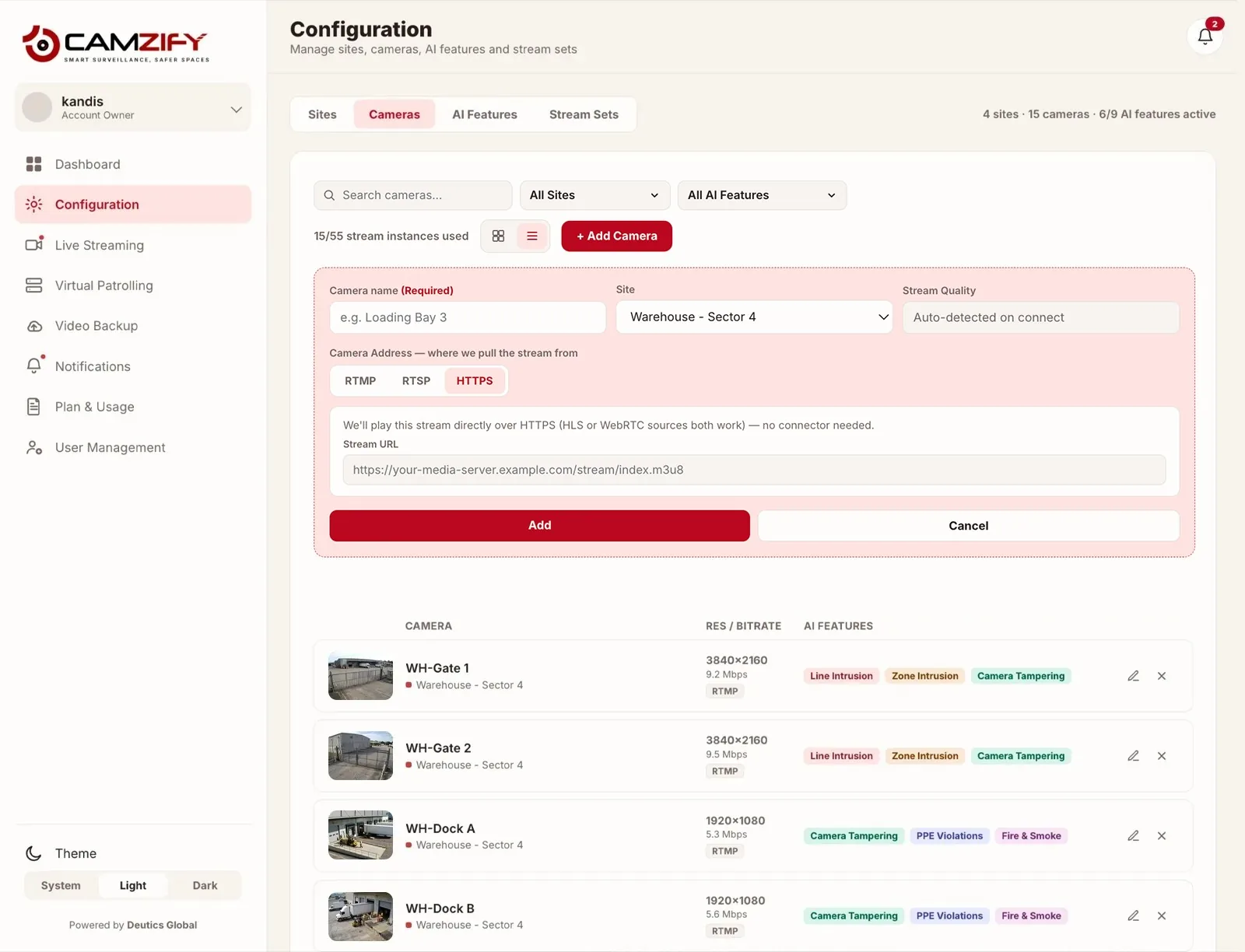
HTTPS is one of Camzify’s three camera connection types, alongside RTSP and RTMP. It covers both stream formats a device can deliver over the web: HLS and WebRTC. You pick HTTPS once and paste the stream URL; there is no separate choice to make between the two at setup.
Which of the two you are using
HLS
.m3u8 playlist
Widely supported by cameras, NVRs and media servers, and the easier of the two to obtain. It runs several seconds behind live, which is immaterial for scheduled patrol rounds and noticeable when watching a feed in real time.
HLS setup guide →WebRTC
WHEP / WHIP endpoint
Sub-second latency, which is what you want for live viewing and for alerts someone is expected to act on immediately. Fewer devices expose a WHEP or WHIP endpoint without a media server in front of them.
WebRTC setup guide →Connecting an HTTPS stream
- 1
Get the stream URL from the camera, NVR or media server
An HLS stream is a playlist URL ending in .m3u8. A WebRTC stream is a WHEP or WHIP endpoint URL. Either comes from the device serving the stream, not from Camzify — check its streaming, publishing or integration settings.
- 2
Add the camera under the HTTPS connection type
In Camera Management, choose Add Camera, select HTTPS, and paste the URL. HLS and WebRTC are both added here; there is no separate option to pick between them.
- 3
Confirm the picture is good enough for detection
Check the live preview before going further. If a person reviewing the feed can identify a person or vehicle at the distance that matters, the detection models have enough to work with. Framing and lighting matter more than resolution.
- 4
Configure detections and add the camera to a patrol
Set up zones, lines and the AI features you want on the feed, then add the camera to a patrol sequence so it is included in scheduled rounds.
If the stream only exists inside a private network, connect it through the Camzify Connector instead of opening a port. For background on how these protocols differ, see ONVIF and RTSP explained, or return to the camera connectivity guides.
Frequently asked questions
Put these cameras on cloud recording
Camzify records RTSP, ONVIF, RTMP and HTTPS streams from the cameras you already own, with alerts and AI detections on top and nothing new on the wall.