

Cloud VMS cost: what actually drives the price
 By Muhammad Talha · Product Manager and CTONine years building computer vision and automated surveillance systems · Updated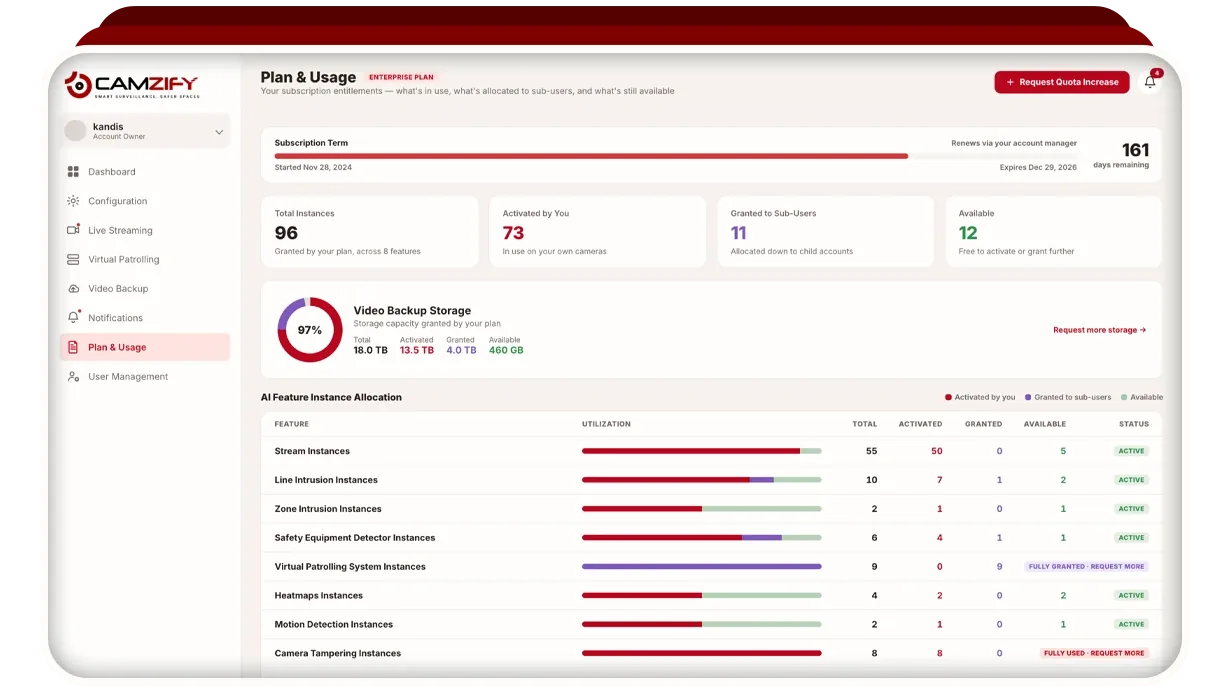
Cloud VMS cost is the recurring fee for video management software that the vendor hosts, and it is set by what your site asks the service to do: how many cameras stream to it, how much footage it keeps, and which detections run on which cameras. There is no recorder to buy, so the number is built from counts you already have or can gather in an afternoon. A cloud VMS replaces the recorder, the disks and the person who looks after them with a subscription, and the question is what that subscription is made of.
This guide covers what moves the number, the pricing models the market uses, what to ask about before signing, what an on-premise recorder costs instead, and how to lay the comparison out for your own site. Camzify is a cloud VMS priced per instance and quoted for your site; how a Camzify quote is built is on the pricing page, and this guide covers the market around it.
What drives the cost of a cloud VMS?
Six things drive the cost of a cloud VMS: the number of cameras, the detections licensed on each one, retention days and resolution, the bandwidth the site must supply, the number of sites and users, and onboarding and support. Cameras and retention set the base, and detections and sites move it from there.
- Cameras. Every camera that streams to the service counts, whether it records continuously, on a schedule, or only carries a detection. It is the unit most vendors quote in and the count to have before any conversation.
- Detections per camera. AI features are sold per camera on most cloud VMS products, so a camera watching a perimeter costs more than a camera that only records. The waste to avoid is paying for a detection on a camera that will never use it.
- Retention days and resolution. Stored footage is what the vendor pays for on your behalf, and longer retention on more cameras at higher resolution means more of it. This is the second largest driver after camera count.
- Bandwidth. The site supplies upload bandwidth for every stream sent to the cloud, which is a cost on your side of the ledger. A connection that cannot carry the streams costs you again in dropped recordings.
- Sites and users. Some vendors charge per site or per user seat, and others include both. A guarding company with many client sites and a login per client should ask this before anything else.
- Onboarding and support. Camera connection, user setup and training may be included, charged once, or sold as a support tier. Ask which, and what the next tier up costs.
Two of the six are decisions rather than facts about the site. Camera count is fixed by what is installed, but which cameras carry a detection and how long each one retains footage are choices, and they are the two that move the number most once the cameras are counted.
Which pricing models will you see, and how do you compare them?
Four pricing models cover most of the cloud VMS market: per camera per month, per site, hardware plus license, and tiers set by retention or features. To compare them, convert every quote into a cost per camera per year at the retention you actually need, including anything you must buy to make it work.
- Per camera per month. The cleanest model to compare, because it scales with what is connected. Confirm what the fee includes: recording, retention, detections, users and support are all things a vendor may itemize.
- Per site. A flat fee per location regardless of camera count. It suits a site with many cameras and penalizes a site with two or three.
- Hardware plus license. A vendor gateway or vendor camera at each site with a cloud license on top. The hardware is a capital cost with a replacement cycle, and it ties the site to that vendor's devices.
- Tiered by retention or features. A ladder of plans where the retention days or the detection set decides the tier. Check whether the tier one camera needs forces every camera onto it.
A vendor that quotes a low per-camera rate but charges separately for retention, detections and users is not cheaper; it is itemized. The way to tell is to write down the total for your camera count, at your retention, with your detections and your users, per year, for each vendor. That total is the only number the four models have in common.
What hidden costs should you ask about?
The hidden costs of a cloud VMS sit outside the headline rate: egress, storage overage, hardware gateways, minimum terms and per-user fees. Ask about each one in writing before comparing quotes, because any of them can exceed the per-camera fee over a year.
- Egress and export. Some vendors charge to download or share footage beyond an allowance. If your operation exports clips for police, insurers or clients, ask what an export costs.
- Storage overage. A plan sized by retention days may bill extra when a busy scene produces more footage than the estimate assumed. Ask whether the plan is capped by days, by storage, or both, and what happens at the cap.
- Hardware gateways. A bridge device or vendor camera at each site is a purchase, a replacement cycle and a single point of failure. Ask whether the service runs on the cameras you already own.
- Minimum terms and camera minimums. A minimum contract length or a minimum camera count changes the sum for a site that shrinks or a client that leaves. Ask what happens to the fee when a site is removed.
- Per-user fees. Charging per operator seat or per mobile user punishes a guarding company that gives every client a login. Ask whether sub-users and client logins count.
- Support tiers. Ask what is included, what is charged once, and what the next support tier costs. A quote that looks low with basic support may not be low with the support you need.
None of these is a reason to avoid a cloud VMS. They are the difference between a quote and a cost, and a vendor that answers every one of them in writing has given you a number you can put next to another vendor's.
What does an on-premise recorder cost instead?
An on-premise VMS costs a recorder or server per site, the disks inside it, the software license, and a person to keep it running. The recurring fee is lower or absent, and the upfront and staffing costs are higher.
The hardware is a capital purchase with a life measured in years, after which it is replaced. Disks fail before the server does and must be swapped, and the footage on a failed disk is gone unless it was mirrored. Firmware, operating system patches and software updates are somebody's job, on site or from an integrator, billed by the visit or under a maintenance contract.
The costs that never appear on an invoice are the ones to write down. A recorder that fails on a Friday loses the weekend's footage, and nobody bills for that. Remote access to an on-premise system means port forwarding or a VPN, which is an IT cost and a security decision. The cloud VMS vs on-premise comparison goes through each of these; the point here is that no monthly fee is not the same as no cost.
How does Camzify price a cloud VMS?
Camzify is priced per instance per month and quoted for your site or client portfolio. The platform modules come with the account, AI detections are licensed per camera instance, storage is sold per terabyte per month and spent as you set retention per camera, and there is no hardware to buy.
An instance is one AI feature running on one camera. A perimeter camera carrying line intrusion and a stockroom camera carrying zone intrusion cost differently, and a camera that only records carries no detection at all. Retention is set per camera by days or by a storage cap, and the storage figure shown during configuration is an estimate from stream bitrate, recording hours and retention days. Sites, cameras, instances and storage are allocated to sub-users from what the account holds, which is how a security agency runs many clients on one quote.
Bandwidth is yours to supply, and no vendor can sell it to you. The one thing sometimes needed on site is a PC running the Camzify Connector, for cameras on a private network that cannot be reached from the internet. Minimums and contract terms are agreed in the quote rather than published. The recording layer under all of this, what is kept and for how long, is described on cloud video surveillance.
The ROI calculator contains no Camzify cost by design. It computes your own guard cost from hours per week, hourly rate and sites, or the revenue a partner would earn selling remote patrols, and a quote comes back against that figure.
How do you build the comparison for your own site?
Build the comparison as one table with a row per vendor and a column per cost, totaled per year. The rows include the on-premise option and the cost of leaving things as they are, because a quote only means something next to those two.
- Count the cameras per site, and mark which ones need a detection and which only record.
- Decide retention per camera from the rule that applies to you, using the video retention requirements guide, rather than accepting a vendor's default tier.
- Measure the upload bandwidth at each site and note any site that would need an upgrade to carry its streams.
- List everyone who needs a login, and whether clients or subcontractors are among them.
- Ask each vendor, in writing, for the answers to the hidden-cost questions above.
- Total each column per year, with hardware divided over its replacement cycle and support priced at the tier you would actually use.
Then put that total next to what the routine work costs today. For a site paying for patrol rounds, the ROI calculator computes that figure from your own numbers, and for a guarding company its agency mode computes the revenue side instead. The detection line of the table is covered in more depth in the AI video analytics cost guide.