

Camzify vs traditional VMS
A traditional VMS is video management software installed on a server or network video recorder inside the building: it takes the camera streams over the local network, records them to its own disks and plays them back to operators on that network. Camzify is a cloud video management system that takes the streams from the same cameras, records them to the cloud with retention set per camera, runs 23 AI detections on confirmed object tracks, and runs scheduled virtual patrol rounds that check a list at each camera and file a report.
The two overlap on recording and playback and differ on everything after that. If the term is new, start with what a video management system is.
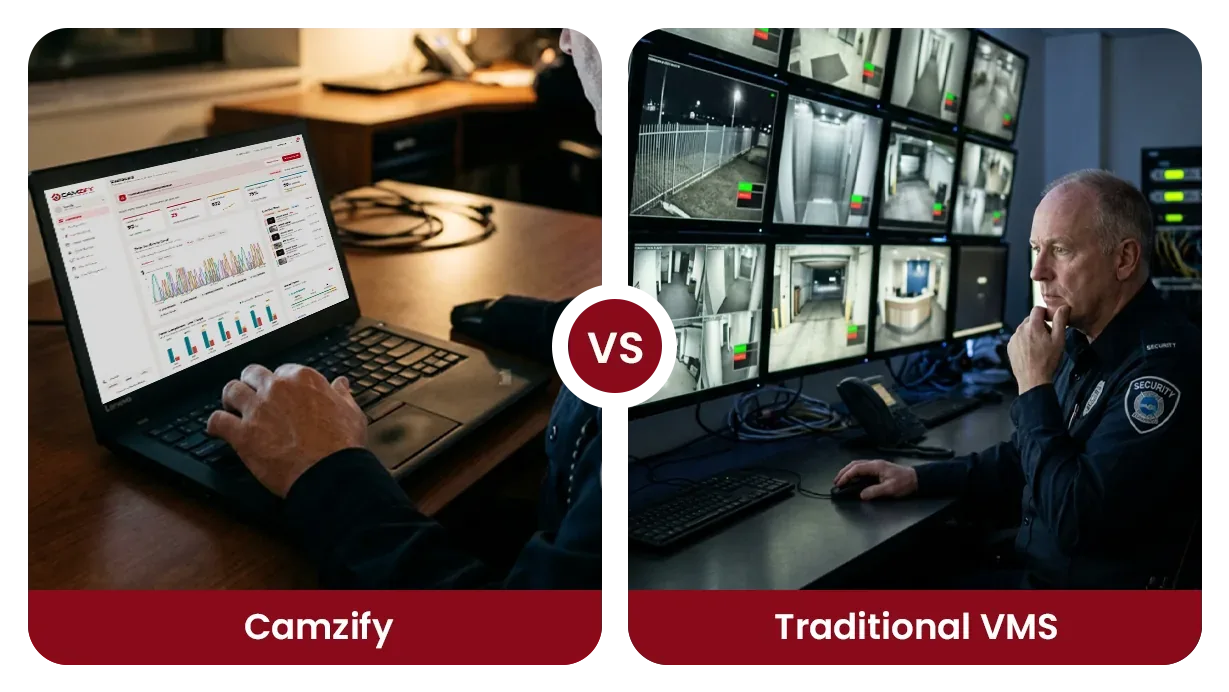
Side by side
| Aspect | Camzify | Traditional VMS |
|---|---|---|
| Primary function | Active AI verification via patrol rounds | Passive video recording and playback |
| Detection | AI-powered: zone, line, motion, tampering, tracking | Basic motion detection or none |
| Deployment | Cloud-based, connect via RTSP/RTMP/HTTPS | On-premise NVR/server installation |
| Patrol automation | Built-in virtual patrolling with checklists | Not available |
| Compliance reporting | Automated PDF reports with compliance % | Manual review of recorded footage |
| Scalability | Add cameras from any location | Limited by on-premise hardware capacity |
What does a traditional VMS do?
A traditional VMS records video and lets an operator watch it, live or later. It runs on a server or recorder that the site owns, takes each camera over the local network, writes the footage to local disks under a retention window, and presents a wall of live views and a timeline for playback.
Because it lives on the site network, its strengths are local. Nothing depends on an internet link, footage never leaves the building unless someone exports it, and the same server can be wired to door controllers, alarm panels and other building systems so that an event on one shows up next to video from another. Reaching it from outside the building needs a VPN or an opened port, and each site is its own installation with its own server to patch and disks to replace.
What does Camzify do differently?
Camzify records the same cameras to the cloud and adds two things a recorder does not have: detections that reach a person, and a scheduled round that verifies conditions and files a report. There is no server, and there is no hardware to buy; the cameras stream to the cloud directly, or through the Camzify Connector when they sit on a private network.
Recording runs continuously or on a schedule, with retention set per camera in days or as a storage cap from a pool the account sizes itself. The 23 AI detections, motion and camera tampering among them, fire on confirmed object tracks rather than pixel change, and every alert is delivered to a named person by email, SMS, WhatsApp or push. The AI features index lists each detection.
The virtual patrol round is the part with no equivalent on a recorder. On a schedule, the system visits each camera in a sequence, checks a defined list of conditions at each stop, notifies the guard assigned to any camera where a check fails, and files a timestamped report with the frame behind every answer and a compliance percentage for the round.
Where a traditional VMS is the better choice
A traditional VMS is the better choice when the footage has to stay inside the building, when the site cannot carry its streams to the internet, or when video must sit in one console with doors and alarm panels. Those are real requirements, and a cloud system does not meet them.
- Footage may not leave the building. A policy, a contract or a regulator that requires recordings to stay on site is met by a recorder on the local network and by nothing else.
- The site has no usable upload bandwidth. A recorder takes the streams over the local network and needs no internet at all; a cloud system needs enough upload capacity for every stream it records.
- Video has to be tied to doors, alarm panels and building systems in one console. A traditional VMS is built for those integrations; Camzify offers no access control, no alarm panel integration and no monitoring center.
- An operator works at a wall of monitors on the site network and never needs to see the cameras from anywhere else. Local viewing is the recorder at its best, with no internet link in the path.
Where Camzify is the better choice
Camzify is the better choice when the gap is not recording but verification: nobody can show that the rounds were done, or the sites are too many for one recorder each. The supported cameras page lists what connects.
- Someone has to prove the rounds were done. A scheduled virtual patrol round checks a list at every camera, notifies the assigned guard on a failure and files a timestamped report with a compliance percentage, which a recorder cannot produce.
- There is more than one site. Every site sits on one account with sub-users scoped to their own sites, so a portfolio is read from one console instead of one recorder per building.
- The cameras are already on the wall. Camzify connects ONVIF, RTSP, RTMP and HTTPS cameras and sells no hardware, so the change is a subscription, not a server.
- A person has to act on detections. The 23 AI detections fire on confirmed object tracks and reach a named person by email, SMS, WhatsApp or push, rather than sitting in an event log on the recorder.
- You are a security agency or monitoring company covering other people's sites. Each client is a sub-user with its own cameras and its own report per round, on one account you hold.
Can Camzify run alongside a traditional VMS?
Yes, and for a site that already owns a working recorder that is the usual starting point. Camzify takes its own stream from each camera and records it to the cloud under its own retention; the recorder keeps its local archive and keeps doing whatever the building systems depend on it for. Nothing on the recorder has to change.
The practical question is how the streams reach the cloud. A camera whose stream is already reachable over the internet connects directly; a camera on a private network behind the recorder connects through the Camzify Connector, an application on a PC that can reach both the cameras and the internet, with no port forwarding and no camera exposed. The cloud VMS vs on-premise comparison covers what the site needs to provide, and if the recorder today is Blue Iris on a Windows PC, the Blue Iris alternative page covers that move step by step.
How is each one paid for?
A traditional VMS is bought: a server or recorder, disks sized for the retention window, and software licenses, usually per camera, followed by whatever it costs to keep that hardware running for its life. Camzify is subscribed to: a stream instance per connected camera from $5 per camera per month, a detection instance per AI feature on the cameras that need it, and cloud storage per terabyte, quoted per site.
The bottom line
Neither approach is universally better. If recording and playback on the site network are the whole requirement, or footage may not leave the building, a traditional VMS is the right tool and replacing it gains nothing. If the cameras work and the gap is that nobody can prove the rounds were done, virtual patrolling puts detections and scheduled rounds on those cameras without a hardware purchase, and it is strongest where consistency, audit trails and cost against guard hours matter most: multi-site operations, after-hours coverage, and facilities where guarding is the dominant security spend.
Use the ROI calculator to model the cost comparison for your specific scenario, or review pricing to understand the per-instance licensing model.
Frequently asked questions
See your cameras in a cloud VMS
A 15-minute demo of the live console: cloud recording with retention per camera, live view and AI detections on the cameras you already have. Pricing starts from $5 per camera per month.