

A Blue Iris alternative for businesses and security companies
Camzify is a Blue Iris alternative for the business that wants its camera recordings off site and its cameras reachable from anywhere, without a Windows PC at every site to look after. It is cloud video surveillance that runs on the RTSP and ONVIF cameras already on the wall, with cloud recording, 23 AI detections and scheduled patrol rounds that produce a compliance report.
If you run Blue Iris at home and want something free and local, this is not that, and the section on where Blue Iris is the better choice says so. Every statement about Blue Iris comes from its own site, opened on 13 October 2026 and listed at the bottom.
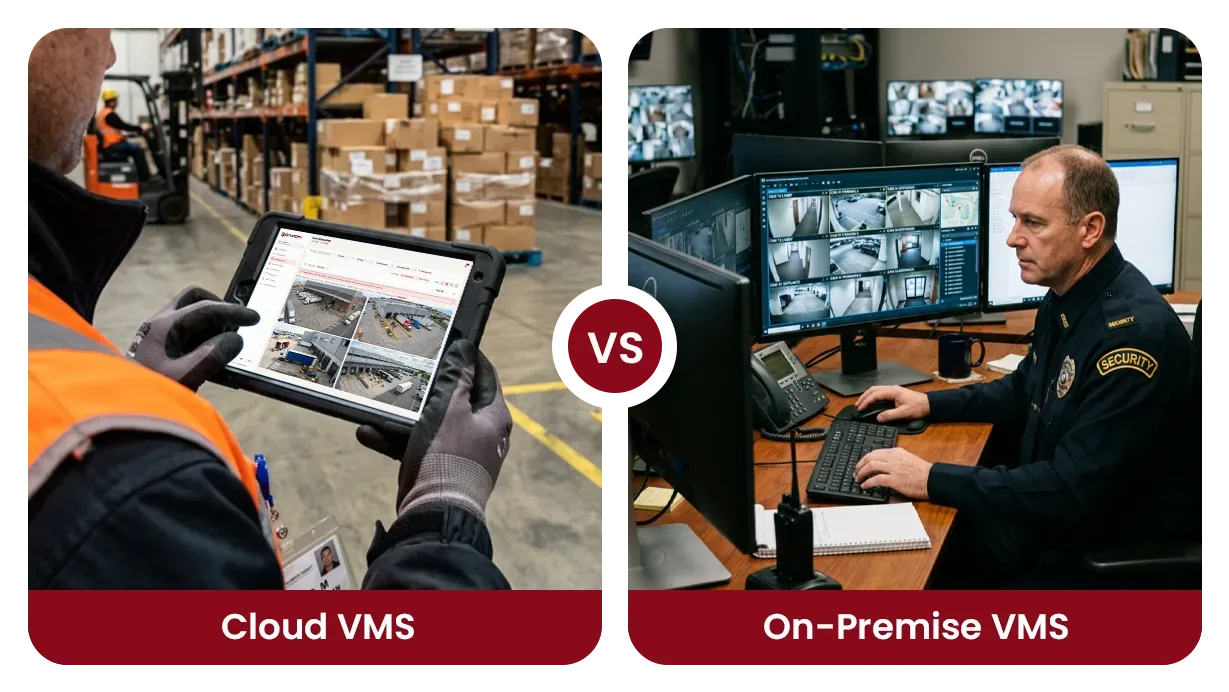
Why businesses look for a Blue Iris alternative
Blue Iris is capable software. Its version 6 handles up to 128 cameras, has AI built in, and its Full License is listed at $99.95. It is also Windows software on a machine you provide: its recommended specs list Windows 11, 1GB of RAM per high-megapixel camera, an optional Nvidia graphics card and 7200+ RPM drives or SSDs. Whoever owns that machine owns its updates, its drives and its uptime.
The second reason is remote access. Blue Iris's own roadmap says remote access “remains a struggle for many due to networking security and architecture”. Its home page links a port-forwarding guide for reaching a Blue Iris server from outside, and a hosted remote-access service is described as planned, with its details still being worked out.
The third is scale and use. A company covering several client sites needs one view across them, a login per client and a record that the cameras were checked. And Blue Iris's maintenance plan table marks “Commercial use permitted” only for its Commercial license plan, listed at $39.95 a month.
What you keep, what you gain and what you give up
A switch is a trade. Read the third list before the other two: if something on it is the reason you chose Blue Iris, stay with it.
What you keep
- The cameras. Any camera Blue Iris reaches over RTSP or ONVIF can connect to Camzify the same way, and RTMP and HTTPS streams connect too. The stream address already set up in Blue Iris is the one Camzify asks for.
- Detection on those cameras. 23 standard AI detections, from intrusion and loitering to PPE and fire and smoke, each switched on per camera, with motion and camera tampering included on every stream.
- Alerts to a named person. Detections reach the assigned contact by email, SMS, WhatsApp or push within seconds of a confirmed detection, with a record of who acknowledged them.
- Retention you set per camera. Storage is a pool sold per terabyte per month, and each camera takes its own window in days or as a storage cap.
What you gain
- Footage that is not in the building. Recordings are written to Amazon S3 in the AWS region nearest your sites as they are captured, so a stolen PC or a failed drive does not take the evidence with it.
- No recording server to keep alive. There is no Windows machine at the site holding the archive, no drives to size and no updates to install. Where cameras sit on a private network, the Camzify Connector relays their streams to the cloud from a PC that is already there.
- Remote access without opening the router. The console runs in a browser, and the Connector reaches the cloud with no port forwarding, static IP or firewall change.
- Patrol rounds with a report. A scheduled round checks a list at every camera, notifies the assigned guard when an item fails, and files a timestamped report with a compliance percentage.
- Every site in one account. Each site is set up on its own and read from one console, with sub-users scoped to their own sites, which is how a security company gives each client its own view.
What you give up
- Recording that never leaves your network. Blue Iris runs on your own Windows PC or server. Camzify is a cloud service by default; it is also deployed on premises or as a hybrid for clients whose footage must stay on site, planned with each client.
- A license price instead of a monthly service. Blue Iris lists a Full License at $99.95 for up to 128 cameras and an LE License at $39.95 for one camera, with maintenance plans after the first year. Camzify is billed per instance per month.
- The built-in AI Blue Iris now ships. Its version 6 notes list object classification, tracking and counting, facial recognition and ALPR as built-in services, plus custom ONNX and YOLO models. Camzify identifies no one in its standard detections; facial recognition exists only as a custom build for a customer with the legal basis to use it.
- Deep local control. Blue Iris lists PTZ auto-tracking of AI objects, MQTT, Sonoff switches for home automation, RTMP streaming to YouTube and Facebook, and running as a Windows service.
- Native phone apps. Blue Iris has Android and iOS apps. Camzify works in the phone's browser today; native iOS and Android apps are in development.
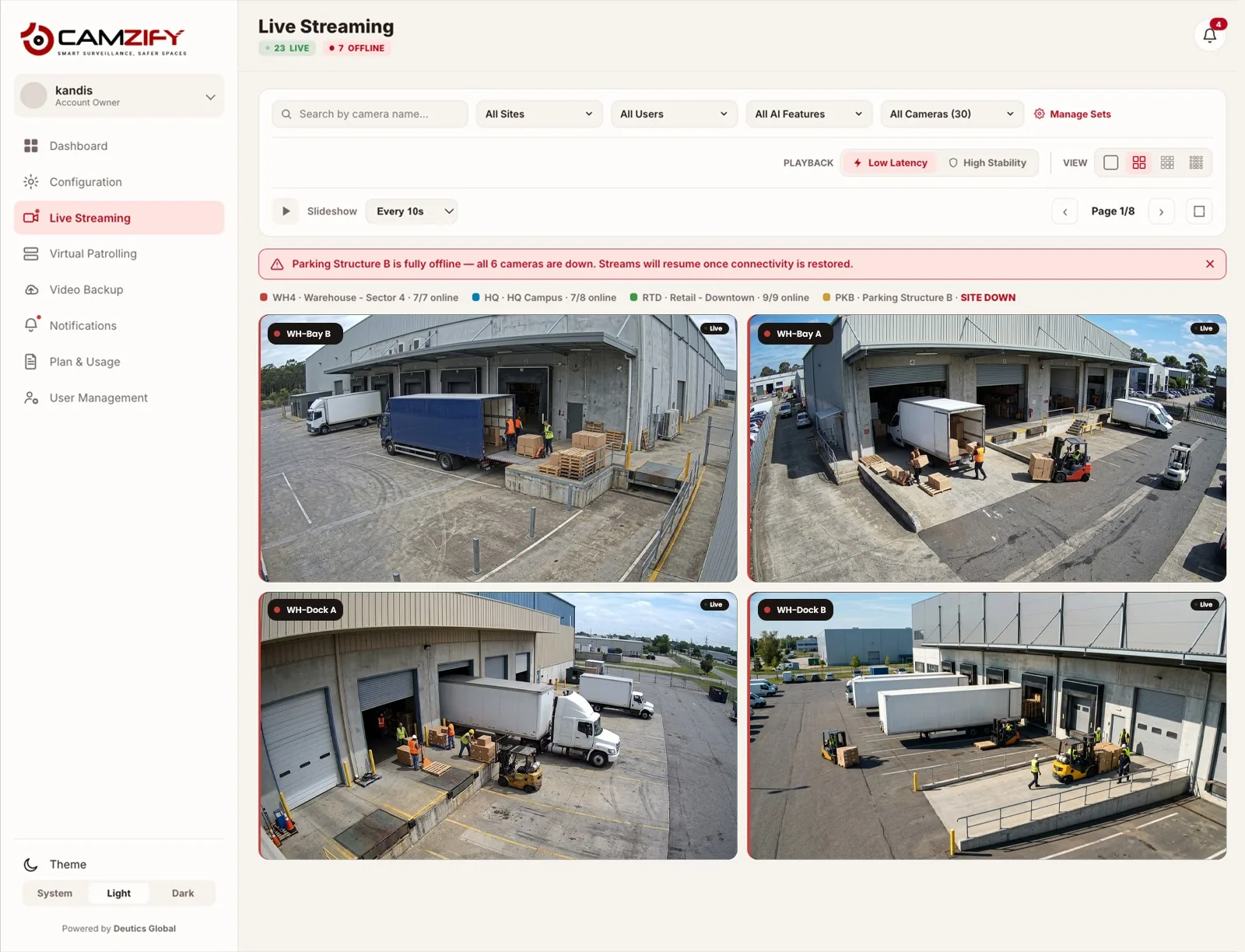
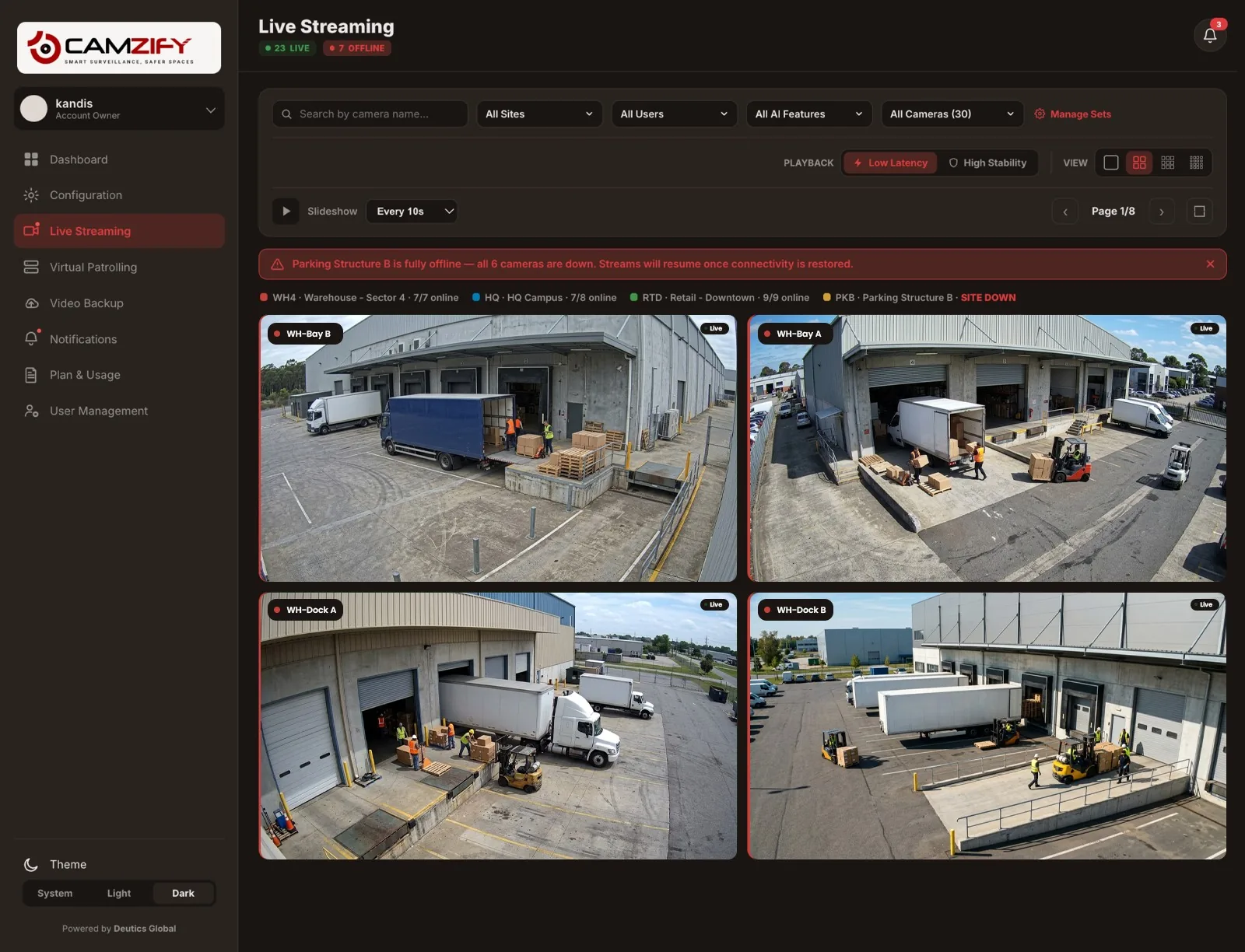
Camzify and Blue Iris side by side
What changes when a site moves from a Blue Iris machine to the cloud. Where Blue Iris's pages did not describe something, the row says so rather than assuming it is missing.
| Aspect | Camzify | Blue Iris |
|---|---|---|
| Where it runs | In the cloud, opened in a browser. On-premises and hybrid deployments are planned with each client that needs them. | On a Windows PC or server you provide: Windows 10 64-bit at minimum, Windows 11 recommended. |
| Hardware to maintain | None for recording. The optional Camzify Connector, an application for Windows, macOS or Linux, relays streams from a private network. | The recording machine: an Intel processor, 8GB of RAM or more, 1GB of RAM per high-megapixel camera recommended, 7200+ RPM drives or SSDs, and an optional Nvidia graphics card. |
| Where recordings are kept | Amazon S3, in the AWS region nearest your sites, with retention set per camera. | Cloud recording is not described on the pages checked. Blue Iris captures MP4, AVI, an advanced DVR format or Windows Media files. |
| Remote access | Browser console from anywhere. Private-network cameras connect through the Connector with no port forwarding. | A built-in web server (UI3) with HTTPS. Its home page links a port-forwarding guide for external access, and its roadmap describes a hosted remote-access service as planned. |
| AI detection | 23 standard detections, each licensed per camera, running in the cloud. License plate recognition (US and Singapore plates) and other detections are built to order. No standard detection identifies anyone. | Built in since version 6.0.1: object classification, tracking and counting, facial recognition and ALPR, plus custom ONNX and YOLO models. Runs on the Blue Iris machine. |
| Alerts | Email, SMS, WhatsApp or push to an assigned contact, within seconds of a confirmed detection. | Loudspeaker, email, instant message, voice phone call with automatic redial, or an external program or script. |
| Patrol rounds and reports | Scheduled rounds with a checklist per camera, a guard notified on a failure, and a report with a compliance percentage. | Not described on the pages checked. Blue Iris describes action sets for alerts and other conditions. |
| Pricing as published | From $5 per camera per month, quoted per site. Most cameras land between $20 and $90 per camera per month. | Full License $99.95 (up to 128 cameras); LE License $39.95 (one camera). One year of basic maintenance included; plans listed at $44.95 a year, $199.95 a year, and a Commercial license at $39.95 a month. |
| Commercial use | Built for it: businesses, and security companies covering client sites. | The maintenance plan table marks "Commercial use permitted" only for the Commercial license plan. |
How to move from Blue Iris to Camzify
Six steps, in the order they happen. Camera connectivity covers the connection types, the Camzify Connector covers private networks, and using existing cameras with a cloud VMS is the guide behind step one.
List the cameras Blue Iris records
Each camera is already set up in Blue Iris with its address and login. Note each one down with its make and model; that list is most of the setup.
Decide how each camera reaches the cloud
A camera with a reachable stream address connects directly. A camera on a private network connects through the Camzify Connector on a Windows, macOS or Linux machine at the site, with no port forwarding.
Set retention per camera
Size the storage pool, then give each camera a retention window in days or a storage cap. Cameras that matter for evidence keep more; corridor cameras keep less.
Choose detections per camera
Motion and camera tampering come with every stream. Each other detection is switched on for the camera it runs on, so a gate can carry line intrusion while a yard carries loitering.
Schedule the patrol rounds
Order the camera stops, write the checklist for each one, name the guard to notify and set the schedule. From the first run there is a report per round with a compliance percentage.
Run both while you check
Keep Blue Iris recording until the cloud recordings, alerts and reports have been checked over a period you decide. Some cameras limit how many streams they serve at once, so check yours. Export any old clips you need before the Blue Iris machine is retired.
Video backup and retention shows the per-camera retention screen behind step three, and virtual patrolling explains the round and its report behind step five. If your cameras are a particular make, the supported cameras guides give the stream address format for each.
Where Blue Iris is the better choice
Blue Iris is the stronger option when local control is the point, not the problem.
- You are a homeowner or hobbyist who wants local recording on your own terms. Blue Iris is a software license on a PC you control, and Camzify is not built or priced for a single home.
- Footage must never leave the building and you want to run the box yourself. Blue Iris records on your own machine. Camzify can be deployed on premises, but Camzify plans and installs it with you rather than selling software you set up alone.
- You want facial recognition or ALPR as standard, or your own AI models. Blue Iris lists both as built in, plus custom ONNX and YOLO models. Camzify builds license plate recognition (US and Singapore plates) and anything beyond its 23 standard detections to order.
- You tie your cameras into home automation. Blue Iris lists MQTT, Sonoff switches and further home-automation plans; Camzify does not do home automation.
Where Camzify is the better choice
Camzify is the stronger option when the cameras are a business's, or a client's, and someone has to answer for them.
- You look after cameras at sites you are not at. A security company or installer covering client sites sees every site in one console, gives each client a scoped login, and hands over a report per round.
- Losing the recorder must not lose the footage. Recordings leave the site as they are captured, so a stolen or failed machine takes nothing with it.
- Remote access has been the hard part. No port forwarding, no static IP and no firewall change, from any browser.
- You need proof that the cameras were checked. Scheduled patrol rounds file a report with a compliance percentage, which none of the Blue Iris pages we checked describes.
- You would rather not maintain a Windows machine per site: its updates, its drives, its uptime.
The bottom line
Blue Iris is a strong recorder for someone who wants to own and run the machine. Camzify is for the business that would rather not: recordings off site, remote access with no router changes, every site in one console and a report for every round, on the cameras Blue Iris already records. For the wider picture, cloud VMS versus on-premise weighs the two models without naming a product.
The cost basis is on the pricing page: from $5 per camera per month, quoted per site within one business day. A demo runs on your own camera list.
Sources, checked 13 October 2026
Every statement about Blue Iris above comes from one of these pages, read on that date. If a line here disagrees with what Blue Iris's site says today, its site is current and this page is not.
- Blue Iris home page: features, licenses, maintenance plans, system requirementshttps://blueirissoftware.com/
- Blue Iris updates: version 6 overview and roadmaphttps://blueirissoftware.com/?page_id=344
- Blue Iris version 6.0.1 release note: built-in AIhttps://blueirissoftware.com/?p=1035
Frequently asked questions
Ready to patrol your site 24/7?
Book a 15-minute demo and see a live patrol run on your own cameras.