

People counters: sensors vs the cameras you already own
 By Muhammad Talha · Product Manager and CTONine years building computer vision and automated surveillance systems · Updated
 A people counter is a sensor over a door, or software reading camera video, that measures how many people pass through an entrance or occupy a space. Most businesses that want the numbers already have the second kind of hardware on the wall: a security camera watching the entrance. This article compares the two routes, what each costs, how accurate each tends to be, and what counting with the cameras you already own looks like in practice.
What is a people counter?
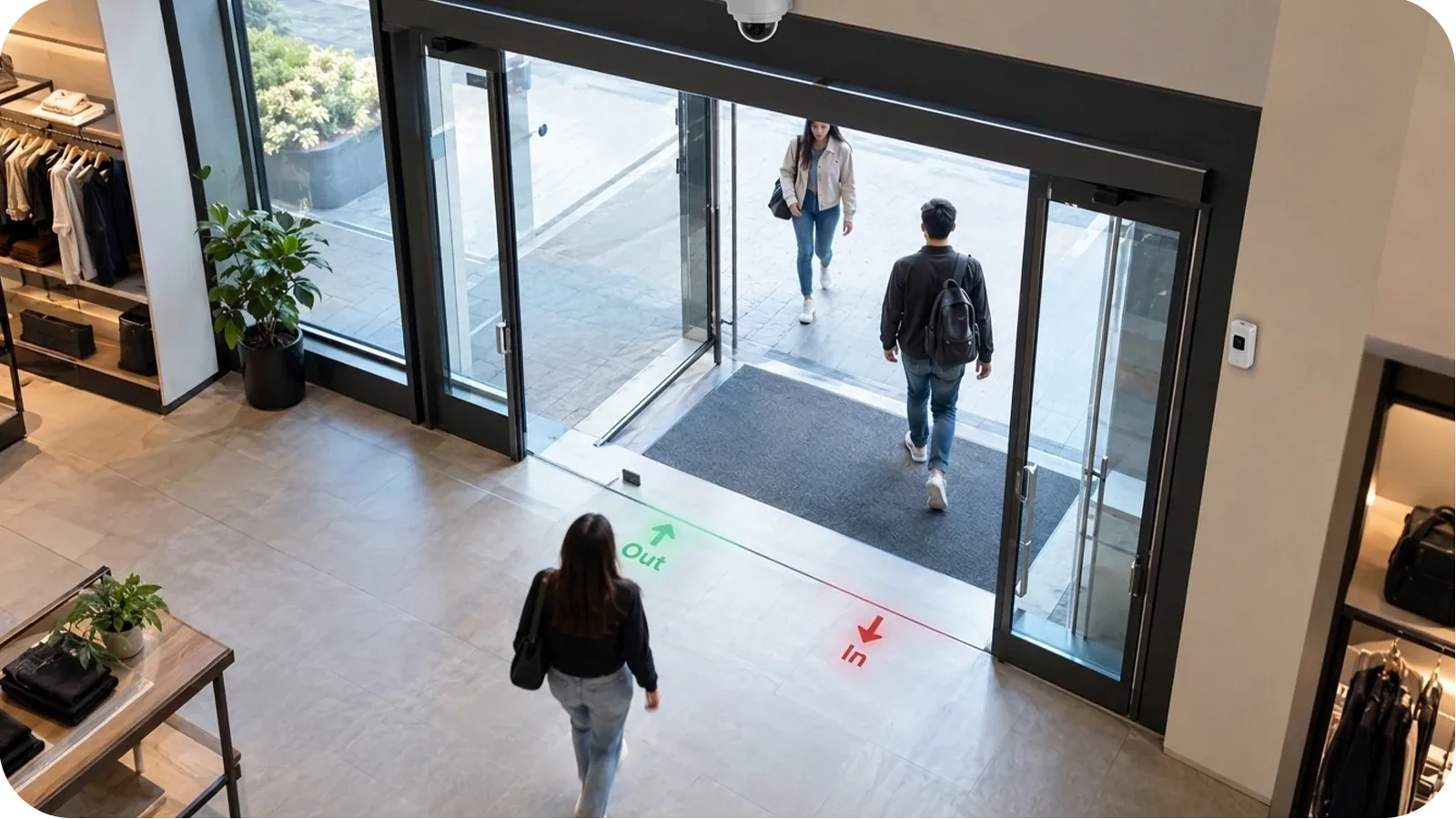
A people counter is any method of counting the people who pass a point or occupy an area: a staff member with a clicker, a beam across a doorway, a sensor in the ceiling, or software counting people in a camera’s view. Wikipedia defines it as “an electronic device that is used to measure the number of people traversing a certain passage or entrance”. In retail the result is usually called footfall or foot traffic; in a venue or office, occupancy.
Two different numbers hide behind the word. Entries (or footfall) is how many people came in over a period. Occupancy is how many are inside right now. A door counter gives the first; working out the second means subtracting exits from entries, which only works if the counter tells the two directions apart.
How does a people counter work, and what are the main types?
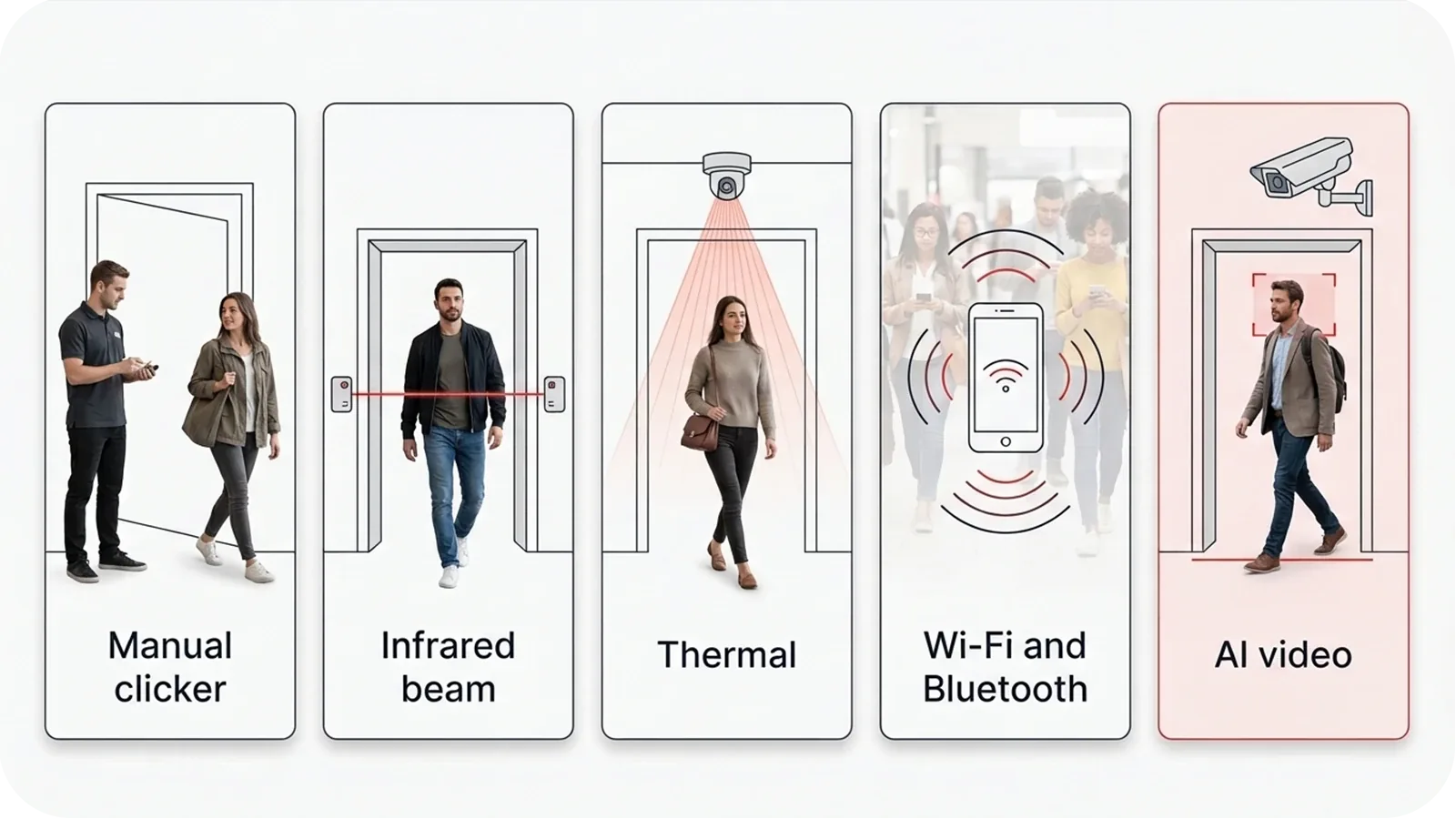
Every type detects a person passing a point and adds one to a total. They differ in what they sense:
- Infrared beam: a beam across the doorway, broken by each person who walks through. Cheap and simple; Wikipedia notes that early beam counters halved their total on the assumption that people leave by the door they came in.
- Thermal: an overhead sensor that counts heat signatures. Wikipedia notes thermal counters have difficulty measuring how long people stay beyond a few seconds.
- 3D or overhead: a unit above the doorway that counts people from overhead and senses their direction of travel.
- Wi-Fi and Bluetooth: counting the phones nearby. It covers wide areas, but not everyone carries a phone, and phones now rotate the identifiers this method relies on.
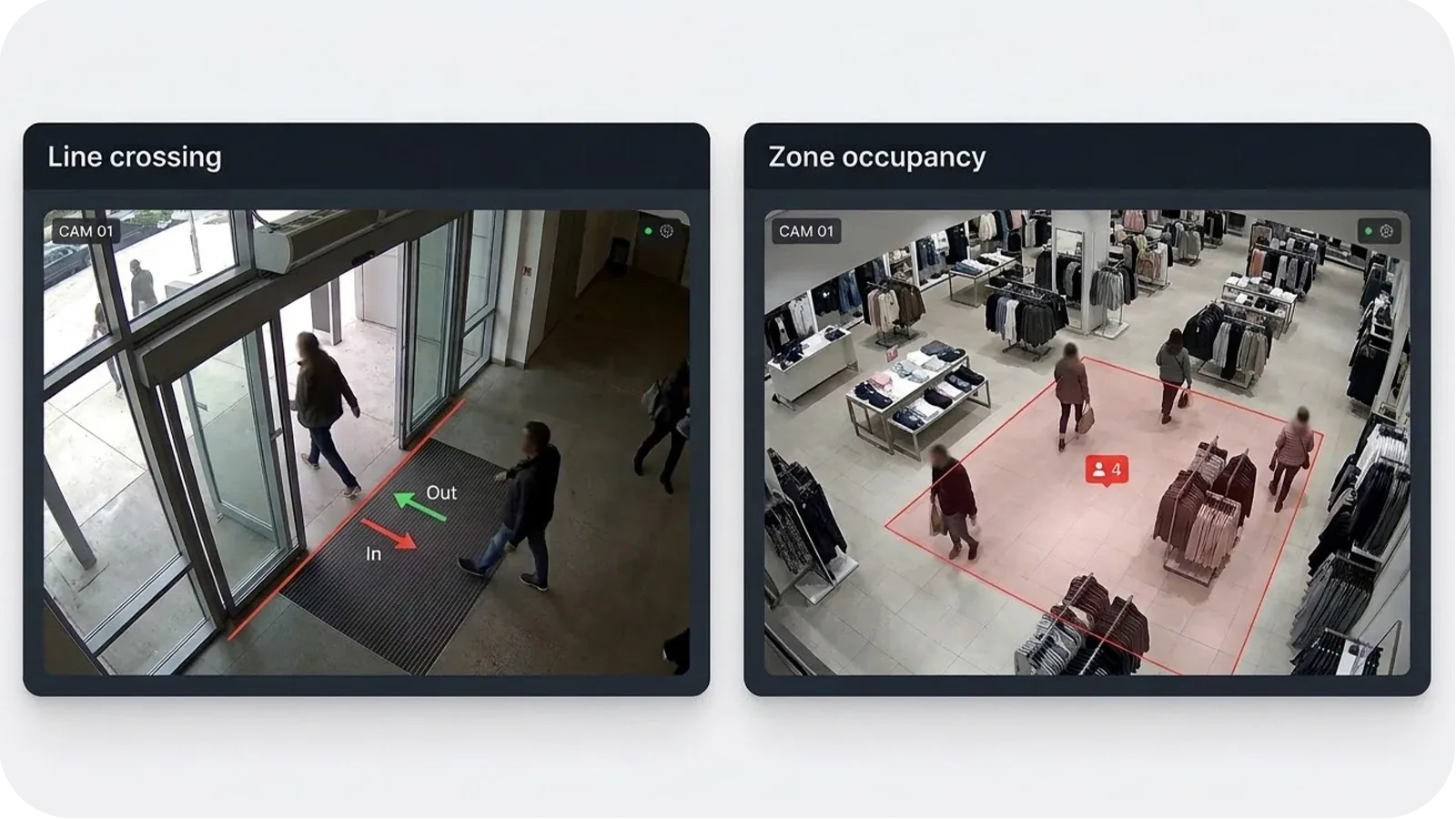
- AI video: software that tracks people in a camera's view and counts them as they cross a line drawn across the entrance, in each direction, or as they occupy a zone. It runs on a camera that is already there.
Which type of people counter is most accurate?
The published ranges favor overhead and video counting. Wikipedia’s overview gives first-generation infrared beam counters an “expected accuracy level of 60% to 80%”, and third-generation video counters an “expected accuracy rate of the device” of 80% to 95%.
The figure that matters, though, is the one at your door. Every type loses accuracy to the same things: a mounting angle that sees people overlap, strong backlight from a glass entrance, and crowds that bunch at peak times. Camera counting built on tracking holds up well in moderately busy areas; in a very dense crowd individual tracks are harder to separate, so at that density the figure is best read as a reliable trend rather than an exact headcount. Test any method at your own entrance before you rely on it for staffing or conversion figures.
How much does a people counter cost?
Dedicated counters are bought per entrance. IDT Electronics, for example, lists models from $139 for a battery unit that counts door swings to $889 for an overhead unit with directional sensing that saves hourly totals, before installation and before any software to bring several doors together.
Counting with cameras you already own moves the cost from hardware to software. On Camzify, pricing is per instance per month and quoted for the site: it starts from $5 per camera per month, and most cameras land between $20 and $90 per camera per month depending on which detections run. The same camera keeps its other jobs, recording and security detections, so the counting is not paying for a camera on its own.
Can you count people with the security cameras you already have?
Yes, and in both ways a business needs. A virtual line drawn across the entrance in the camera view counts people as they cross it, entering and leaving separately, using the same line crossing that sets a direction rule per line for security alerts. And occupancy and peak-hour trends count the people in each zone of a camera’s view continuously, building a live figure and a history by hour of day and day of week.
Both run on cameras already installed, from any maker, as long as the camera’s stream reaches the platform: any camera with an RTSP stream works, and cameras on a local network connect through the Camzify Connector without port forwarding. Nothing is mounted over the door.
How do you measure foot traffic, and which numbers matter?
Count at the entrance, keep the history, and read four numbers from it:
- Entries per day and per hour: the footfall figure itself, the basis for every comparison week on week and store to store.
- Peak hours and days: when the building is busiest, which is the number staffing decisions are made on.
- Live occupancy: how many people are inside now, from entries minus exits or from a zone count, which matters wherever a space has a limit.
- Conversion rate: transactions divided by visitors, the retail figure that turns footfall into a measure of how well the store sells.
The first three come straight from the counts. Conversion needs your sales figure alongside them, which is why it is the number most counting projects are bought for and the last one to arrive.
Where should a people counter or counting camera go?
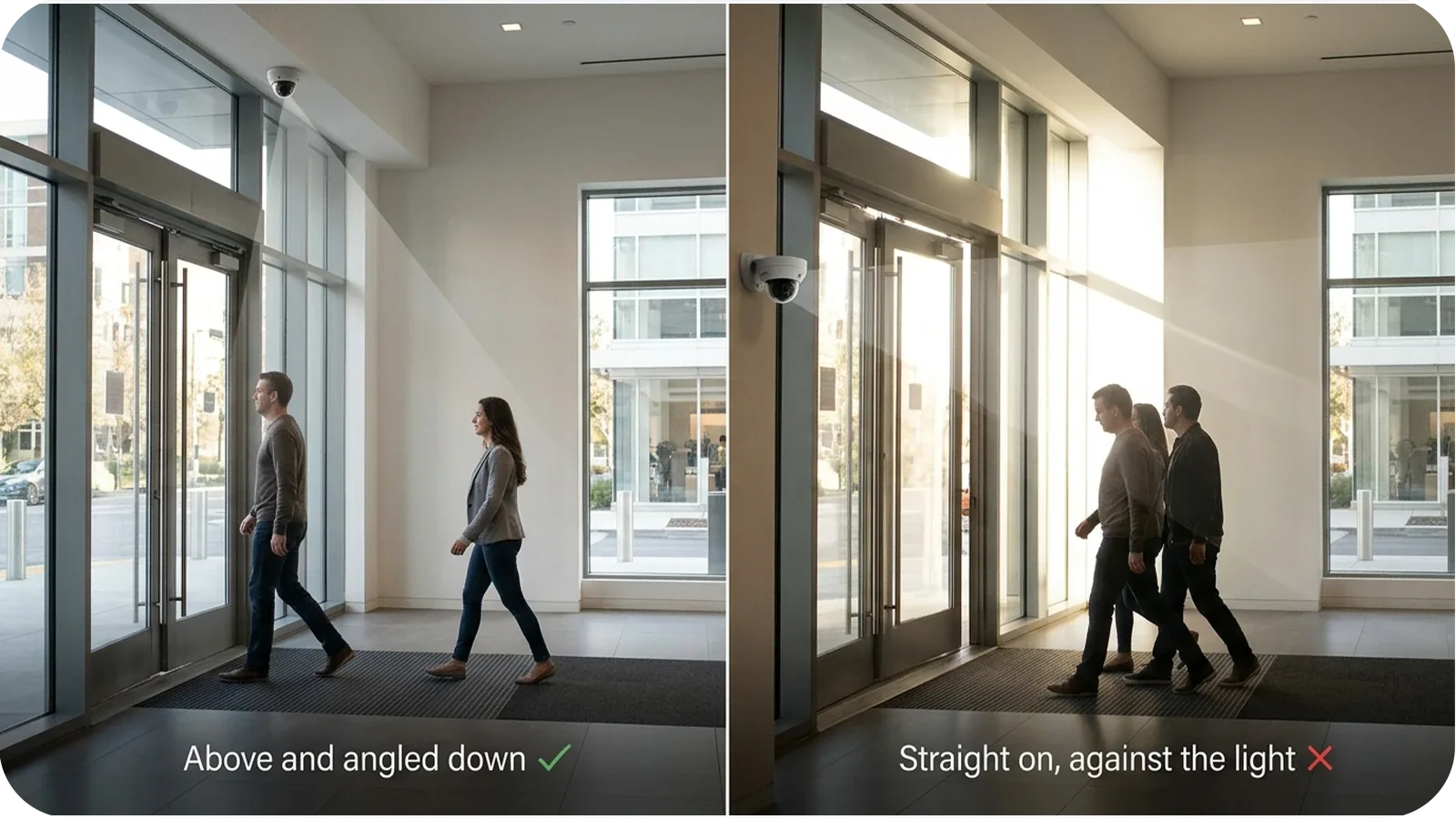
Over or facing the entrance, with the whole doorway in view and people passing through one or two at a time. For a camera, that usually means an angle from above rather than straight on, so people do not hide behind each other, and the counting line drawn across the doorway itself rather than across the open floor. Glass entrances that throw strong backlight at the camera are worth checking at the brightest time of day.
Many sites find a camera already in that position, because the entrance is the first thing a security camera is put on. Where one is not, adding a camera there gives counting and security from the same device.
Is camera-based people counting private?
Counting does not need to know who anyone is, and on Camzify it does not: the standard detections count and track people as anonymous subjects, and none of them identifies anyone. The count is a number per line, zone and hour. Footage is recorded only under the retention period set for that camera, and in the cloud deployment it is kept in Amazon S3 in the AWS region nearest your sites; where it must stay on site, Camzify is deployed on premises.
Dedicated counters or camera software: which fits a business with many sites?
A dedicated counter suits one door where no camera can see the entrance and nothing else is needed from the hardware. Camera software suits almost everything else, and the gap widens with every site:
- No device per door: each entrance is counted by the camera already covering it.
- Every site in one place: counts from every store are read on one login, instead of one device and one report per door.
- More than a number: the same cameras record, run security detections and, if you choose, scheduled patrol rounds, so counting is one use of a system you would run anyway.
- Security on the same feed: the detections that watch for intrusion or loitering on those cameras notify the right person within seconds of a confirmed detection; the counts themselves are read, not alarmed.
For chains and franchises, see a cloud VMS for multiple sites and the retail page; for venues with a capacity limit, occupancy limits for venues and public spaces.
Sources, checked 12 October 2026
- Wikipedia: People counter: definition, counter types, the accuracy ranges quoted, and the limits of thermal and Wi-Fi counting.
- IDT Electronics: device prices and features as listed on its homepage.
Count people on the cameras you have
See footfall, occupancy and peak hours from your own entrance cameras in a demo, before anything is bought.