

What goes in a remote patrol proposal
 By Muhammad Talha · Product Manager and CTONine years building computer vision and automated surveillance systems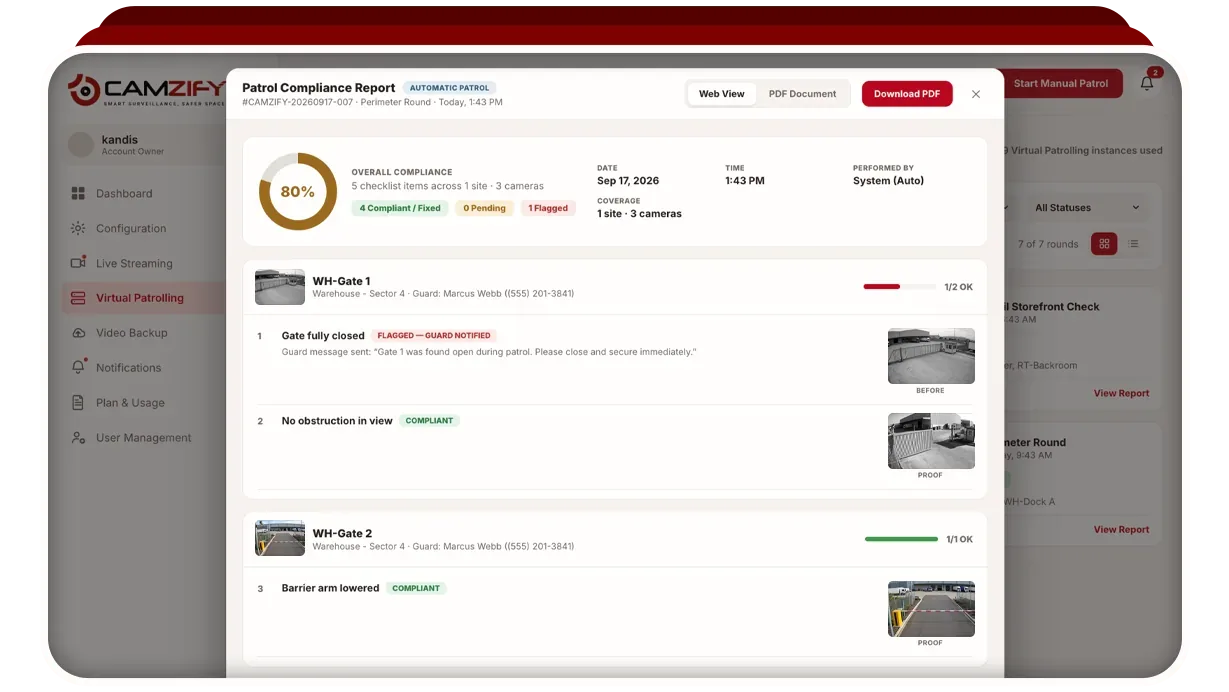
A proposal for remote patrols is short if it is honest, because the service is concrete: these cameras, this checklist, this schedule, this report, this person notified when a check fails, this price per site per month. This guide lists the sections in the order a client reads them, with what each should say and what it should leave out. It assumes you sell guarding or monitoring already and are adding rounds to the offer.
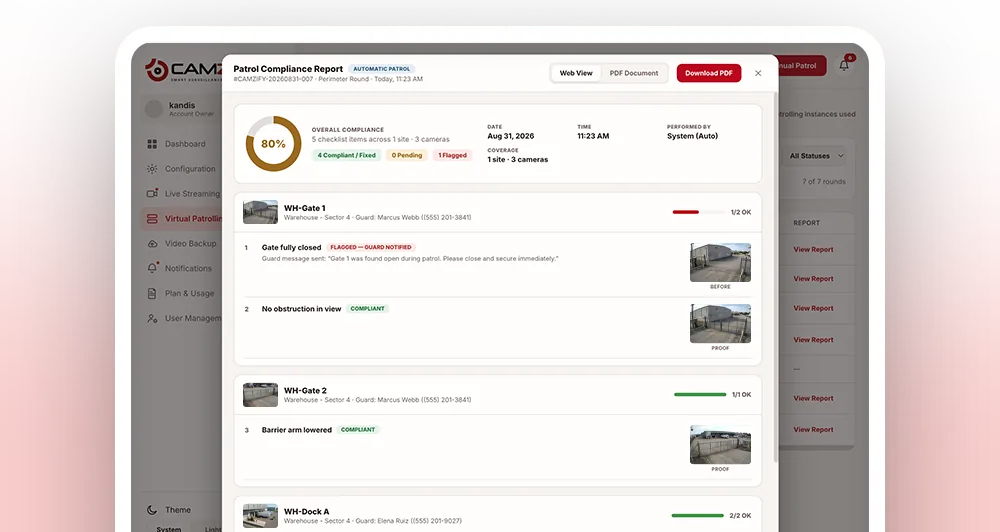
- Gate fully closedCompliant
- No tailgating observedCompliant
- Dock door securedNot compliant
- Corridor clear of obstructionsPending
A failed item is resolved as Fixed or Pending before the round can close.
1. The sites and the cameras
Name each site and the cameras the round will use, by location rather than model: front gate, rear yard, dock bays one to three, server corridor. Say how each connects, directly by RTSP where the stream is reachable, or through the Camzify Connector on a PC inside the site's network, and say which cameras are not covered. A client who knows the round does not see the back stairwell is a client who does not blame the round when something happens there.
2. The patrol sequence
The order the round visits the cameras. Write it as a walk: gate, yard, dock, corridor, plant room, back to the gate. Each stop is one camera. The patrol sequences page explains how a sequence is built and why order matters for the report.
3. The checklist, per camera
This is the heart of the proposal and the part clients read twice. At each stop, the conditions the round checks: dock door down, yard empty, gate closed and latched, camera view unobstructed. Write them as conditions, not events, so that a round that passes means something. Three to five items per camera is typical. The checklists page covers how items are written and the three states each can hold: Compliant, Not Compliant and Pending.
4. The schedule
Frequency, active hours and active days, per sequence. Every hour from 19:00 to 07:00 on weeknights, every two hours around the clock at weekends, whatever the client's risk and budget say. State whether rounds are automated, run by your operator, or both. Say what happens if the site's connection drops: the round is logged as missed, not skipped silently, and the next scheduled round runs when the connection returns.
5. Who is notified, and how
When a check fails, the item is marked Not Compliant with the frame and the guard designated for that camera is messaged on the configured channel: email, SMS, WhatsApp or push. Name the person or the desk per site, and say what they do next. On an automated round the message is immediate and unattended. The guard notifications page has the detail.
6. What the client receives
A report per round: every stop, every item, its result, the frame it was judged against, the before-and-after pair for anything fixed, timestamps and a compliance percentage. Include a sample. Say how they get it: through their own scoped login, by email, or both. The patrol reports page shows one.
Say also what the client can see live if you give them a login: their cameras, their alerts, their reports, and nothing belonging to another client of yours.
7. The price, per site per month
Your price, set against the quote you hold from us. Do not repeat Camzify's rates in the proposal; we do not publish them and the client does not need them. Price the round separately from the guarding or the response, so the client can see what each buys. The agency mode of the ROI calculator shows the recurring revenue for a given client count and price.
8. What the service does not do
One paragraph, in plain words. It does not attend; a person does. It does not see areas without cameras. It does not run without a connection. It is not a detection rate or a response time. A proposal that says this is a proposal the client trusts, and it is the paragraph that keeps the guarding contract in place. The trust page is the model.