

How to configure cloud video backup
 By Muhammad Talha · Product Manager and CTONine years building computer vision and automated surveillance systems · Updated
 Video backup is a trade between storage cost and evidence coverage, and it is decided per camera rather than once for the account. This guide covers the four settings that determine both, and how to read the storage estimate without being surprised later. See also video retention requirements.
- 1
Choose which cameras record at all
Pick cameras individually, by site, or all at once. Not every camera needs recording: a camera that exists to trigger a detection, on a view nobody would ever review footage of, can run without backup. Deciding this first is the cheapest decision in the whole configuration.
- 2
Pick continuous or scheduled recording
Continuous records around the clock. Scheduled records only during hours you define per day of week. Continuous is right where an incident could happen at any hour or where an insurer expects unbroken coverage; scheduled is right for interior cameras watching space that is empty and locked overnight. Most sites run both.
- 3
Set retention per camera, not per account
Each camera keeps footage for its own retention window, and older recordings are deleted automatically once it passes. Per-camera is the point: a 4K entrance camera on a busy forecourt consumes storage far faster than a quiet stockroom at 1080p, and forcing both to the same window means overpaying for one or under-covering the other.
- 4
Read the storage estimate as an estimate
The figure shown during configuration is derived from each stream’s bitrate, the recording hours and the retention days. It is a planning number, not a guarantee: bitrate rises with scene activity and falls at night, so real consumption moves around it. Watch actual usage in Plan and Usage for the first full retention cycle, after which it stabilizes.
- 5
Know how to get footage out before you need it
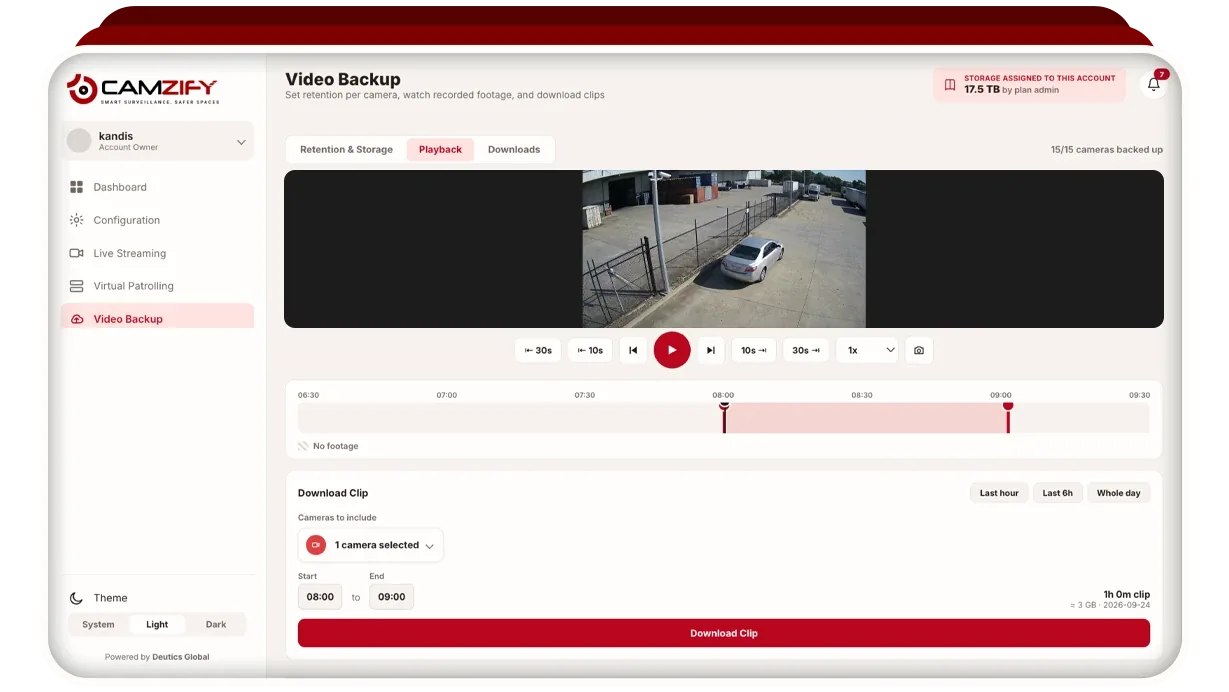
Playback scrubs recordings; downloads export a clip for a chosen time range. Do this once as a drill rather than for the first time during an incident, when someone is asking for a specific two minutes and the clock is running.
Set retention against the worst realistic discovery delay, not the average one. Most incidents are noticed within a day or two, but the ones that end in a claim — stock shrinkage, a dispute over a delivery, an injury reported late — are routinely found weeks afterwards, and retention that expired is the same as no camera.
Related: video backup and retention, how long to keep footage, and working with alerts.
Frequently asked questions
See your cameras in a cloud VMS
A 15-minute demo of the live console: cloud recording with retention per camera, live view and AI detections on the cameras you already have. Pricing starts from $5 per camera per month.