

Skip to content
Camzify
Plan & Usage

License & instance management

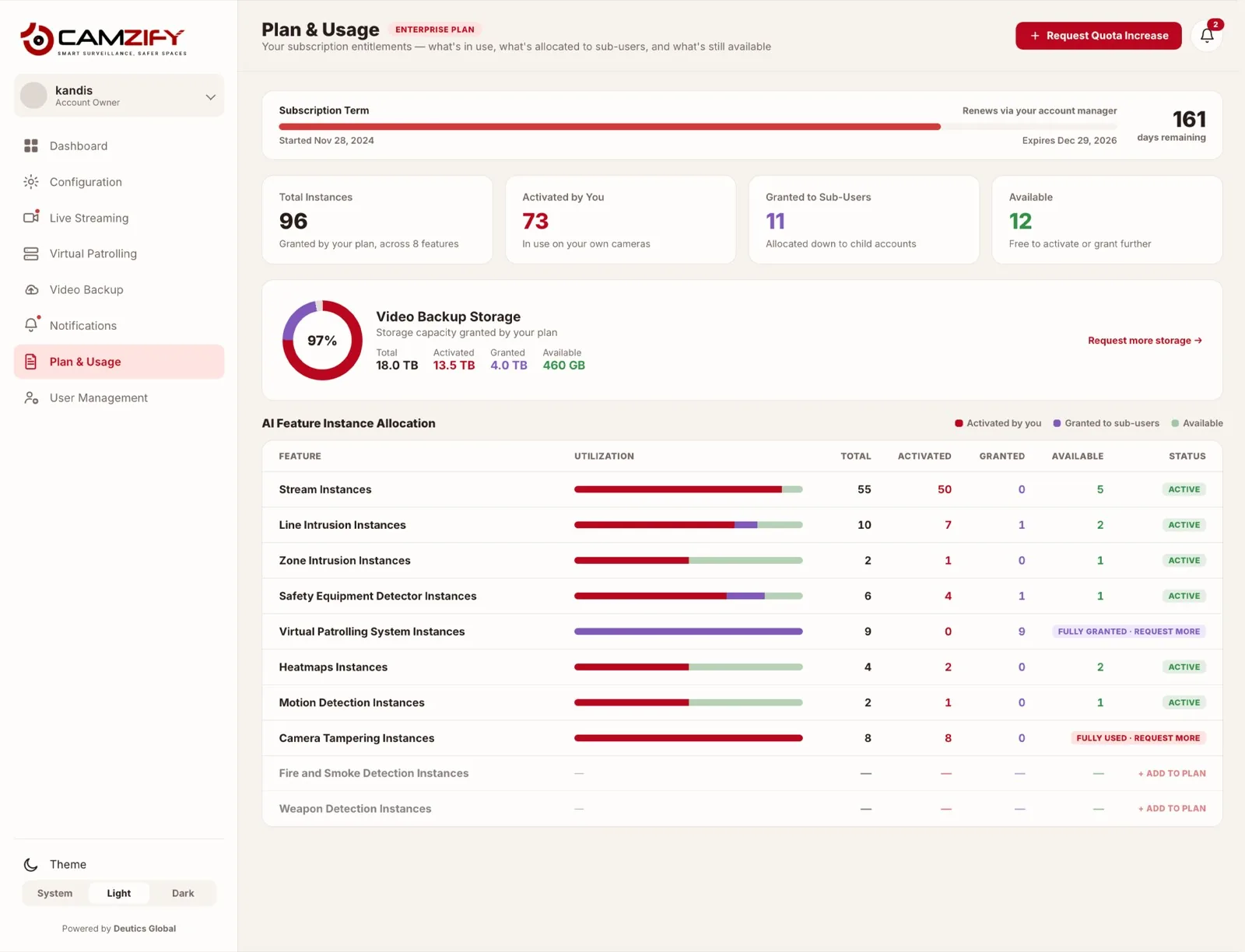
The Plan & Usage page shows total instances per AI feature, how many are activated by you, how many are granted to sub-users, and how many remain available — plus a separate storage entitlement tracked in terabytes. Plan terms show start date, expiry, and days remaining. On the current Enterprise Plan, 96 instances are granted across 8 features, with 12 still available and 161 days left on the term.
Plan & usage · Camzify console
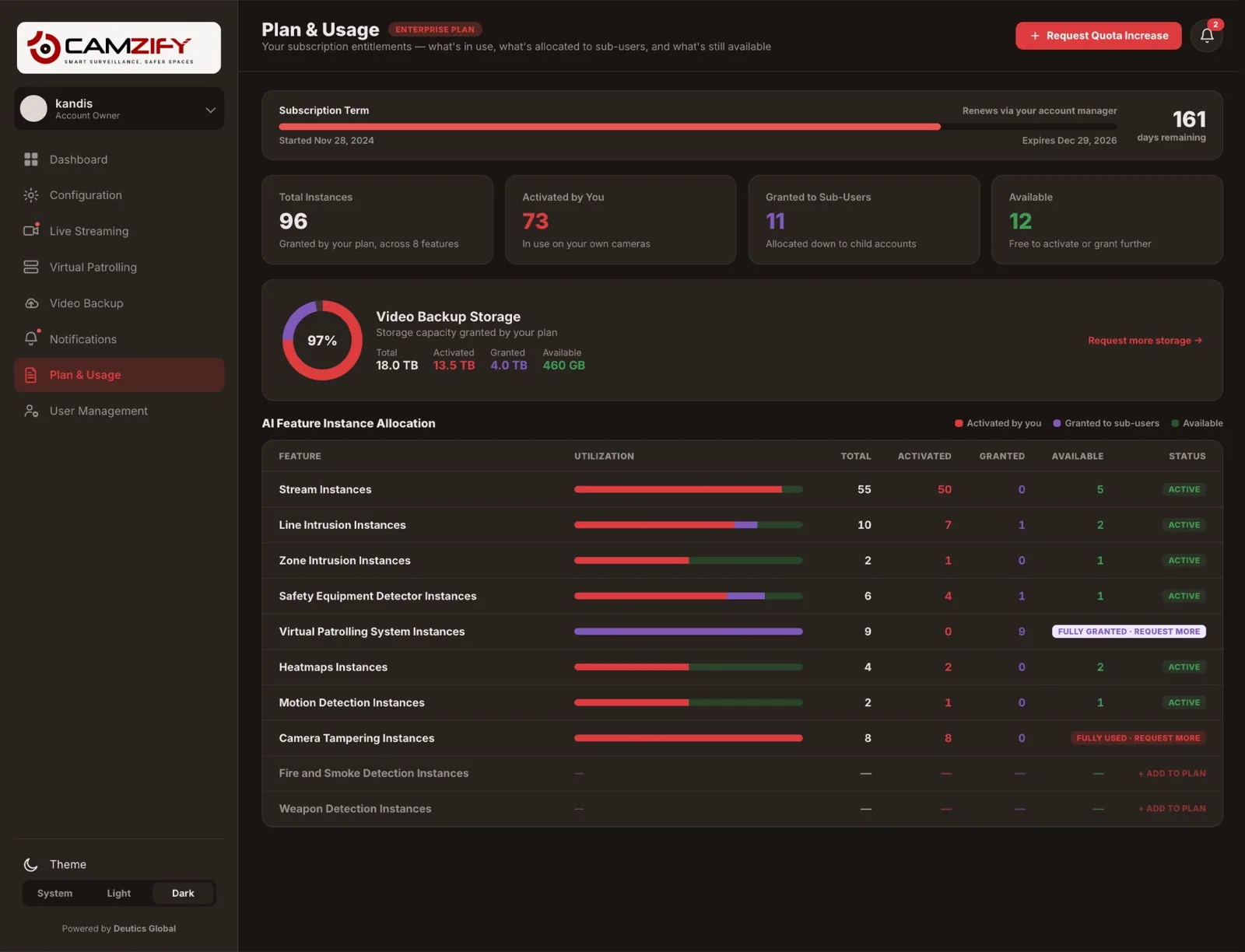
A laptop showing the Camzify Plan & Usage screen with subscription term, instance totals, storage entitlement, and a per-feature allocation table
Plan & Usage · Enterprise Plan
8 Features
161 days remaining
Started Nov 28, 2024 · Expires Dec 29, 2026 · renews via account manager
96
Total Instances
73
Activated By You
11
Granted To Sub-Users
12
Available
Video Backup Storage13.5 TB / 18.0 TB activated · 460 GB available · 97% utilized
FeatureTotalActivatedGrantedAvailableStatus
Stream Instances555005ACTIVE
Line Intrusion Instances10712ACTIVE
Virtual Patrolling System Instances9090FULLY GRANTED · REQUEST MORE
Safety Equipment Detector Instances6411ACTIVE
Camera Tampering Instances8800FULLY USED · REQUEST MORE
Heatmaps Instances4202ACTIVE
In practice

What the plan page shows

Per-feature instance transparency

Total, activated, granted, and available are broken out for every AI feature on the plan, no combined number hiding where the room is.

Storage entitlement tracking

Video Backup Storage is metered separately in terabytes, currently 13.5 of 18.0 TB activated with 460 GB available.

Sub-user allocation from the same pool

Instances granted to sub-users draw from the same 96-instance plan total, keeping one account-wide source of truth.

Request-more when you hit the ceiling

A feature that's fully granted or fully used, like Virtual Patrolling or Camera Tampering, surfaces a clear request-more path instead of a dead end.

Reading The Numbers

Activated, granted, and available

Every feature on the plan is broken into the same three buckets. Activated means you've stood up an instance and it's running. Granted means you've allocated an instance out to a sub-user's account instead of using it yourself. Available is what's left of the total, neither activated nor granted, and it's the number that tells you how much room you actually have.

That distinction matters most at the edges. Virtual Patrolling System Instances shows 9 total, 0 activated, 9 granted, 0 available, every instance is already out with sub-users, so expanding your own usage there means requesting more, not reclaiming anything. Camera Tampering Instances is fully used the other way: 8 of 8 activated directly, none available.

Headroom By Feature
Stream Instances
50 activated · 5 available
Virtual Patrolling System
9 granted · 0 available
Camera Tampering
8 activated · 0 available
Heatmaps Instances
2 activated · 2 available
FAQ

Frequently asked questions

Both draw from the same pool of licensed instances. "Activated by you" counts instances you've stood up on your own account. "Granted to sub-users" counts instances you've allocated out of your plan to a sub-user's account instead — on the Enterprise Plan that's 73 activated by you and 11 granted out, against 96 total.

It means every instance of that feature type has been activated and none remain available. Camera Tampering Instances, for example, sit at 8 activated out of 8 total. The feature keeps running normally for existing instances; you just can't stand up a new one until you request more or free one up.

No, instance allocations are per feature type, so the 5 available Stream Instances can't be converted into Line Intrusion Instances directly. Expanding a specific feature, like Virtual Patrolling System Instances which is fully granted, goes through the request-more flow rather than a reallocation between features.

Video Backup Storage is tracked as its own pool, 18.0 TB total, 13.5 TB activated, 4.0 TB granted to sub-users, 460 GB available, independent of how many AI-feature instances are on the plan. A plan can have headroom on instances while storage is nearly full, or the reverse, and each is monitored on its own.

The Enterprise Plan on this account started November 28, 2024 and expires December 29, 2026, and renews through your account manager rather than an automatic charge. As the expiry date approaches, the days-remaining figure on this page is the fastest way to check how much runway is left before renewal needs to happen.

Ready to patrol your site 24/7?

Book a 15-minute demo and see a live patrol run on your own cameras.

This site is being updated

We are rebuilding pages as you read this, so an image, a link or a section may look unfinished for a while. The product itself is unaffected. If something important is broken, tell us at the contact page and we will fix it.